How do I reset the Iode’ filter application on the BraX3 ?
1 Like
Did you try going into firewall (filter) settings > data reset?
No, what is the procedure? It filters me off line, except for Starbucks…haha?
Can you send a screen cap of you iode app open?
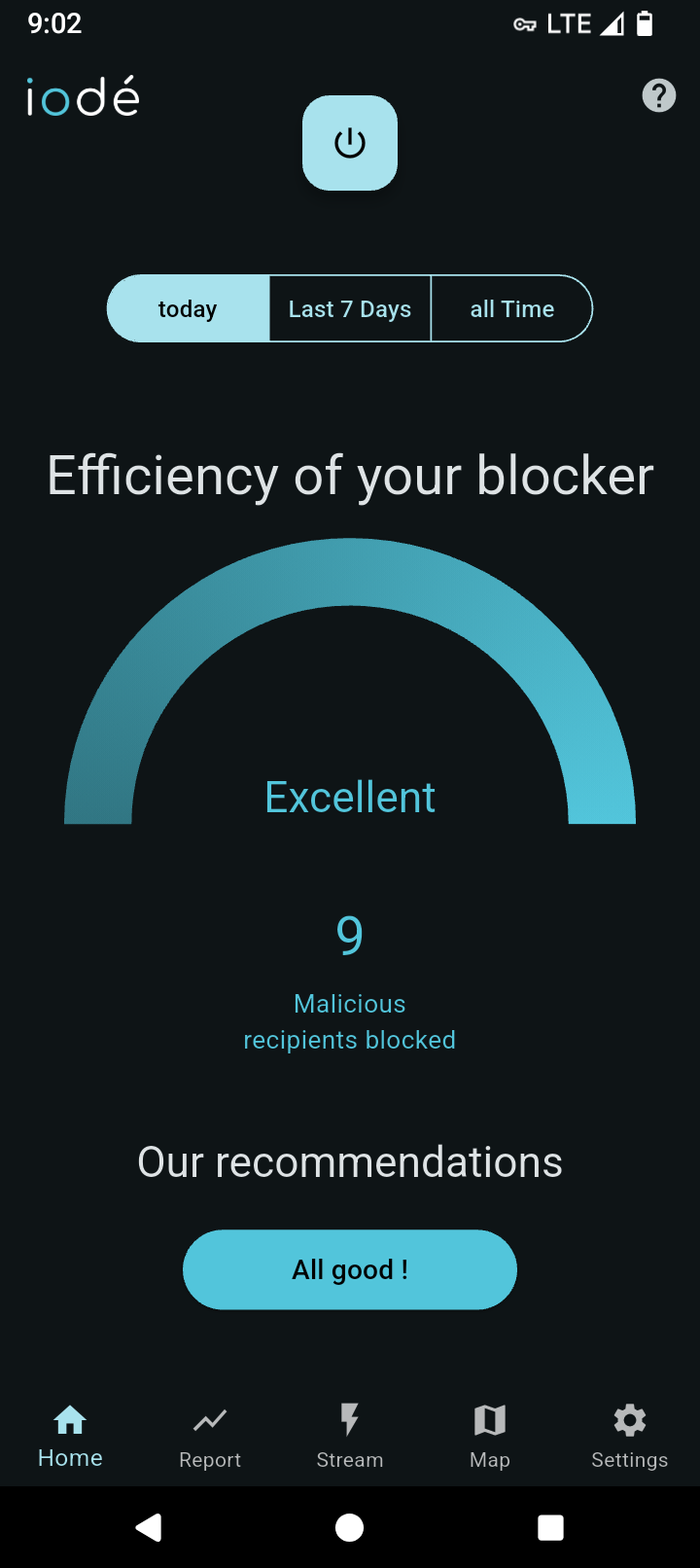
If this is similar to what yours looks like then click on the blue .“alls good” and that should bring you to all of your individual setting for your apps.
It opens fine, but on the top left of the BraX3 I see a shield in front of the 5GUC. When I see the Shield icon no internet ( mobile data activated) when on T Mobile. On my other BraX3 I also can not longer get on line ( Mobile Data activated) but instead of a Shield icon it shows a vertical column looks like a battery icon but without the button. This icon also shows up in front of the 5GUC display.
Both BraX3 phones have excellent voice or text and all WIFi that I have tried works well. Only issue is with Mobile data function of T Mobile. My other T Mobile phones no problem going online.
Try going into your regular setting…network settings…internet then click t-mobile settings gear. Then scroll down to “Preferred Network Type” and set to LTE and see if that gives you access.
I was having issues with 5G and this solved it for me.
1 Like
It shows same blue curve but says Today “Excellent” 9 malicious recipients blocked 7 apps under standard protection. When trying to go online it says Startpage Error code: NS_ERROR_OFFLINE but I have voice calling and receiving and TEXT with WiFI not connected. In the lower part of the iode App it shows a shield icon with a diagonal slash through it and the words startpage.com At the top of the screen it shows a circle in front of the 5G UC and that circle also has a diagonal slash through it.
I tried that. Preferred network is now LTE, same issue. My local WIFI router has 5 bars on T Mobile . The cell site is 1/2 mile away, but most websites think I am 450 miles from here. My location is “off” but fun stuff happens.
Have you tried a different browser/search engine
I only use the iode browser and no search engines. I visit simple sites like whatismyip who.is speedtest.net I usually refrain from using smartphones the internet for privacy reasons. I do like to check on location info, weather info and tech helpful sites. Almost zero social media. Brax.me a few times. I am a boring person using smartphones. Desktops are another matter. My main privacy concerns with smartphones is where and when and not content ( work related).
Uh oh I lied, I have zero problems visiting Starbucks online! They advertise the he77 out of everything.
That 0 symbol with the slash does not appear on my BraX3 when I am online with Starbucks??
I tried to get an “all good” not possible. I clicked on the blue power button in the top middle of the iode app which indicates “Blocking disabled”. I was still not able to go online to run a speedtest.net
I resolved the issues on both BraX3 phones! If anyone else has a similar problem try my solution? I went to my T Mobile SIM and unchecked Mobile Data. I went to Internet connections and selected my WIFI browser SSID and connected. I visited the Aurora store and selected a different known privacy browser ( I tried several and they all worked). I selected DuckDuckgo ( yes I know the pitfalls but just experimenting at this time). I installed DuckDuckGo browser, started it up and it successfully got online with Wifi. I disconnected and shut off my internet access to my router WiFi. I opened up Mobile Data under the SIMs directory, tried using DuckDuckgo browser and yes it works. I visited speedtest.net and am back to 400 Mbps. I plan to evaluate the other privacy browsers and select the best option until I understand the machinations of Iode’ browser, or it is patched so I don’t have this issues again. When I use a smartphone it is for work and it must work when I need to use it. I have zero time to play around with settings to send a short message. I don’t want to get stuck with Graphene OS again on my other phones.
1 Like
Hurray! Thanks to all who tried to help me!
I solved the issue look at my comments on my post. Thanks for the assistance!
1 Like
You’re welcome. Glad it worked out for you.
1 Like