Touchscreen becomes almost unusable while charging on my BraX3. Slower to respond than usual, and most attempts to scroll are registered as a tap, making me open or enable things unintentionally. Anyone else having this issue? The phone is fully updated and I tried changing setting around to see if something would help, but no luck.
Also does the phone support fast charging? I am using the official USB cable and power adapter and it always takes more than an hour to fully charge. When I initially got the phone it was sometimes unclear whether it was plugged into the charger at all because it didn’t show any signs that it was charging, but it seems alright now.
Could these thing be related and is it a hardware fault?
Second point first: No fast charging; that would require more complex electronics, with some effect on price and reliability. The slower charging rate is also better for longterm battery health. When it’s charging a part of the battery icon (screen top right) should show green, the amount of green depends on current battery level, so there’s not much to see when it’s low.
The unstable touchscreen was mentioned before
I would add to that the only times I use a mains charger I have one with a three pin connector, ie. earthed.
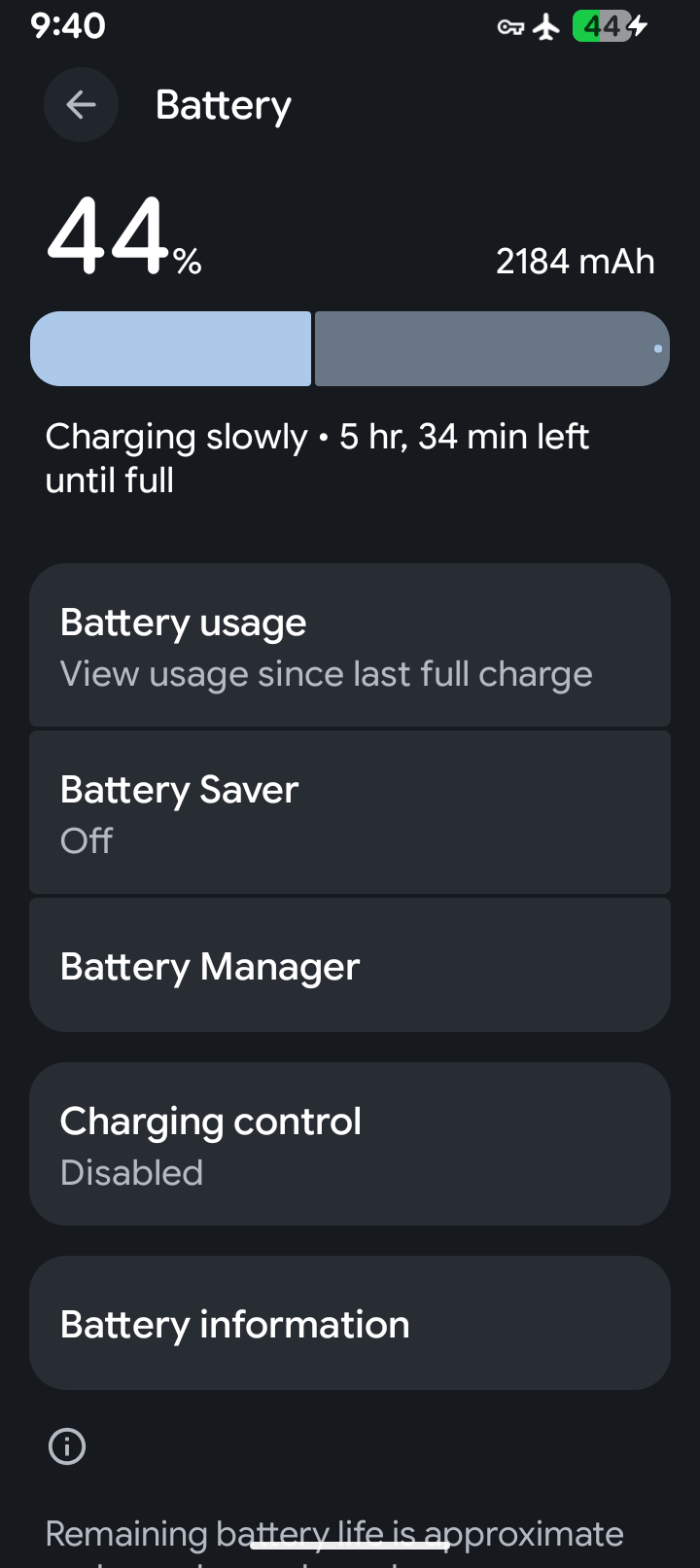
I think the phone can charge at different levels. I attached 2 pictures and Pic 1 is connected to my computer saying “charging slowly” and says it will take 5 hours and 34 minutes until full.
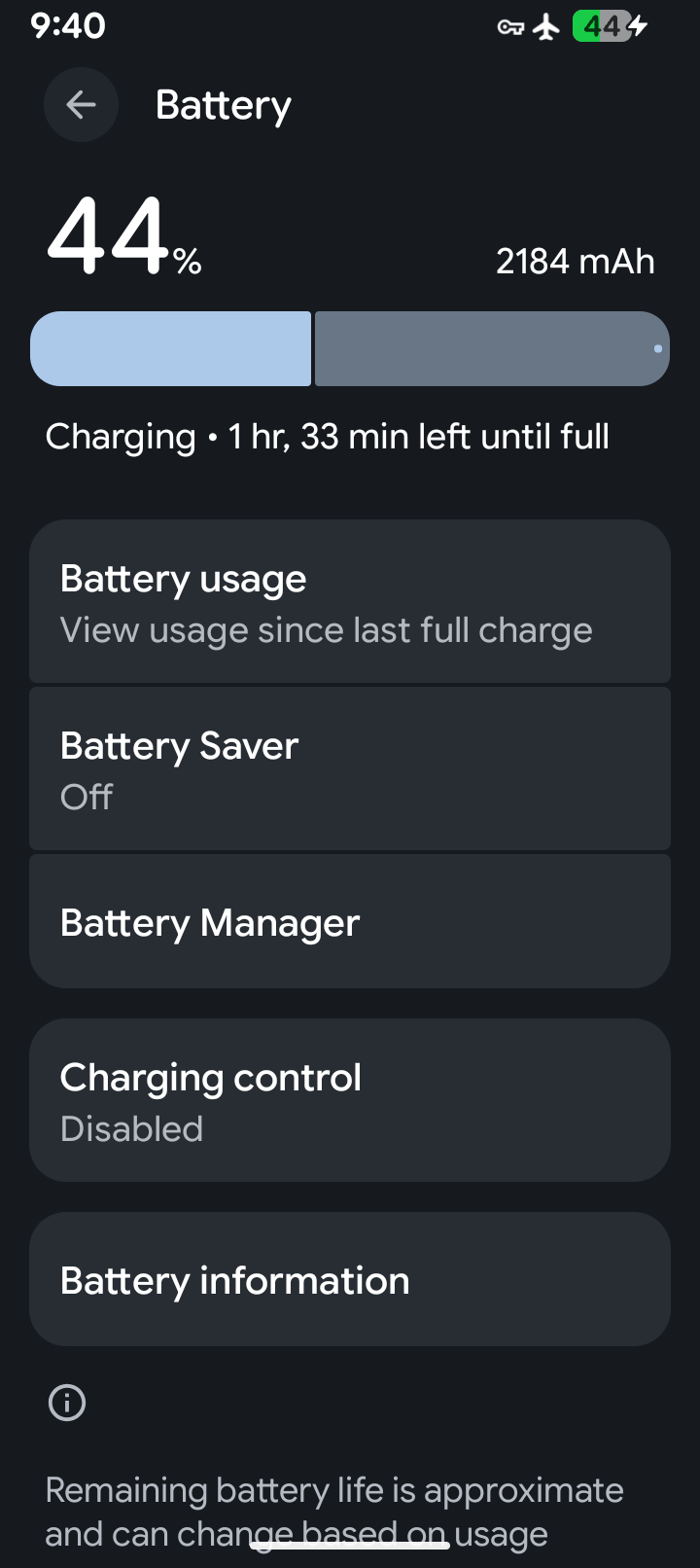
Pic 2 is connected to my Samsung fast charger and drops the time to only 1 hour and 33 minutes until full.
Nope, because it doesn’t do fast charging. It’s in the specs and numerous threads here. The Samsung charger is sufficiently intelligent to ask the phone what it can do, and when the the phone doesn’t reply, the charger supplies 5 volts at the maximum 2 amps in the USB charging spec. for non-smart/non-fast-charge devices.
Many PC and laptop USB sockets supply a maximum output current of 0.5 amps which will take 4 times longer to charge.
A true fast-charge device will hold a conversation with a true fast charger along the USB data wires. The devices will come to a consensus of what each can supply and absorb. The charging voltage is adjusted in steps from the the normal USB 5 volts, upwards to 9, 14, or 20volts, with the current also adjusted at each step. That was the original fast charge spec, modern devices have a more fine grained step adjustment, and go up to higher maximum voltage.
I count myself lucky, being off-grid, miles from a power line, and the house is wired in 12/24 volts DC, so very little electrical noise. But I noticed the touchscreen problem when I used earphones in the town library, full of computers and fluorescent lights. The “big chin” on the screen was mentioned elsewhere here as part of the design choice to go with the current screen,
It would indeed be disappointing if EM interference with screen function was also “opted in … to keep the costs down.” Maybe they just didn’t test sufficiently for this? Hello, @tech-support?
Is this the one offered as an optional extra at time of purchase? Because I would expect an “official” adapter to come in the box with the phone, and be properly tested to work with the phone with no adverse effects.
Lower quality/lower cost chargers often skimp on screening and component layout to avoid radiation. Cheaper cables also often have poor screening. I use a Switchwerk charger and Momax cable when in town - no advertising, just a point of reference, Belkin and Samsung are also good brands - and I have no touchscreen trouble when only charging, just when the earphones are plugged in.