It seems there are not kernel modules in the Ubuntu Touch for the BraX3 to stop charging at 80%, but there is the ability to put an alarm on the battery charge level with an app in the openstore called Upower Indicator Fork:
On Pinephone you could control it in the /sys filesystem , maybe if you access it you’ll find some similar setting.
That’s where I looked…I think. The charging limiter files weren’t created. There’s a file or directory called battery. That app would limit charging but that option stays dimmed.
I just unplugged the UT BraX3 as it was 80% charged and made a sound. I saw a post saying u can get your smart plug to respond to sound and turn off the charger. I have a smart plug but it doesn’t have a mic on it so I’m not sure that would work for me.
I understand. I thought my smart plug was outdated but no. Your phone has the mic and ‘hears’ the alarm and then sends that information to IFTTT on the net and they turn the plug off. This would work in Android with an IFTTT app but there is no app for Ubuntu Touch! 
Did you look here /sys/class/power_supply/BAT0/ ?
That file doesn’t exist on the BraX3. Instead there is a file called battery there that is a link to ../../devices/platform/soc//1c804000.spmi/spmi:0/0-04/mt6377-gauge/power_supply/battery which is a directory with a lot of charging files. I attached a screenshot.
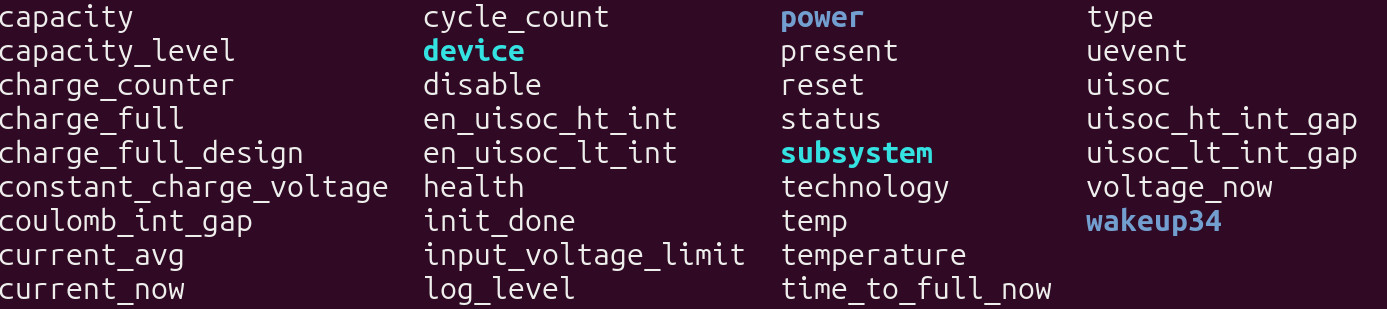
Maybe that app is looking for BAT0. Any idea which file here that would be linked to?
Do a cat for each file to see what settings they contain and you may be able to right in the file and adjust the charging level.
I’m using cat -A to see everything but it doesn’t show much. Usually a number or good. What am I looking for?
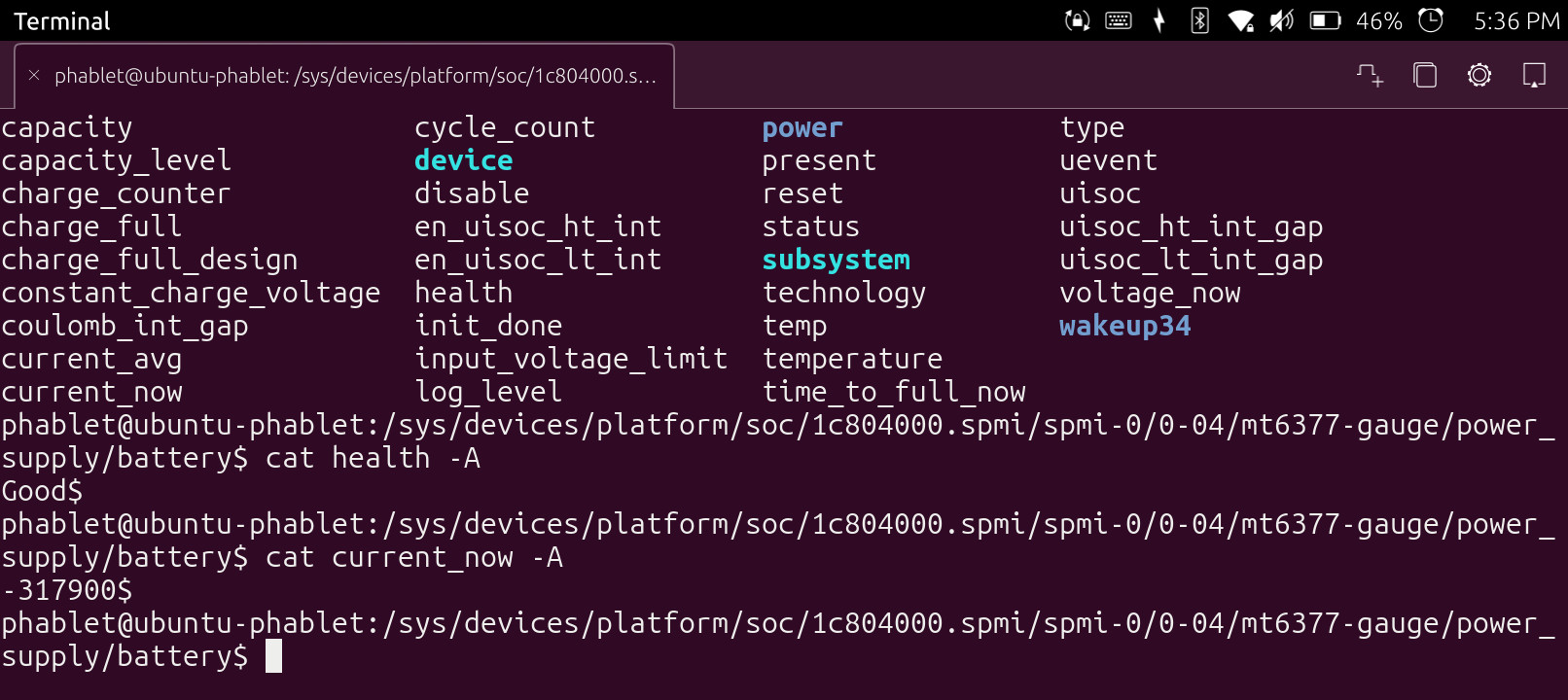
So each file controls one thing. It could be the capacity_level file but I don’t know what units it could be using, it could be volts, percent or some arbitary unit. This value could be writable, you can only know if ou write into the file like with the dd command and then test the function.
I found the file with the current charging percent. That would make sense that’s what the app uses since that is the only unit it shows. The file is called capacity but unfortunately even the root user is not allowed to write in /sys. I uploaded another screenshot showing that.
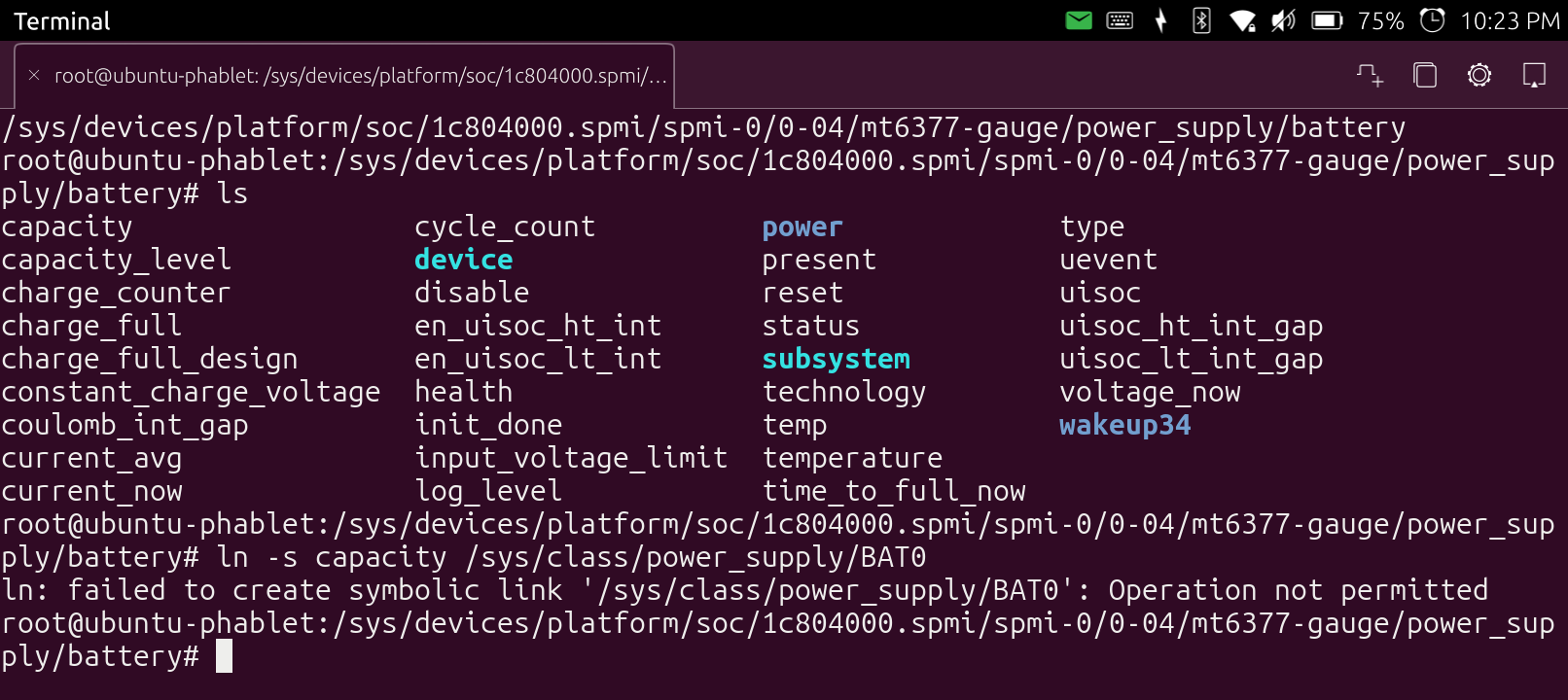
I don’t see anyway either to make changes in the battery app to tell it where the capacity file is.
Then you can be reading this with a script containing a loop and a sleep command for some seconds and start a sound or something when it goes beyond a value.
It’s a different su command or something similar that can write in there, I’ll have a look, those are actually settings in the kernel, on Pinephone you flash firmware that way but I also remember turning on LEDs.
The proper way to write into those files is the echo command, maybe you can do it by changing your identity with the su command but Ubuntu Touch is already more restricted than regular Linux.
I’ll be waiting to see the situation with Ubuntu on open_slate because such devices need to be flexible for experiments and development and not restricted like Android at least to the extent that Halium system permits it.
This is what I enjoyed on real Linux phones like Pinephone, the need for Android is only because most people use Android apps, Pinephone Pro is more powerful but still with small battery duration for outdoors use. I’ll be waiting for a good Linux phone to come around at some point though things are going completely the other way towards a probably short-lived Orwellian New World Order.
Brave AI tends to think a charge limiting script is not possible for the Ubuntu Touch because it lacks kernel modules:
Battery charging limit scripts are not natively supported on Ubuntu Touch due to the absence of kernel modules like
tp_smapioracpi_callrequired for such control. While some user-space tools like Upower Indicator exist in the OpenStore, they only provide charging alarms and cannot enforce a charge limit (e.g., stopping at 80%).For true charge limiting, the system would need hardware-specific kernel support, which is currently not available in Ubuntu Touch. If you need this feature, consider using a full Linux desktop distribution like Ubuntu or Linux Mint, where tools like TLP or direct
/sys/class/power_supply/BAT0/charge_control_end_thresholdscripting are effective.
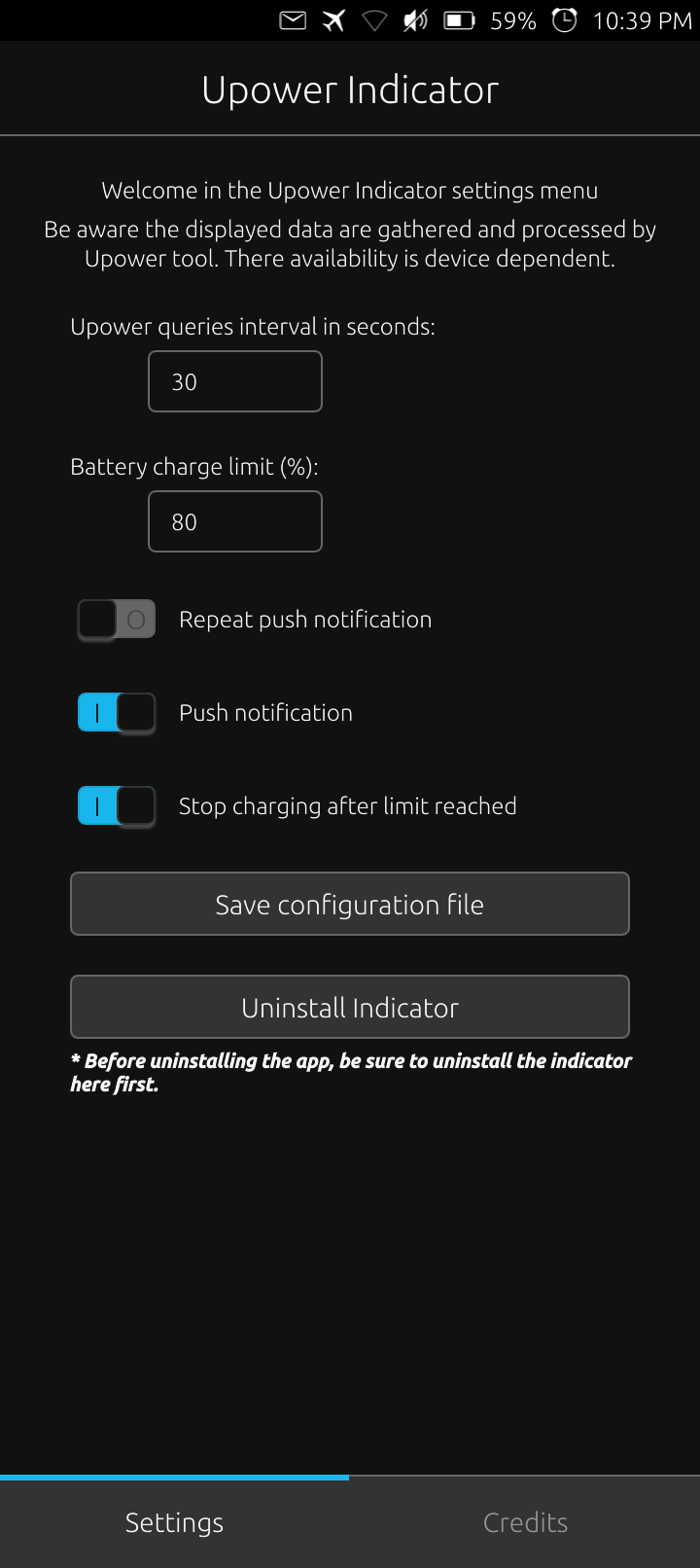
This is the app that was talking about…it looks like it would work but it keeps on charging past 80%!
Halium uses the Android kernel which has patches for power management, I don’t know what is loaded as a module and what is in the kernel, you’ll have to search for the source code of Ubuntu Touch.
In the Android source the acpi is in the drivers directory so it could be a separate module, use the lsmod command to list the modules.
In the source code of Upower you can see how it tries to limit the power.
I don’t know how easy it could be to compile and insert the module, compilation takes some effort like downloading the appropriate source, tuning and compiling but I reckon that it would be difficult to insert it in Ubuntu Touch with those restrictions, actually it should be compressed as ZST and placed in a specific folder, then you either configure it to start automatically (though I don’t know what’s the initialisation system of UT) or load it with insmod/modprobe.
I want to find the configuration file being used. If its in a user writable location then I should be able to point it to the right file.
I will try this from brave AI:
- User-specific configuration : Any user-specific settings or data are stored in the user’s home directory, typically under
~/.config/<app-name>or~/.local/share/<app-name>.
Search the documentation because the files may be empty or include less configurable parameters than the available ones.
1 Like
U were right-1 line conf files. I was hoping options were commented out like I’ve seen in other conf files.
Where is this documentation? Local on my phone and installed by the app or in GitHub?
Oh there were a lot of modules displayed with lsmod. I saved the output to a file and need to research these.
My UPower Indicator app updated yesterday to include MTK devices. I think that’s why that stop charging prompt turns green now where it used to stay gray. This app is still being worked on. I will email the developer.
This is the active place for the developer:
Maybe this in my lsmod list is what we need?
pmic_lbat_service 28672 4 mt6375_battery,mt6377_battery,mtk_low_battery_throttling,wlan_drv_gen4m_6835
OR
mtk_charger_framework 131072 8 mt6375_battery,mtk_pep40,mt6377_battery,mtk_pep20,mtk_pep45,upm6910_charger,mtk_pd_charging,mtk_pep
I attached the text file I made of all the loaded modules here:
lsmod.txt (18.5 KB)