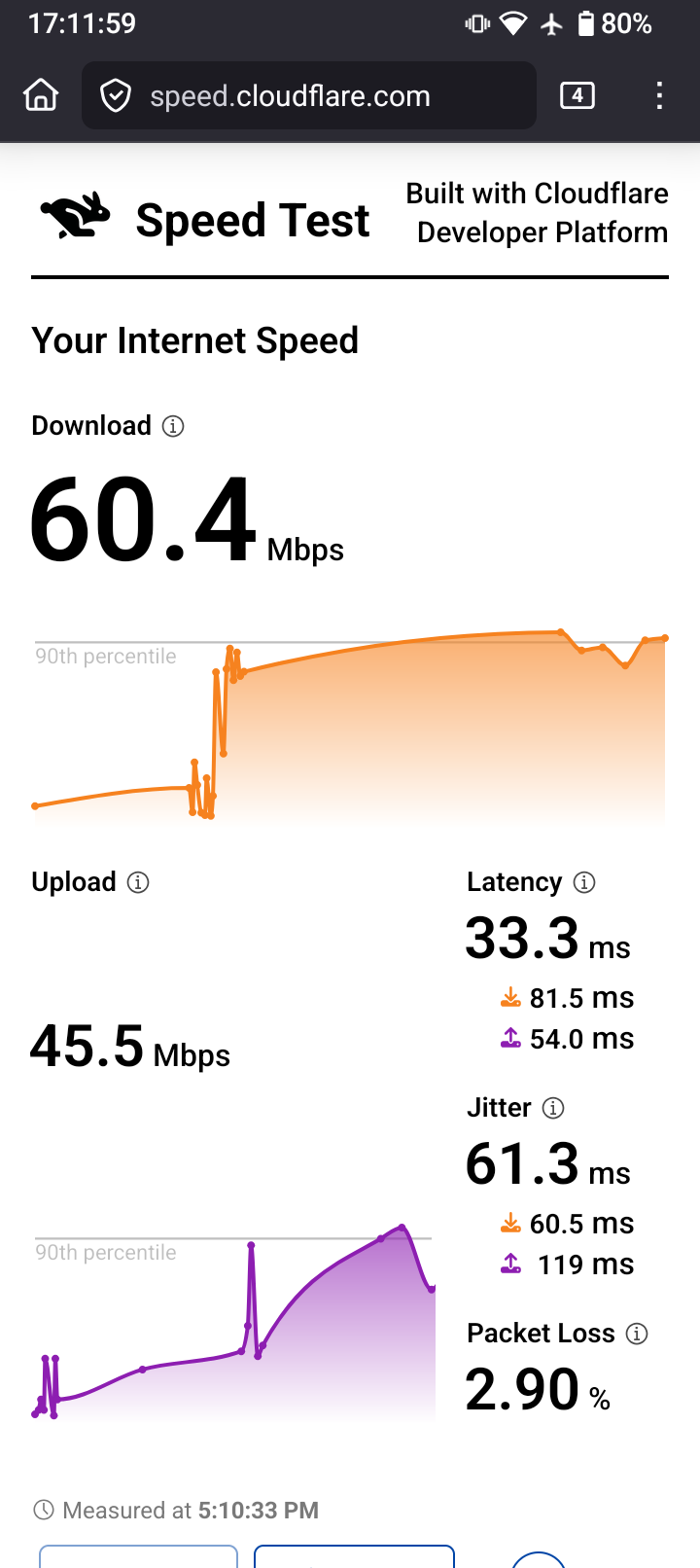
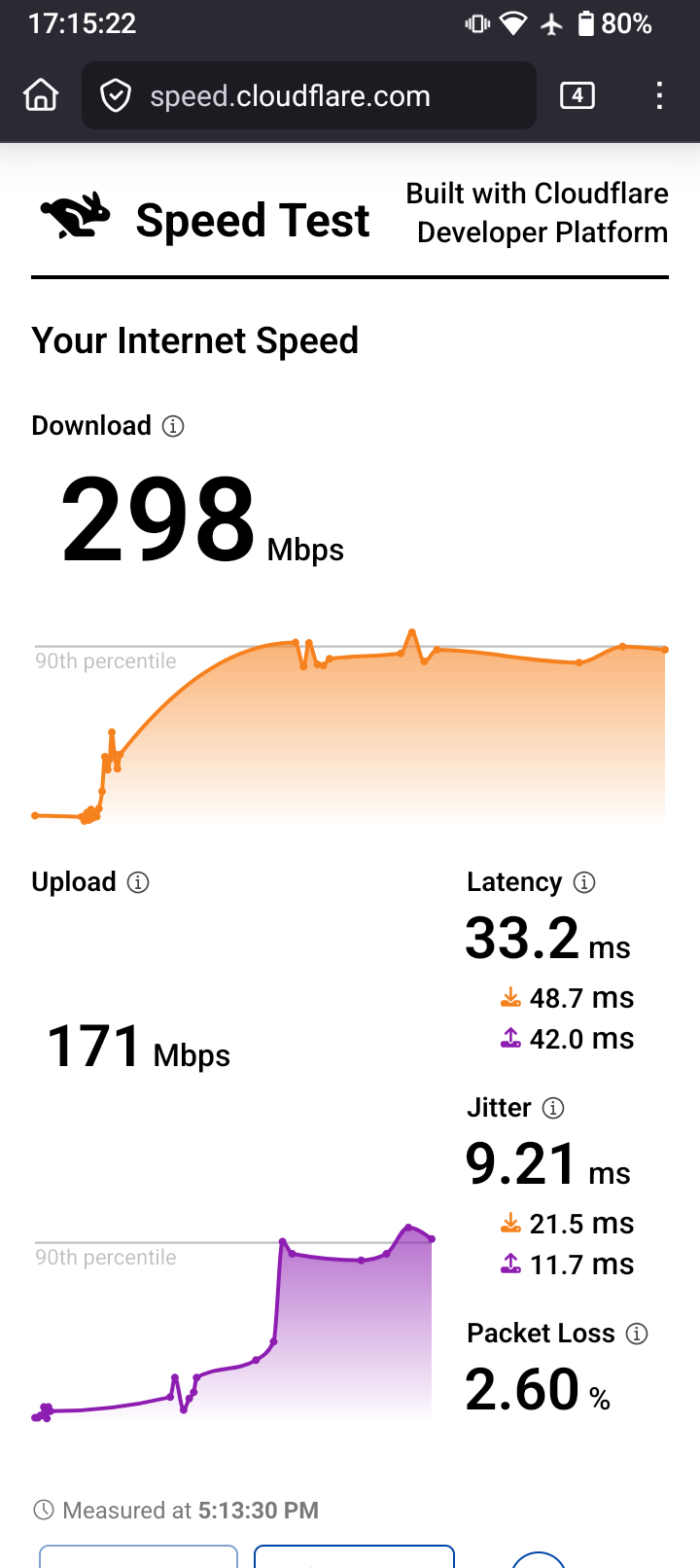
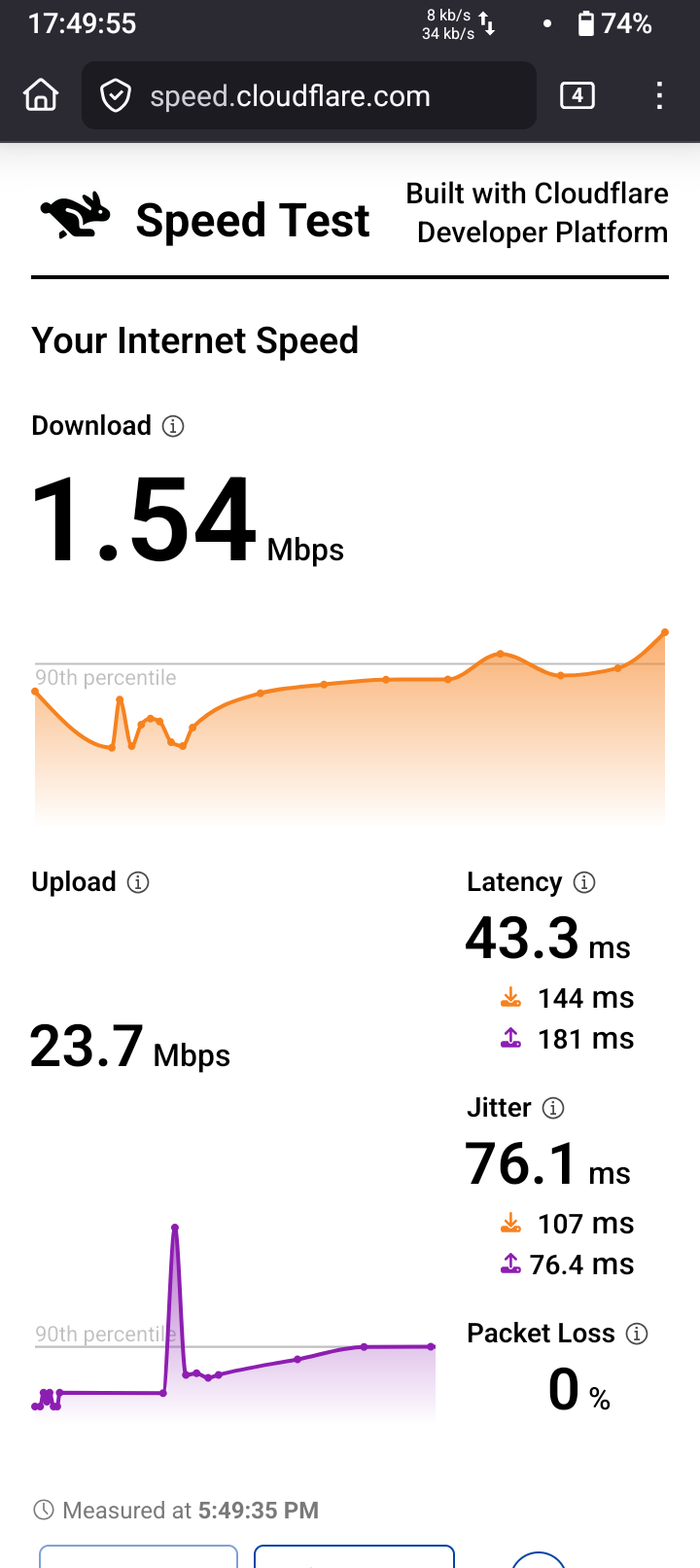
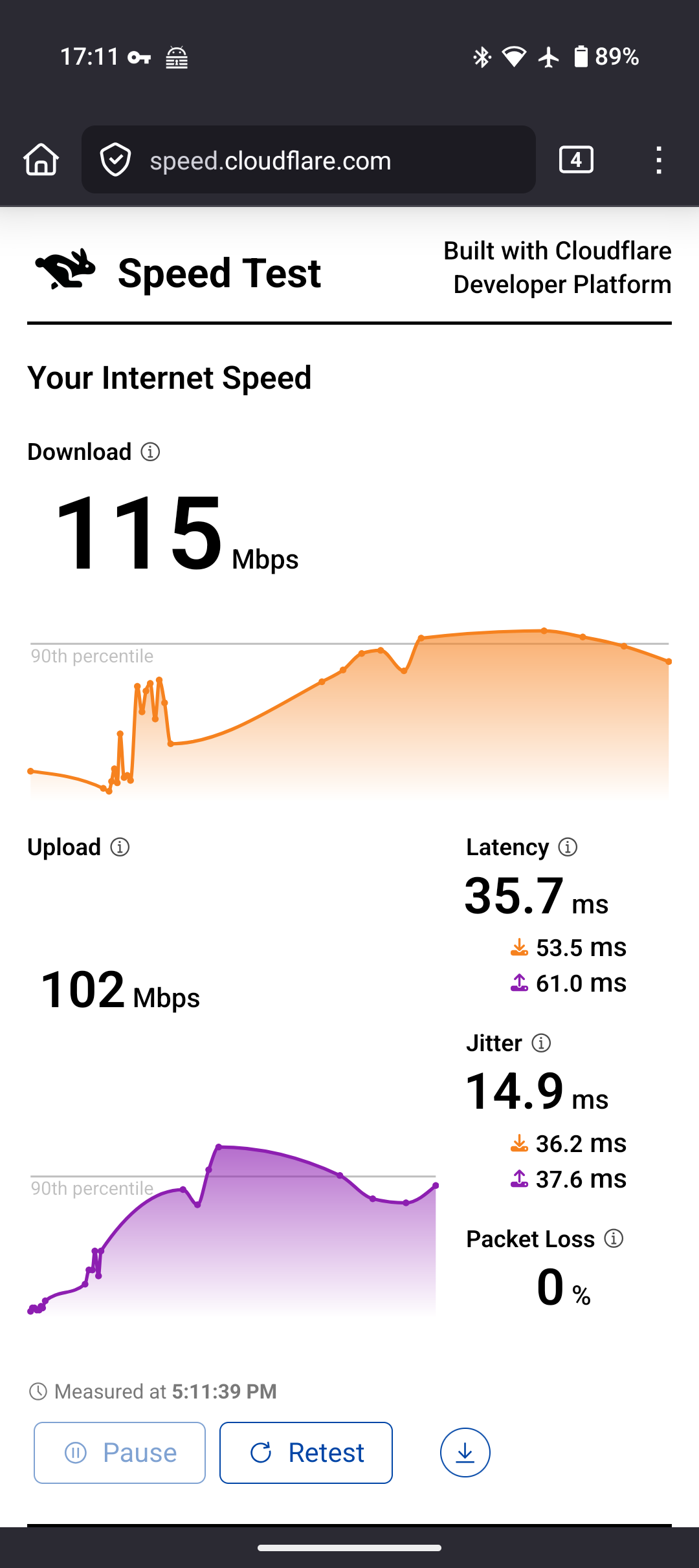
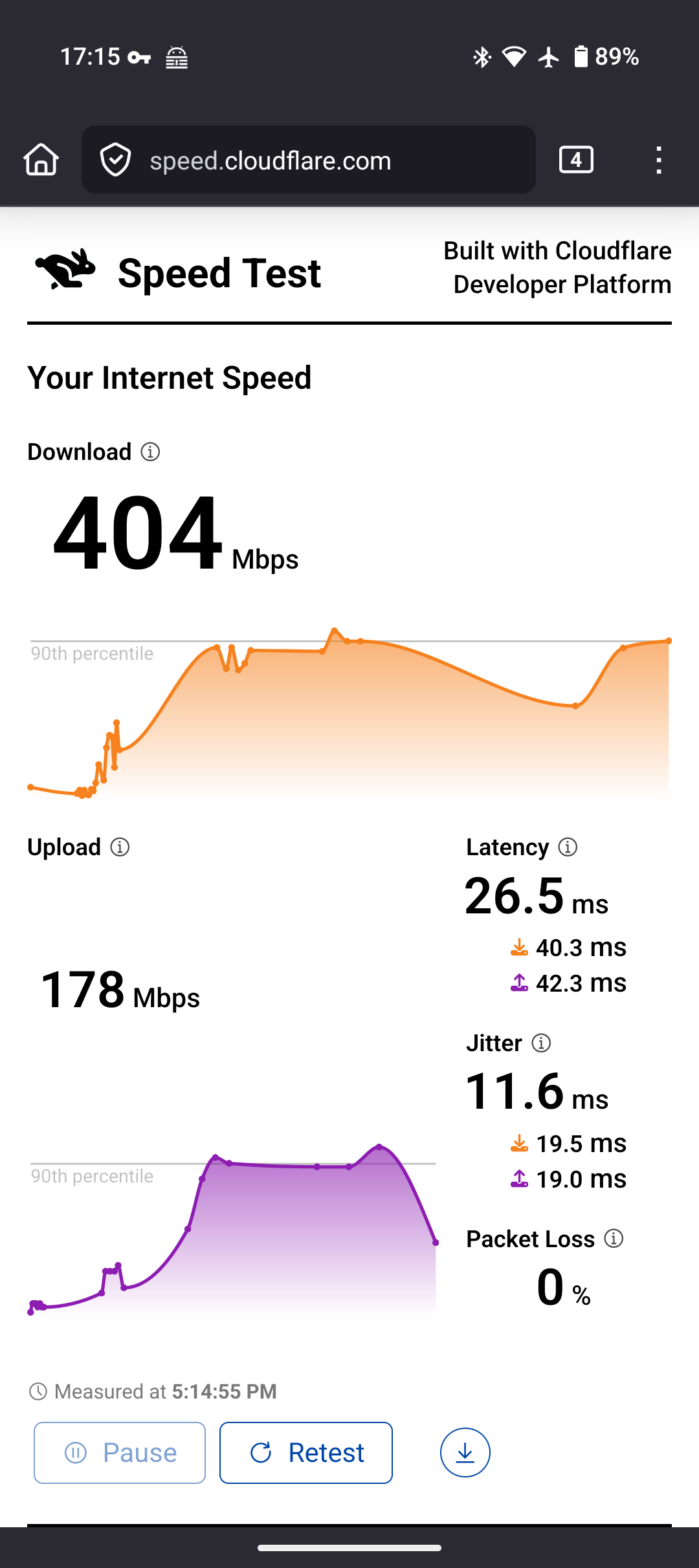
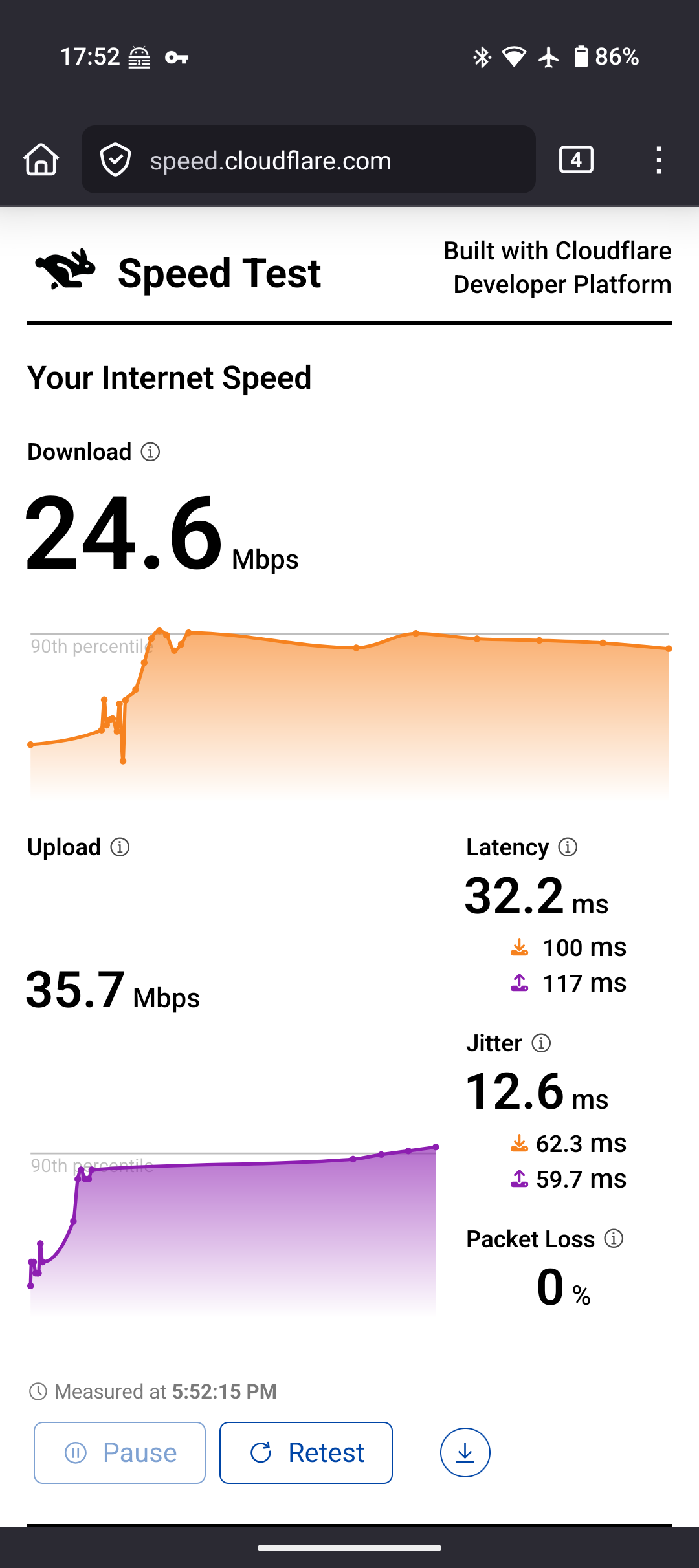
It works for me on Asus RT-AC66U/RT-AC1750 R1 to connect to the device now. The connection seems to be having some issues though. I have a pixel 9 and compared the two. Quite a difference.
So, I don’t know if it is a limitation on the Brax3 wifi hardware or if perhaps there can be some tweaking done to the driver for the device? I noticed packet loss on the Brax3 connections though and not the Pixel.
Pixel 9 has a wifi 7 chip, where the BraX3 has a wifi 5 chip. A difference in speed is expected but that shouldn’t be as dramatic as it is in the case with Brax3 through home router/with open vpn on router.
Have you noticed such a speed discrepancy when using mobile data and open vpn?
@plamen no, the mobile connection speeds with VPN seem fine, with both open VPN and wireguard. I also tried to setup a hotspot on my pixel using WPA2 and the pixel was connecting through my home router without VPN connection. I connected the Brax3 to that hotspot and used open VPN on the Brax3, no apparent issue, and tried wireguard on the Brax3 and no apparent issue.
I connect via WiFi on the Brax3 to my home router and the issue is there, but only with the Brax3 and only going though VPN. Open VPN I can setup on my router, but to test with wireguard I had to connect to the router with the Brax3 no VPN on the router, then enable wireguard with the proton VPN app. I see only 1 mb or slightly higher download, like above. I then tried open VPN in the proton app on the Brax3 and it is also the same as if I wasn’t using proton app going through router with open VPN setup on the router. It is so odd. Of course I’ve tried rebooting everything and same issues none the less. I am just going to buy a new router come black Friday. Haha
To add to this odd issue I am seeing. It doesn’t happen on all openvpn or wireguard connections or all VPNs.
I have an account with another VPN provider (Private VPN) still and when I install their openvpn config files on my router I notice they have ‘cipher AES-128-GCM’ that comes up in the custom configurations section. When I connect with that provider’s openvpn with the router, and I connect my Brax3 through the router, I get speeds closer to what I would expect.
I notice that the VPN (Proton) with the slow connection speeds (when going through the Brax3 only), their openvpn config comes up with ‘cipher AES-256-GCM’ in the custom settings. So it has me wondering if it is related to that encryption level.
I understand that wireguard uses chacha20 and can be both 256 bit or 128 bit. At least my search on wireguard said so. So, I thought I’d try the wireguard from the VPN (Private VPN) that has a 128bit AES openvpn configs and it seems the problem is not there either. Speed through Brax3 is more what I’d expect. I don’t know a way of confirming if they’re setup as 128bit on their wireguard setup though, I assume that is all server side. I just assume they are using the same level of encryption as they do on their openvpn.
Remember, this connection speed problem, when connecting to a (confirmed) 256 bit AES openvpn (and I assume 256 bit wireguard too) only happens through the Brax3 on the WiFi modem only. I don’t see it at all when using cell data on my Brax3, and I don’t see it at all using my Pixel 9 device.
That is the main difference I see with the openvpn that gives me the problems from the one that doesn’t.
There is another difference too, the openvpn that works normally also uses compression, LZ0 Adaptive. Whereas the problematic VPN has compression disabled. But I doubt that has any bearing on this.
@whatdoyoumean When I hear performance issue through VPN, I always think of MTU.
Have you checked the MTU settings applied to the interface? VPN tends to use some bytes for its headers which are not available for the payload. If the MTU is set wrong, the system sends the packets at the MTU setting size but these need to be fragmented as they won’t fit and that will impact transfer speeds.
PS: I tested this mainly in ethernet, ADSL etc. and under linux there is a nice tool called tracepath which shows you the MTU path changes if they happen.
Just a hint
@Haley thank you. The MTU settings on either of the VPNs is very similar. Tun-mtu is set at 1380 on the one that gives me a download speed of 30+ Mbps and 1500 on the one that gives me 1+ Mbps downloads. I am assuming this is an issue with the driver for the WiFi modem on the BraX3. That is where the problem is experienced only.