Thanks for looking further into. I actually had done the router reset, but to no avail. I guess the factory reset of the BraX3 could work, but I believer that would be taking on several updates to get back up to the 7.3 version. Maybe I’ll try as a last resort. I think I’ll first give the router a try that Lazarus suggested. Thanks again.
the iodé version is in the ROM, it can’t be affected by the factory reset, you only have the previous version in the other slot for the case that the phone can’t boot your latest version
So the factory reset will keep 7.3, but I guess the apps and contacts will have to be reloaded then? In case the reset doesn’t fix the problem, how would one go about reloading the previous version 7.2?
You can back up the user data(not apps) with the SeedVault in the Android back-up settings though it’s generally problematic and it may take many tries.
I don’t know how to selectively boot the other slot but you can probably downgrade manually with the 7.2 OTA .zip file.
Did you try turning off the setting “Check Internet” ?
It’s the last setting in the Settings - Network & Internet. Sometimes that DNS check will fail, and that will give you a connected/no internet situation.
He said that he can’t connect to the internet and the phone appears offline in the router.
That was his original post…
I asked him whether he has internet access no matter the exclamation mark.
@braxcomm Just try to access a website in the browser ignoring the exclamation mark.
Or just turn on the Intenret check and see if the “!” goes away, and it works. It’s happened often on Iode, when something blocks access to that check service. It would be a shame to run down the rabbit hole of a new router, when you are indicating “Connected”
That small router runs DD-WRT firmware that is open source. It has the ability to run things that regular routers do not. It can run a proxy connection to the internet and Tor.
I think it is an upgrade!!
This is the DD-WRT site:
Thanks! I turned off the Connectivity Check and it now works. Glad you had seen something similar with Iode before and shared this.
Thank you everyone for your respective advice and concern over resolving this. I imagine others will find your postings useful as well.
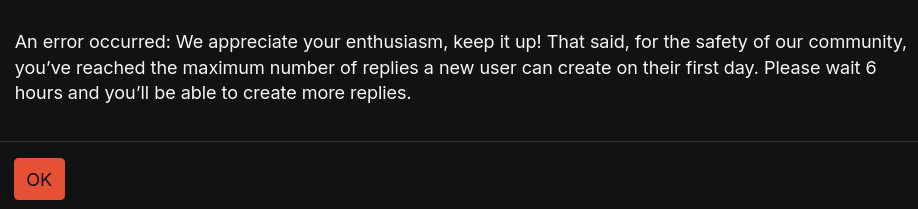
(Sorry for the late response but the system blocked me for hours from making replies, since I maxed out on the number of replies for the first day of being a new user.)
I still haven’t understood whether you actually had access to the internet with the exclamation mark.
Only for a couple of minutes, but after a long time trying to get it to replicate that I couldn’t. My mobile data runs around 30Mbps download. But during that brief occurrence, and with the exclamation mark still showing on, the data rate went up to over 200Mbps. The status on the router for it also changed from offline to 5GHz, but then it reverted to the offline status after that.
So you turned off the Settings > Network and internet > Connectivity check, and it worked?
This means that the failed connectivity check actually blocks the internet by not responding to the router.
Yes, that’s correct.
I would expect that you would just have a fake exclamation mark and nothing more, it’s probably some security reason, I’ll look into that.
One thing to remember is that the setting is used for captive portal detection I believe. So if you are somewhere trying to connect to wifi, you may need to re-enable that to connect.
Also, recently on Iode’s site, someone logged a similar issue, and was requesting Iode change the site used. It seems that sometimes (and I have experienced this exact issue) that site’s IP doesnt update properly through DNS, and then this issue is expereinced. Just something to be aware of. I keep mine off, and just enable should I want to connect to a public wifi.
You can change the site in ADB also…
But why and how it interrupts the access to the internet?
So, my understanding is that somewhere within Iode (or android in general, since like v8) (and I’m no developer) with that on, and the failed connection attempt during the check, it forces your device over to the cellular data and gives you that flag, and you lose wifi. That’s all I know… but with that off, it just ignores the attempt. It’s related to Captive Portal though.. so maybe more on that somewhere.
I found an article on an adroid site, and Samsung, on how to use adb to disable a bunch of that behavior, or change the site. I just use the method above as a simple fix.
Here has a few links to some of the behaivor.
I’ve also lost WiFi connection with latest update. It connects to my home wifi but no Internet. Was working fine before updating.