The posts related to that issue are already closed and is not clear how the problem was solved. I emailed brax support and they replied me to ask here . Ethernet cable working fine on other android phones and PC but not on brax3. Sometimes it connects for about 20min. Most of the times it does not connect to the ethernet at all. The led light (on the USB hub ethernet adapter) that shows the connection is working blinks a few times and then go off, when brax3 is connected. Charging and file transfer is working perfectly, not sure if it means it is not a matter of a faulty usb C port on the phone, or it is software thing.
I haven’t tried to wire in the internet for a while but it did work on the first batch of BraX3 phones. When I get back home I will try this again to make sure nothing changed. This is the ethernet adapter I’m using from Belkin that is powered.
I have a second Belkin network adapter that is not powered and that works too!
2 Likes
Cool! The one I use is Baseus, can be powered or not, on other android phones it works either way, the brax3 I have is second batch.
1 Like
Fancy-I like that!! 
1 Like
Still works for me in iode’ 7.5-green and orange lights light up before I even plug the adapter into the phone. Maybe there isn’t a data signal coming through your ethernet line?
This is what it looks like when it is wired in. Notice the symbols in the internet connection! 
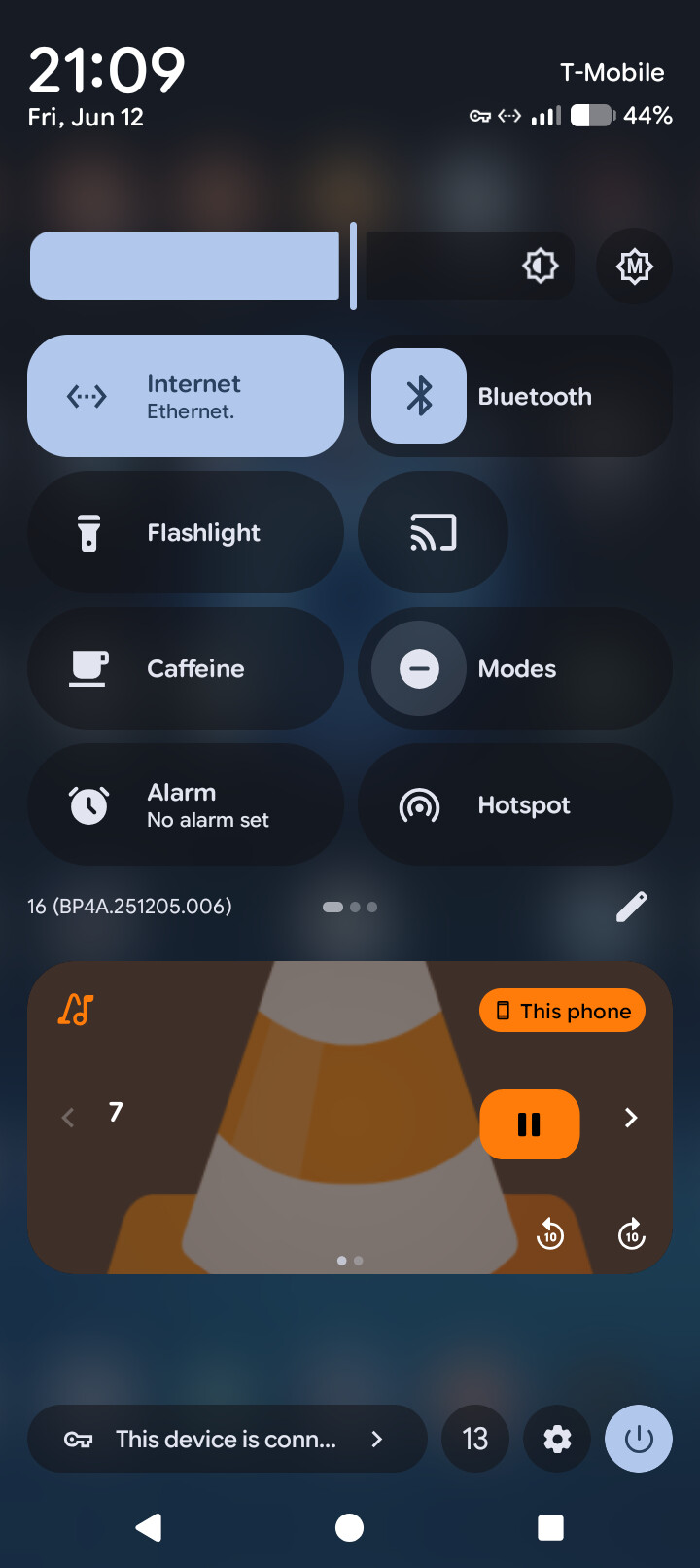
It took about 5 seconds to drop my WiFi and pickup the wired ethernet.
Yep, I have that sometimes the connection last for about 20min, then gone and I won’t be able to connect again for the day while other devices work with no problem on the same wire.
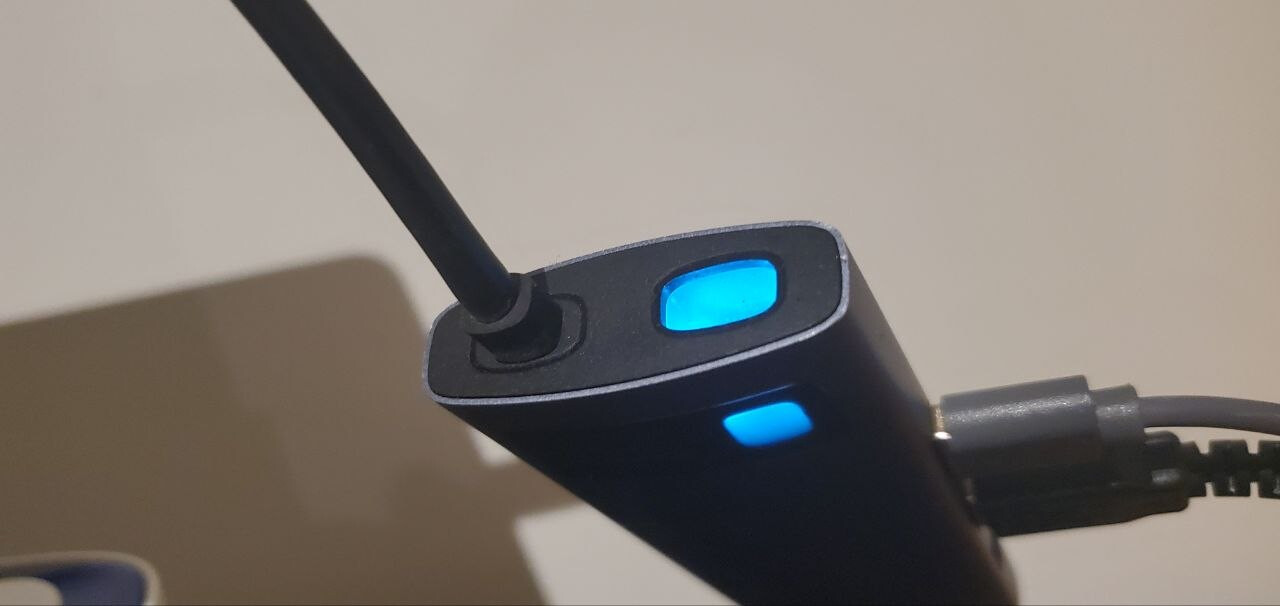
tha blue light turns on when you connect a device, showing that the ethernet is working (it also has the green and orange lights on the RJ45 socket. WHen the brax3 is connected to that hub, the blue light blinks 6 times and turns off. Really feels that something is blocking the connection.
I see. I don’t know if I ever left the phone connected to wired internet for more than 20 minutes because my powered adapter doesn’t charge the phone.
I will charge up my phone and then see.
Do u use WiFi or cell data from a Sim card?
I have used wired connection with first brax model but I have problems with wifi connection to a router
1 Like
Ok, I turned off WiFi and the mobile card on this phone. Then plugged in the Ethernet adapter and streamed a podcast for over 35 minutes. The green and orange lights on the adapter are still lit.
It seems your BraX3 doesn’t like your adapter!
1 Like
Nope, no wireless shit at home, the plan was having brax with no sim, at least while it is everything sorted….but the bloody ethernet doesn’t alow me to set it up.
I just skimmed over the post history in this thread after seeing the thread show up in my weekly Community Summary email. Figured I would chip in.
While it may be the opinion of one, I’ll offer it anyway. Like you, Aranha93, I’m not doing wireless at home and I have no SIM either. You’ve probably seen a couple of my own threads on the issue of “Sleepy Ethernet.”
What I’ve learned is that with some Android OS’s like iode, there’s a security feature built into all releases which kills power to the USB-C port after the phone has been locked (i.e. the screen is off, phone is sleeping, etc.)… especially after a certain period of time (in which so-called “deep sleep” is entered). While I did not go the exact site at the time which supported the claim, it matched my experience with Brax3 enough to be a satisfactory answer – albeit not what I wanted to confirm.
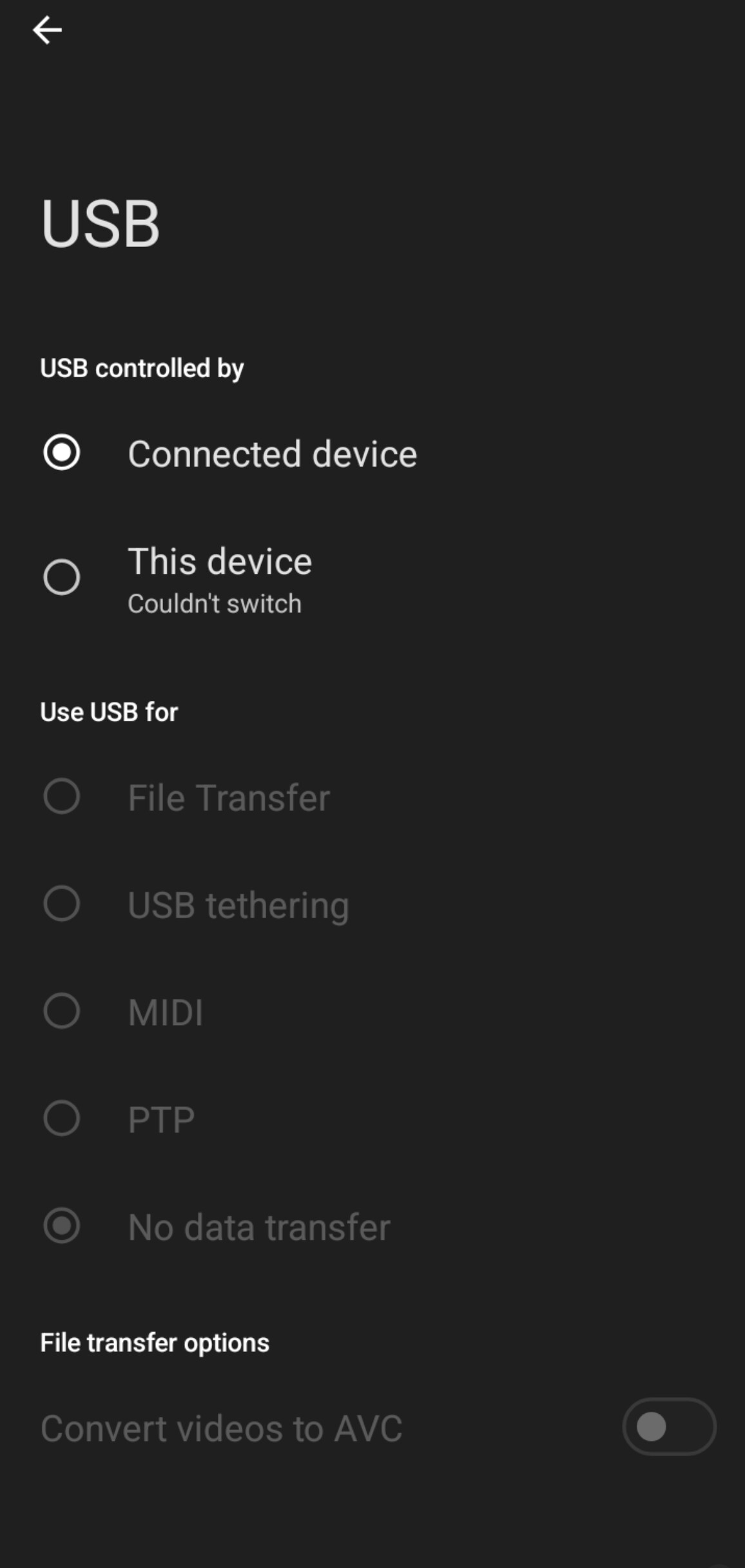
Evidently, the feature cannot be adjusted (for sure in iodeOS right now)… but full disclosure, my phone has been running 7.2 – as the updater has failed to pull in more recent versions. I’ve tried many times to patiently try to “flip the switch” in Settings > Connected devices > USB >. (And for clarity’s sake, what I mean by “flipping the switch” is giving the phone/OS the ability to control the connected USB device instead of the other way around. Interestingly enough, “USB” only shows up in that menu when there when a valid USB device is actually connected… I kinda get why, but still silly based on what I offer below (and the following question). Why would a device’s OS refuse the user the ability to change settings – while indicating that the connected device has the “control”? Makes no sense. See attached screenshot.)
My conclusion: As much as I hate to say it, I don’t know for sure whether it’s in the inexpensive build quality of Brax3 that’s making iodeOS look bad, or iodeOS that has been making Brax3 look bad. I have resolved to switch over to GrapheneOS on a different device. I have to be honest and say that – while the supported devices for Graphene aren’t my first choice – the experience has been amazing! I have been SO happy using it… as if many questions & disappointments I have experienced with Brax3 have suddenly been eliminated completely.
Brax3 does not appear to have been built for people with things other than wireless priorities. I base that claim as of today on the unresolved issues others and myself have patiently tried to wait though.
I’ve also tried half a dozen different hubs (for reasons beyond my phone), and I can confidently say that devices which support GrapheneOS have worked very well with them so far (so long as the hubs are actually of good quality). The software was also very easy to flash onto the device. No need to pay Brax.me 150 freaking dollars to do it (excuse my passion here).
To avoid going into unnecessary detail (which I may already have!), between the post I started on the poor camera quality (which I believe you posted on) and the unresolved Ethernet issue I personally have experienced (multiple threads for), I decided to call it quits on Brax3. While I really like the form-factor and the modular privacy-oriented built quality of the phone, it has some gaping holes in component choices and software functionality right now. So unfortunate for a project that has encountered MANY challenges.
While is only my opinion, Braxman has no business going into the endeavor of launching a tablet unless he fully addresses, resolves, and clarifies the true capabilities of Brax3 while incorporating addressal of the problems already brought up by his backers into his next project (and Brax3 improvements).
I’ve been saddened by the lack of care in that regard. Little acknowledgment (because, technically, there has been some). Yet, continued steps in the things that they themselves are concerned with continue. Again that’s another point that can be argued both ways. I just wish there was more awareness and recognition by more people… and key people at that.
At the end of the day, buyer are going to buy what they’re going to buy (and back what they’re going to back). I think the fundamental idea of a tablet is great! Don’t get me wrong. It just needs check key boxes such as those we have brought up. Common sense says that a phone and tablet are compact/mini computers. As such, they should reliably support as many of those functions (e.g. Ethernet) as consumers would expect.
I’ve never manufactured an electronic device, but would be most curious to understand what separates a build (cost-wise) from incorporating the necessary hardware to effectively permit both data and power delivery to a phone simultaneously and reliably.
I wish the best to any community members and will gladly offer my insights and findings as I am able to. Brax has just got some serious work to do it if wants my stamp of approval in the long run.
2 Likes
So preventing your phone from sleeping would solve things? Iode’ has included an app called caffeine that does this but it is hidden by default. From the home screen pull down the status bar twice and then tap on the pencil to edit the displayed icons. The coffee icon is caffeine and probably under the display section. Long tap on it and then drag to the beginning so that it is seen from now on. Tap the arrow in the upper right to save things.
Now u should see the coffee mug in the menu when u pull down from the home screen. Tap on it to change how long it stays active. The infinity icon would always prevent sleeping but keep it charging!
Thanks for your insightful reply, I resonate with 100% of you opinion, so it is not just only yours anymore. The fact that your experience was the only support that I had on that matter, just validates your point. I not having that “blocked screen/sleep” type of issue, the ethernet functionality was very random and mysterious, i tried 3 different ethernet adaptors and it was the same. I did tried something different that apparently solved the problem. A USB-C cable enxtensor male-female ends. Like the cable that comes with the Brax 3 it has something that clicks when you insert the cable. As everything was working properly ( internet connection, ethernet adaptor, etc) but not for brax3, it appears to be the issue for the ethernet connection: tipe of usb-c plug, again, I’m using the same hub, just added a middleman between braqx3 and the ethernet adaptor.
You were right! I does not like any of my adaptors.
I’m glad u are able to use this now with the BraX3 and a USB-C extension cable. I like this hub u got…are u able to use HDMI and a mouse with it on the BraX3?
1 Like
Yep, 3USB-A, one USB-C PDW RJ45 and HDMI. Mouse and keyboard, all wired. All of that always worked fine, it was just the ethernet that had trouble, not anymnore.
An HDMI adaptor didn’t work on my first generation BraX3 phone. Maybe I will get me a second generation!