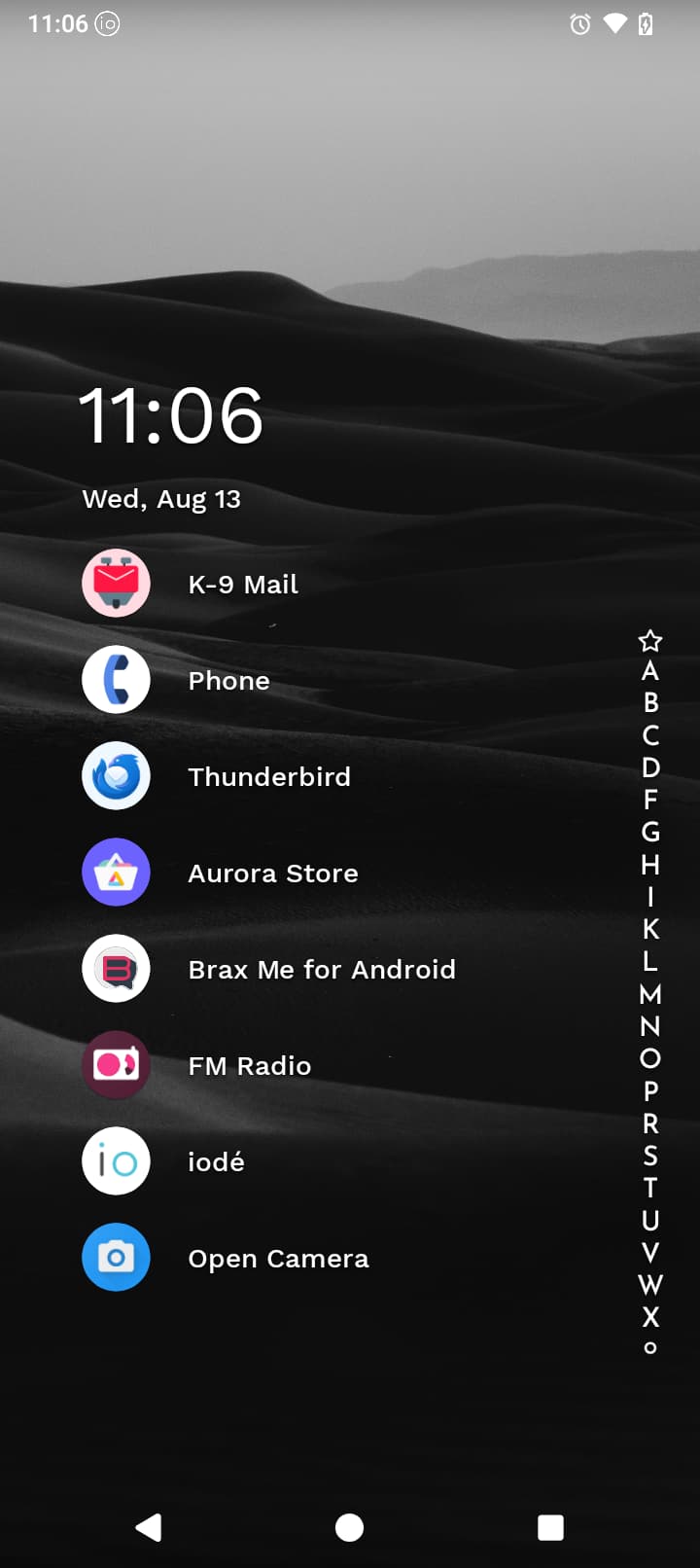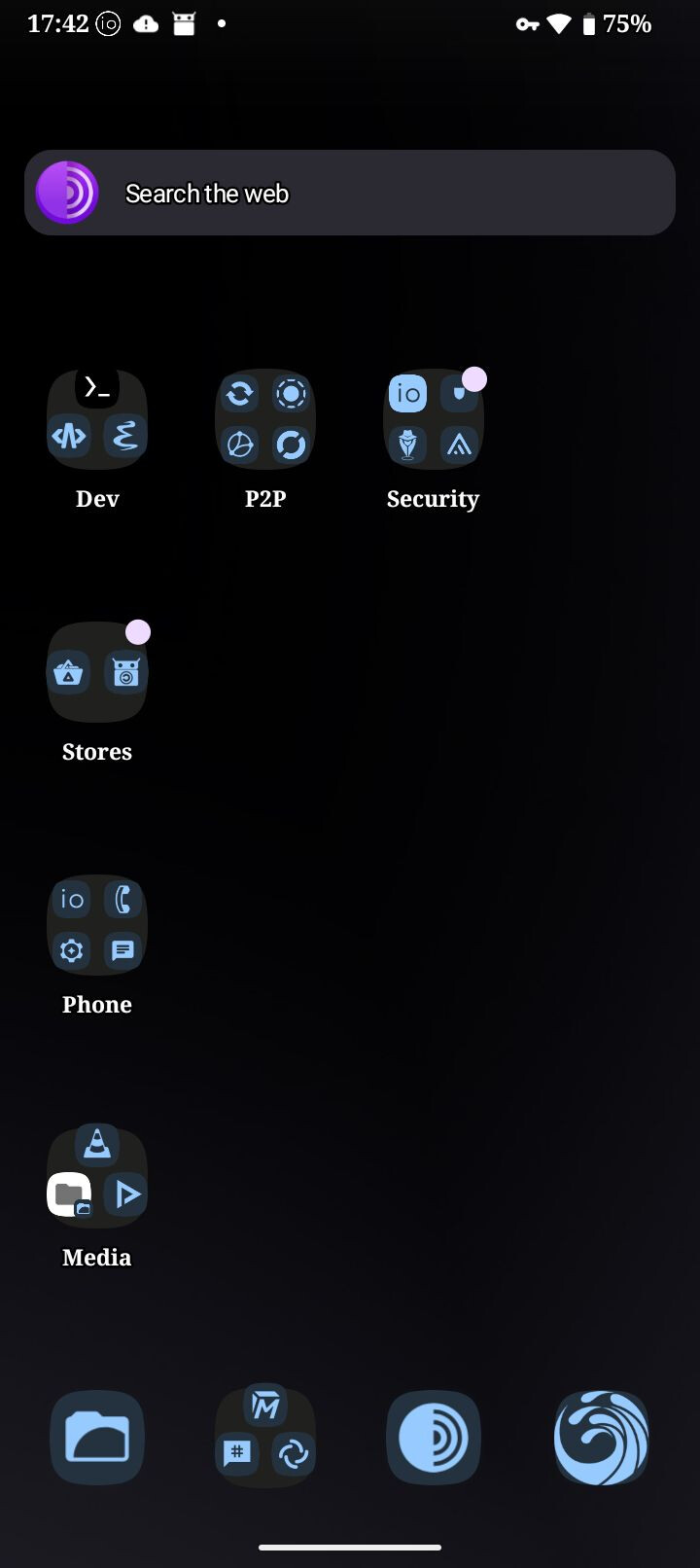
I know some of you might not want to reveal all your favorite apps, but I’m really curious how everyone’s customized their phone. I went with a simple blue theme pretty plain, I admit.
Show off your homescreen/setup.
I know some of you might not want to reveal all your favorite apps, but I’m really curious how everyone’s customized their phone. I went with a simple blue theme pretty plain, I admit.
Show off your homescreen/setup.
That looks cool, may need to give it a try.
It’s a great launcher, especially the paid version…
I’m still using the original wallpaper
However. I saw Robs unwrapping the new phone video. He added a wireless adapter to it. I didn’t know they even existed. So I ordered 2 . one for my Samsung A53, and one for the Brax3.
Now the issue. (Brax3) charging gets to 90%.
phone vibrated, and a notification ring. At first I thought it was a message. But it would just continue. Until I lifted the phone off the charging pad. Then it stopped. If I leave it charging. After an hour, it only gets to 91%
So far, that’s the only issue I have with this great phone
There’s a “charging controller” setting in the battery section. It may be the setting.
Now set to 90%. Well see how that works
I’m newish to android but definitely noob when it comes to customizing on Android. Been on iPhones for the most part. Never owned a degoogled phone before either.
Any advice or can anyone point me in the right direction on how to customize the brax3 a little bit. Like adding more backgrounds, icon packs, etc?
Thanks in advance.
@IamtheStig
You can search for wallpaper on F-Droid/Aurora Store or upload your own photos.
To change your wallpaper
Thanks I know how to switch them. I just wanted to figure out how to add more. For instance, landscapes, space, wildlife, etc. Thanks again.
How did you manage to group apps together like that? I searched for any posts on how to make folders on the home screen but got no results!
@saethon
Hi.
Hold down an app icon and drag it over another icon. A folder will be created with the two apps inside it. Continue to drag apps over the folder to add them. Click once on the new folder to rename it.
Wonderful! So freaking easy 
Hopefully I won’t be a newbie for much longer 
@saethon
Don’t be too hard on yourself. We were all newbies at some point.