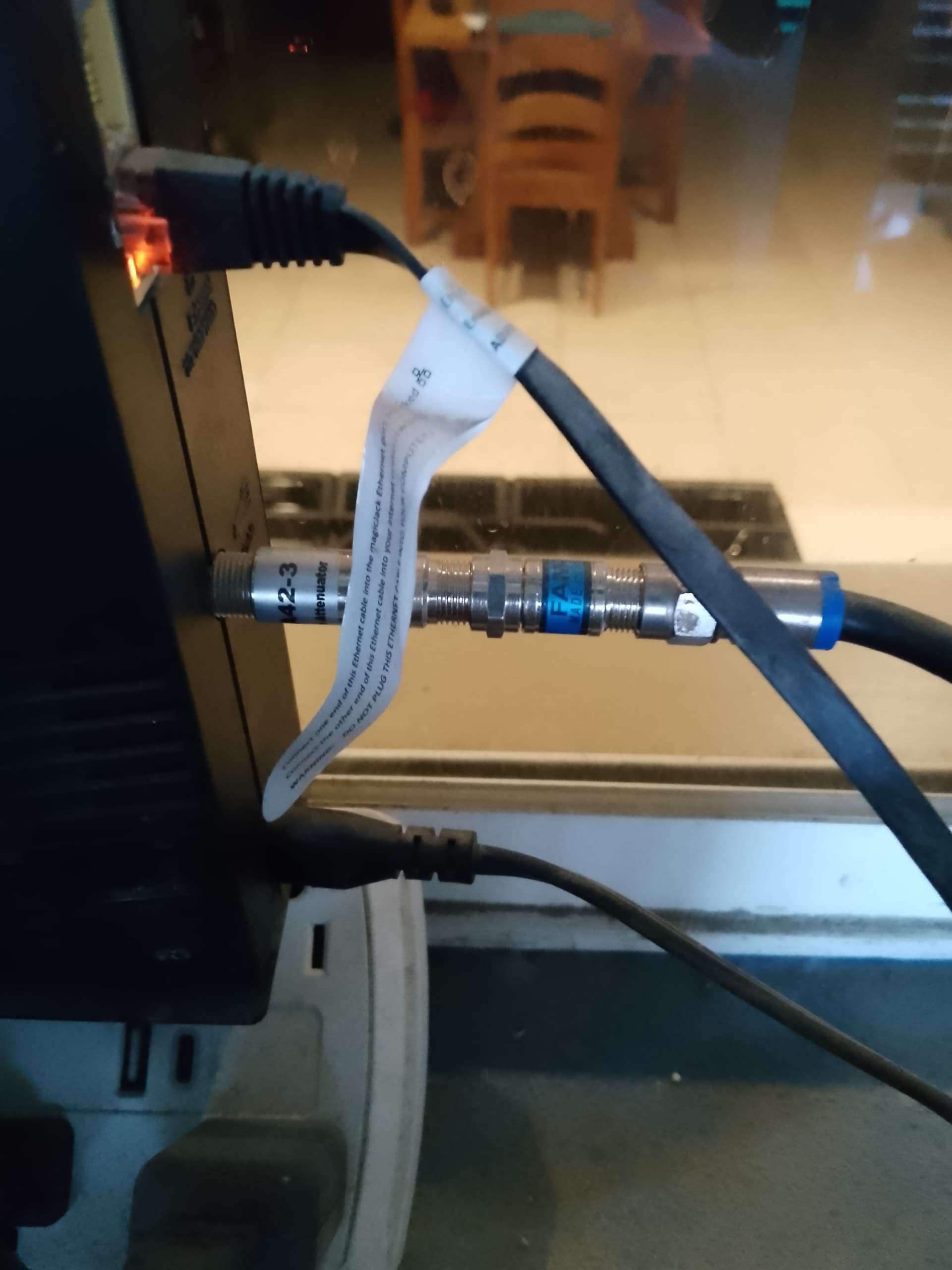
I live in a concrete block house and get fairly poor wifi reception.
I am looking for a router/wifi that will broadcast farther than my Arris.
Also, I now know I need one that is known to connect to the Brax3.
And another requirement is the ability to route the entire thing through a VPN.
I know very little but figured I could find a YouTube that would help me connect it through my VPN. If I’m correct it needs to have a VPN client, um, ability? Thingee?
Yeah, you see what I mean. I know very little.
What I’m looking for is a recommendation of something that can do these three things (VPN, large broadcast area, and Brax3 compatibility) AND be available via Amazon.
I use a Tenda mesh system. Ethernet cable from the router into one of the tendas. Then plug in the other tenda boxes aound the place to the power point.
The wifi is fed from one mesh box to another. Instead of logging into the router/modem, you log into the mesh ssid. As you move around you automatically connect to the nearest mesh box.
Brax 3 will connect to Tenda mesh. Not sure if you can install vpn on it or if you have to run it on your devices iindividually - i just have it on my devices, as its easier to change countries depending on what im doing.
I like that. But I don’t have an Ethernet cable. I have a regular old fashioned (I guess) cable from the provider. It’s one of those black cables with the silver screw but end like you’d plug an antenna to your old school tv with.
Well, if theres an avalable ethernet port, you can use that to take the internet that comes in via the cable, and put it into one of the mesh boxes.
That first mesh box then transmits the internet via wifi to the next one and then the next one etc.
So youll end up with the original modem transmitting a wifi signal, and the mesh boxes transmitting a wifi signal. You just change your phone, laptop etc to use the mesh signal, you can move around the house picking up the nearest mesh box
Ah. Gotcha.
One issue I have is that I can’t access the current modern (router?) to run my VPN.
It used to have the default password but I can’t get into it now.
Idk if the provider changed it when they were here last time or what.
So security is compromised on this unit.
Having a booster is secondary.
But I like that mesh one. And I do have Ethernet ports for that.
My other issue is that I won’t receive my Brax three until the end of the month and I want to get a modem/router/wifi that will work with it.
I don’t know when I’ll get another order form the states so I need to order this now.
The list on the wifi connectivity thread doesn’t list VPN capability so I’m searching for every into that has a green dot on the list and trying to read through stuff I don’t understand.
The modem.password is usually written on the bottom of it (often ‘admin’). Worst case scenario, stick a pin in the reset button and itll revert to the one printed on it if has been changed. You can then go in and make it whay you want
Why install the vpn on the modem? In theory everything connected will use the vpn. But if it drops the connection, or the server it is connected to overseas becomes congested and slows down, you’ll need to log back in to ths modem to sort it out. I wanted that too, but in hindsight i prefer to have to vpn on each device.
I use proton. On my brax, i activated the vpn and its been set and forget. On my laptop, obviously when i turn it off it loses the vpn connection, so just reconnect once up an running. If im streaming a movie and it slows down, i can change to a server with less people on it
The mesh should work fine with your modem, and brax3 does connect to it
Also, my router is rented form the provider and while I used the default admin/password I found online, they came out recently to replace a connection on that cable and I think they changed the password.
There’s no sticker with admin/password.
However I just checked my monthly bill to see what rental is coating me and it turns out that I signed up during a promotional free rental. So I have a $10 charge and a $20 credit on my bill for the last 5 years.
No worries. Hopefully it all works out as you plan. Resetting the password shouldnt be an issue. It sounds like connecting the brax to your modem will be fine. And a mesh system if you need it is fairly straightforward to get your wifi further into your house. Good luck !
There are known issues with my modem and Brax3 unable to connect. I bought a netgear AC750 wifi range extender for $20 on Ebay and that included shipping. This helped me from having to purchase another router and the Brax3 can now connect to my wifi at home.
Wifi authentication issues are solved in the latest beta, so far 100% of users testing it are able to connect to routers that previously were unable to connect. Here is a link to the fixed build:
A few posts down from that I explain more fully the problem and the fix.