I was going to see if the SPFlash program Media Tek has given us wipes the IMEIs using a Windows 10 computer when BraX3 is in Ubuntu Touch but I get these errors from a Windows PC (2 errors shown twice):
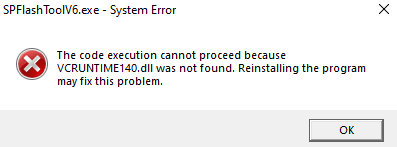
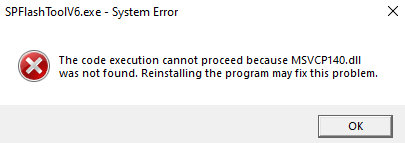
Where are these files to start SPFlash?
I was going to see if the SPFlash program Media Tek has given us wipes the IMEIs using a Windows 10 computer when BraX3 is in Ubuntu Touch but I get these errors from a Windows PC (2 errors shown twice):
Where are these files to start SPFlash?
I think they are windows 11 system files. Version 5 of SPFlash runs on windows 10 but the scatter file for our phone wants version 6 of SPFlash.
I will try to copy those 2 dll files from windows 11 and see what happens!
I was wrong that those files are for Windows 11. Apparently both those files are provided by Microsoft Visual C++ Redistributable packages. I just downloaded the x86_64 package here:
I still get those same errors even having Visual C++ installed. I just got Ubuntu Touch and my IMEIs installed for the umpteenth time and once I SPFlash working in Windows my BraX3 is ready to test it.
Apparently I need to install both 32 bit and 64 bit versions of that Visual C++. This is the 32 bit version:
I have good news and bad news. I got SPFlash V6 working in Windows 10 by having both files above installed first for visual studio C++. It looks just like the Linux GUI. That’s the good news.
Now the bad. SPFlash in Windows wiped my IMEIs again. From Ubuntu Touch I went back to Lunar OS just like in Linux but it let me do a download rather than a Firmware Upgrade. I did the download of Lunar OS but deleted userdata like it was set to do. I got a success at the end and all looked good till I rebooted my phone. It went into a new boot of Lunar OS but when I checked the IMEIs in about phone they were gone!
Maybe a firmware upgrade would keep the IMEIs. I’ll check tomorrow.
I tested SPFlash V6 in Windows by doing a Firmware Upgrade and it still wiped my IMEIs when the phone is in Ubuntu Touch.
I was able to get my IMEIs restored numerous times using SN Writer in Windows 10.
The only safe way of leaving Ubuntu Touch to go back to Android perhaps is using fastboot. I will try this.
Here is the BraX3 guide I am following:
fastboot from Ubuntu Touch wipes the IMEIs too. Here is what I did.
adb isn’t something that Ubuntu Touch recognizes, so u gotta reboot into fastboot with the buttons on the phone. Power it off. Then press Volume Up and Power at the same time till u see some small options on the screen. Press the Volume Up key to get to the fastboot option then press Volume down.
Copy the img files, flash.sh, and the bin file in the iode’ installation file to platform tools. In Linux type this:
sh flash.sh
when all done:
fastboot reboot
There is no format command in the iode’ 7.3 SPFlash zip installation file. The phone reboots into the LIneage recovery. Let it reset the device. And reboot. Now iode’ starts.