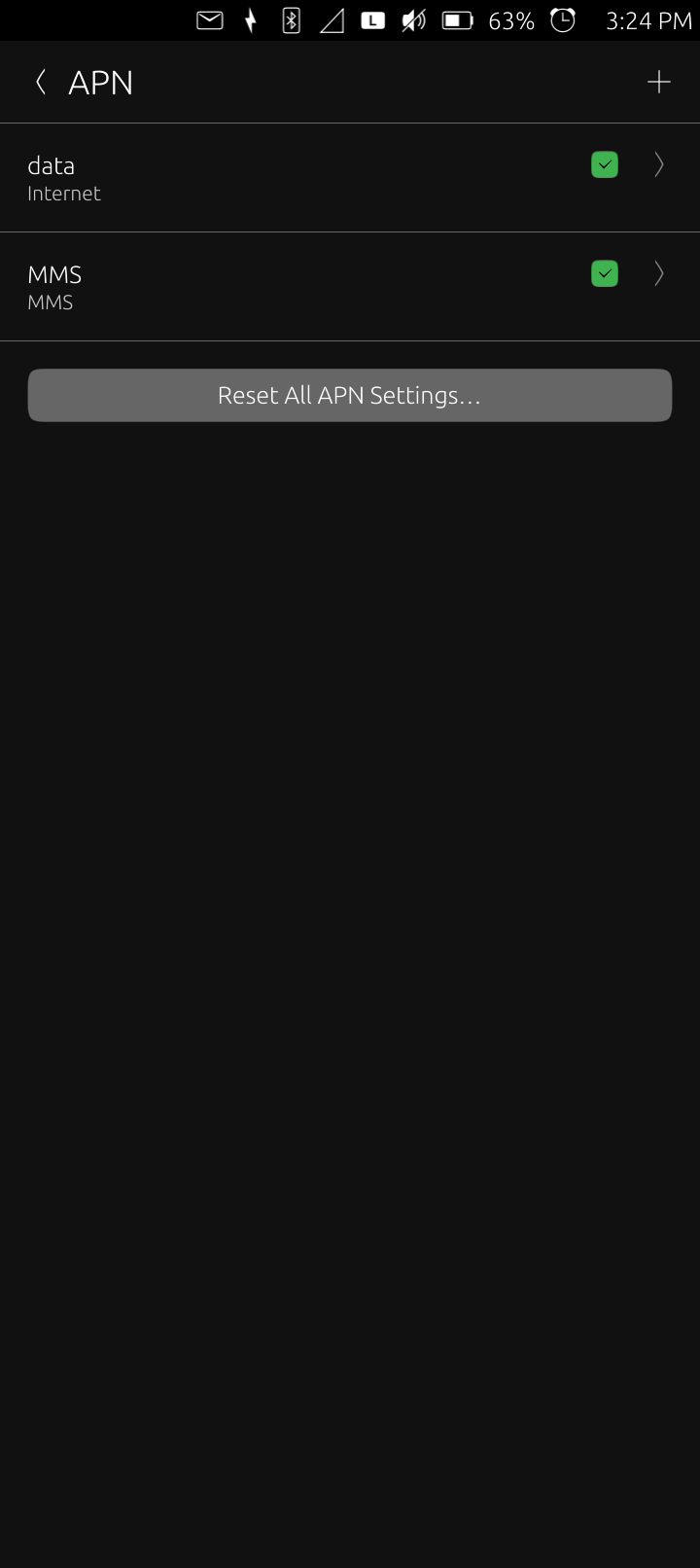
I messed around with my Sim card today in the Ubuntu Touch BraX3 and got it to recognize my card so I could then take screenshots of the given APN setting. U can only see these if the Sim card gets recognized. It seems that u can only have 1 card in the Sim/micro SD tray for Ubuntu Touch to reliably set things up. So don’t put the micro SD card in the tray.
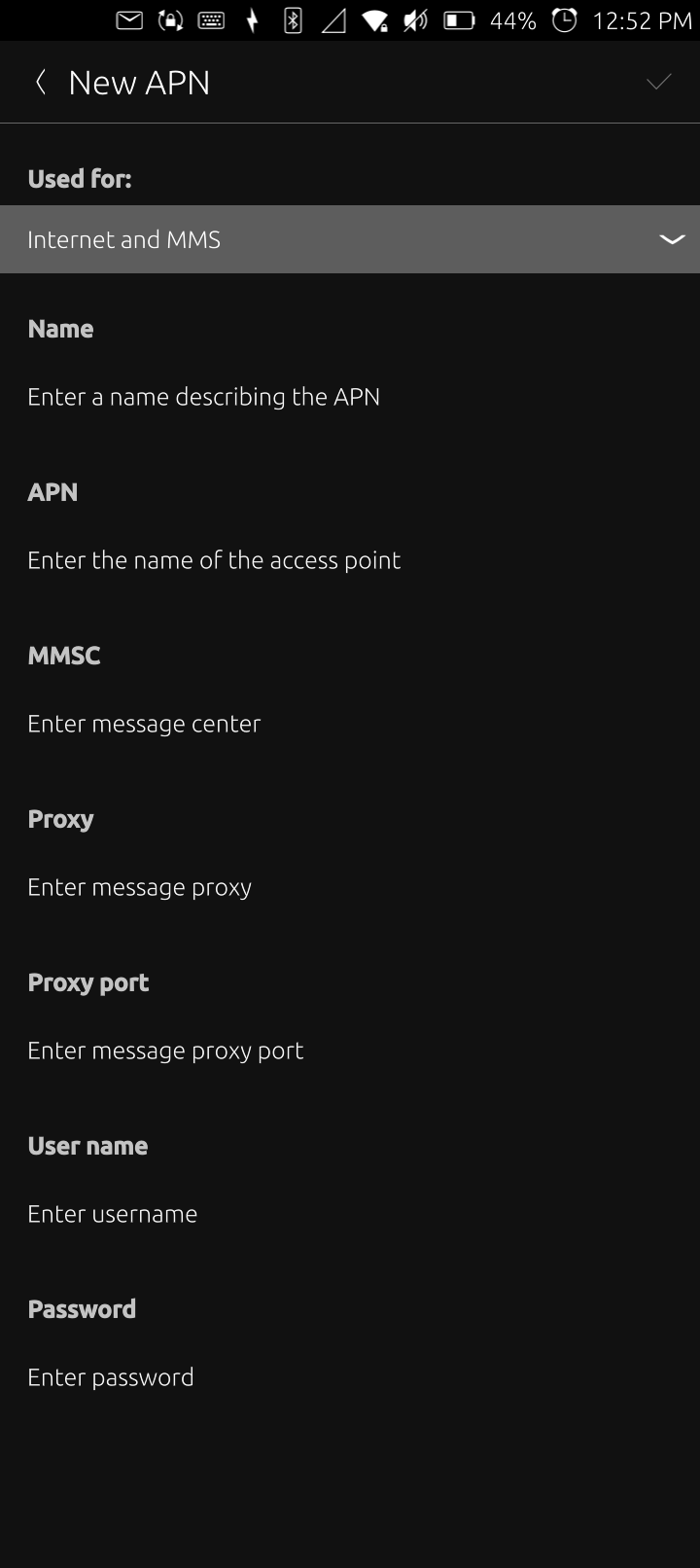
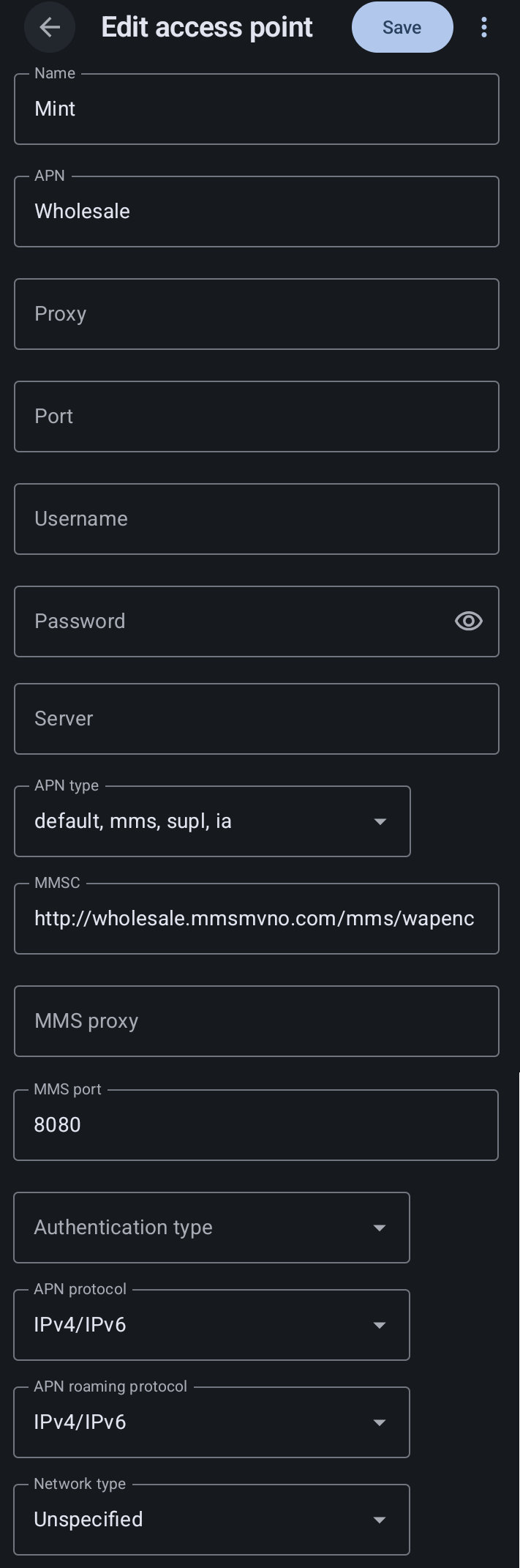
I use Mint Mobile. What I noticed is that there are more settings given by Mint Mobile than there are settings in the UT menu for APN settings. Is there another way to enter the needed APN settings? Maybe by CLI?
This is the screenshot of what u can fill out for APN settings in UT:
Right now I only get SMS text messages. I am not able to make voice calls, MMS messaging or data by 5G. The open store does have the Delta Chat messenger and an app for Signal that ask for permission to use the mic. I haven’t imported my account yet, but u might be able to make phone calls that way on the UT BraX3 port.
If the APN settings were setup right than this would be a fully functional mobile Linux device (if u can live without a camera and a fingerprint sensor)!!
BTW, I did get apt working in this but according to Brave AI it’s not a safe method and u can get apt working in Libertine. I will try it that way.
The objective is to have internet connection and calls, SMS/MMS. The settings missing are mostly the default values. They should be stored in some JSON file somewhere. Github has many related open and closed issues though they are quite old.
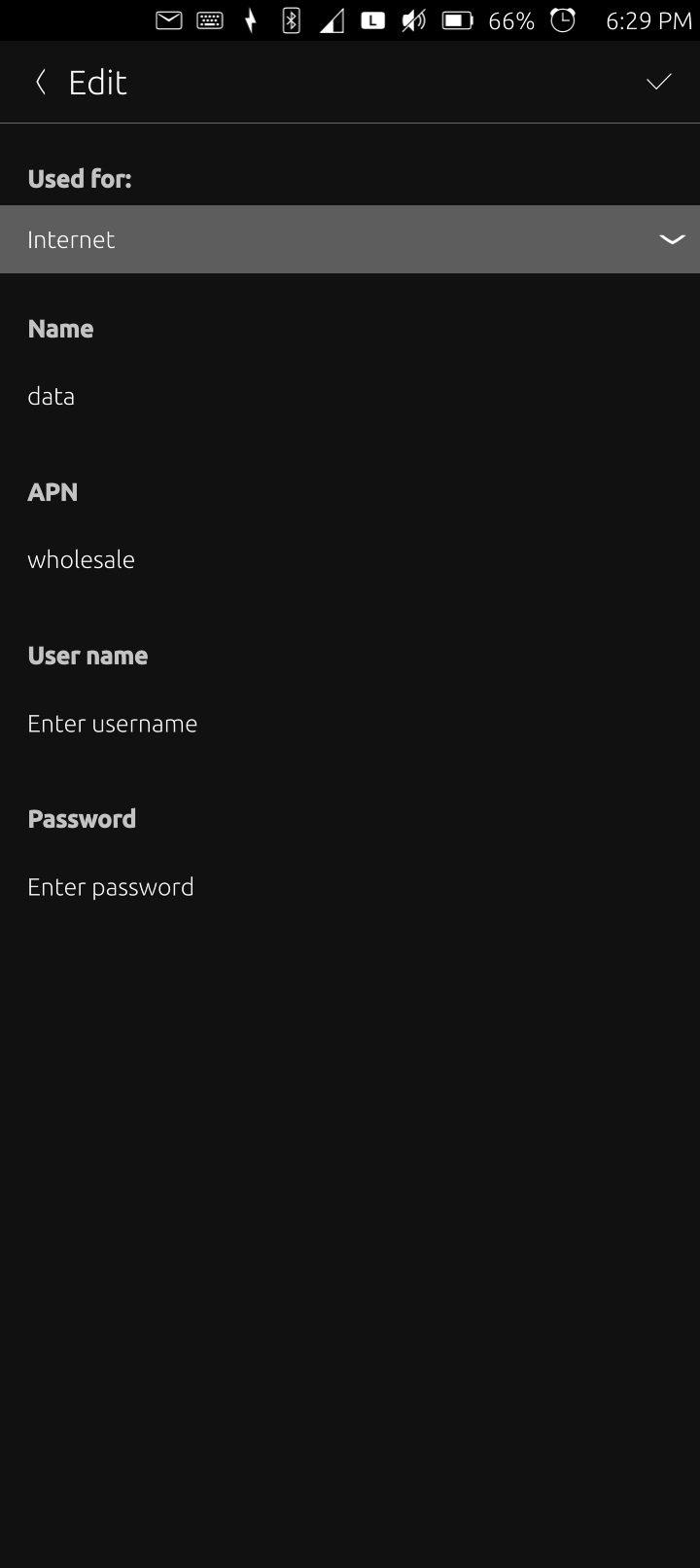
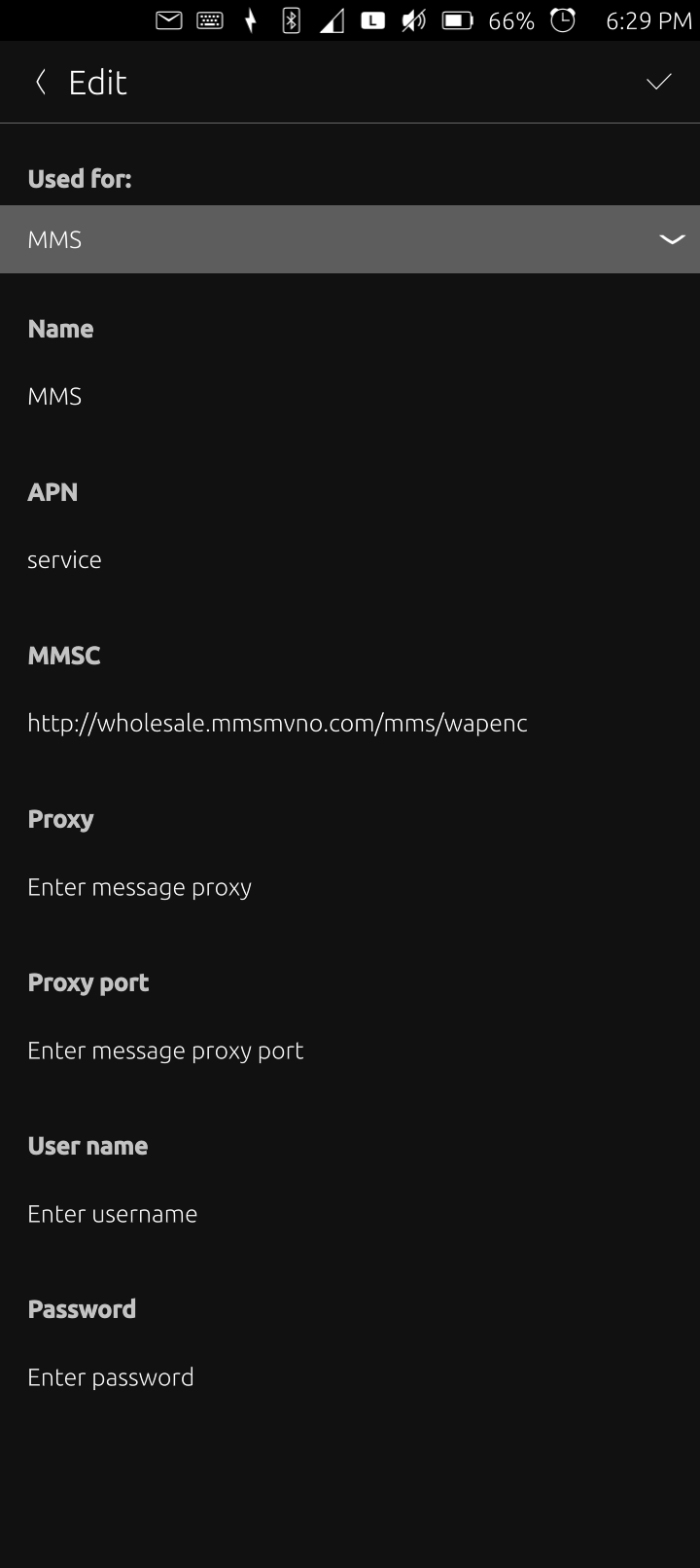
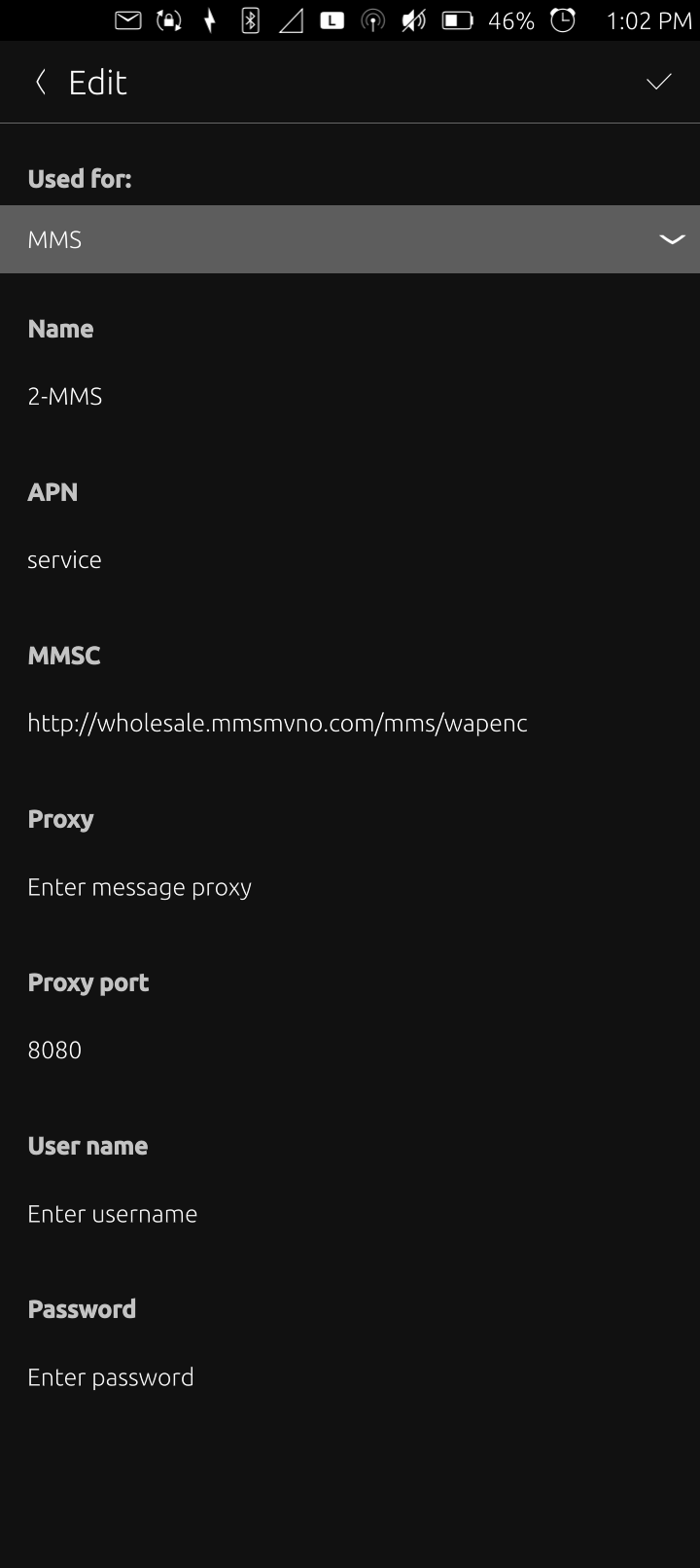
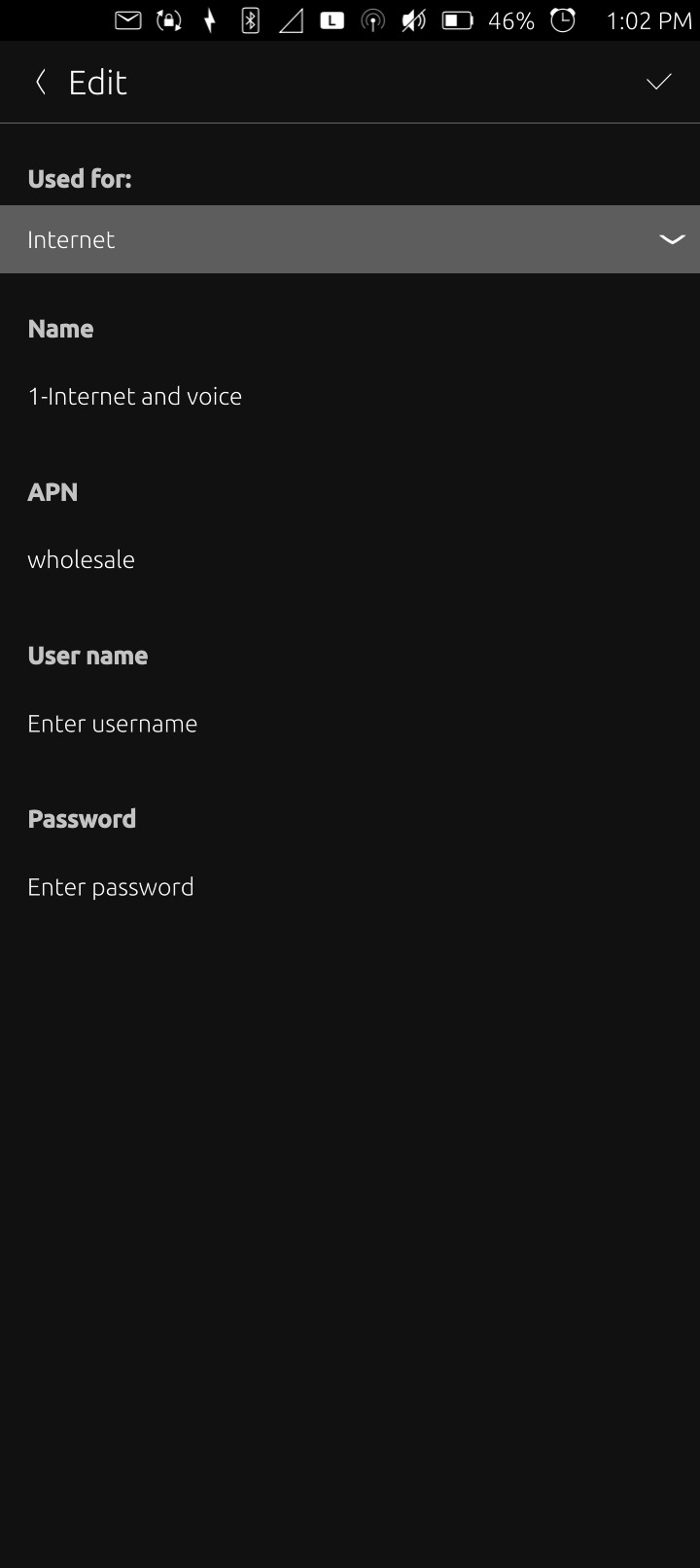
So now I have 2 APNs working at the same time. I’m not sure why voice isn’t working as VOLTE is checked. It won’t let me setup an empty LTE APN. Here are my 2 APNs:
Also I found out the SIM card doesn’t get detected on a reboot. What I did to get it to see the SIM card was remove the tray while it was powered off and then when logged in to the phone, insert the SIM card in the tray by itself into the phone.
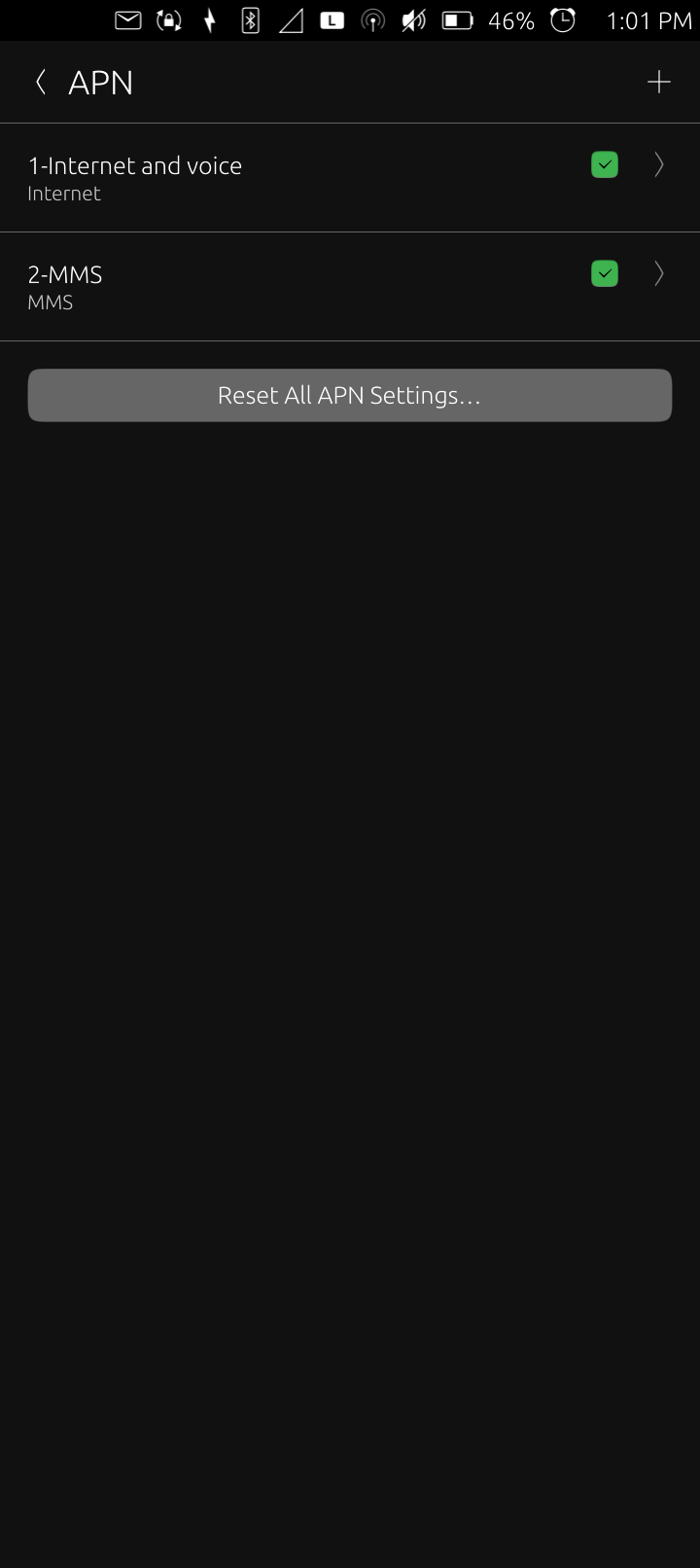
I figured something else out about the APN settings. The order matters. I reset the APN settings because I messed it up…that’s what I do I mess things up and then fix them! Fortunately I had the screenshots here to guide me but I was getting no internet. I just resolved that and took screenshots on the order of the 2 APNs. Moving them isn’t clear. I think the last edit goes up top but this is what u want for internet data and MMS to work:
OK, UT mixed up the APNs again on reboot and isn’t detecting the SIM card at times. Make sure the SIM tray is empty each time it starts and then insert just the SIM card in the tray after logging in. This is what I’ve been doing the entire time but UT failed to detect the card so I had to power down, empty the tray and try again-the next reboot worked.
So, then I was able to see the APN settings and it mixed things up. The internet data field seems to have to go first so I put numbers before each APN and that is working…for now. I also filled in the proxy port entry for the MMS APN in hope of getting voice to work. No voice still but here are some more screenshots:
Apparently my problem of having the APN setting in Ubuntu Touch missing things is not new. Brave AI found this when asked if I can insert this by CLI. We’ll see how current this information is!
Insert APN Ubuntu Touch CLI
Yes, you can manually insert APN information via the CLI by editing the ofono configuration file, as the standard Ubuntu Touch UI often lacks fields for specific carrier parameters like MCC, MNC, or APN Type. The primary configuration file is located at /var/lib/ofono/<your_IMSI_number>/gprs, where you must set the AccessPointName to match your carrier’s APN value.
To apply these changes, you must first remount the filesystem as read-write, stop the telephony services, and then restart them. The required commands are:
sudo mount -o remount,rw /
sudo stop ofono
# Edit the file /var/lib/ofono/<your_IMSI_number>/gprs
# Ensure [context1] has AccessPointName=your_apn_value
sudo start ofono
sudo mount -o remount,ro /
Alternatively, you can retrieve current provisioning data using the grep command to identify the correct fields before making edits:
adb shell
sudo su
stop ofono
find /var/lib/ofono -name gprs | xargs rm
# Reboot with SIM inserted, then run:
grep Provisioning /var/log/syslog
Note that editing these files directly is a workaround because the standard APN interface in Ubuntu Touch is often considered difficult to use, and the apns-conf.xml database file is compiled into binaries at build time and is read-only.
Manually modifying that file in a rw environment as root when ofono was stopped didn’t give me voice phone calls. That file seemed to get edited on a reboot and my settings were overwritten.
It seems like the hardware issue of that card not being seen on a reboot maybe messing up the APN settings.