I download the 7.1 ota file from brax3 and was able to sideload the file. However, the result had this error message: “Package is for product brax3 but expected BraX3.” Huh? When I attempt to use the iodeOS updater app on the phone, I get this error: “The download failed. Please check the internet connection.” I tried using the mobile data as well as my wifi router. Same error message. So next I tried connecting adb to the phone to execute this command: “adb shell setprop lineage.updater.allow_major_upgrades true” Just cannot get the brax3 to be seen by adb. Funny thing is that the recovery mode works with adb flawlessly.
I had the same problem.
Used the iode browser to download the 7.1 version manually. Then used updater, selected local update using the downloaded file.
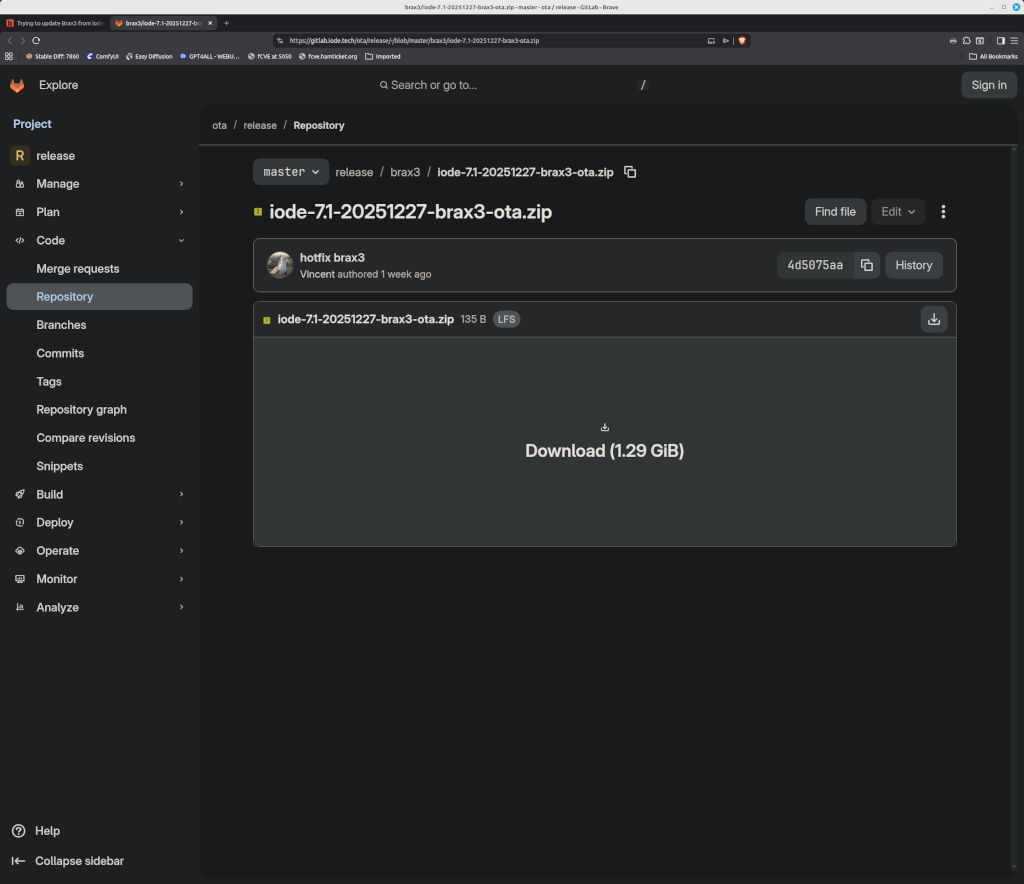
https://gitlab.iode.tech/ota/release/-/blob/master/iode-7.1-20251227-brax3-ota.zip
The file downloaded okay. The updater will not allow me to select the downloaded file for updating.
Open updater, touch the 3 dots, touch local update, select the recent downloaded file.
This doesn’t work?
I used this method on my current Brax3 6.8 and an unused Brax3 6.3 version. Updated both. Even a power cycle doesn’t fix the issue?
Found the issue. For some reason, iode browser downloaded the HTML page and not the actual file. Installing the update now.
Hopefuly, the “setprop lineage.updater.allow_major_upgrades true” has been set in this update.
Update: upgrade was successful. Thank you for your assistance
For anyone else looking at this I too am also having a similar issue - am attempting to update from v6.9 to v7.1 on both a BraX3 and a Google P8P. Note this is after manually updating the ‘updater’ app first (as per news post, etc) on both. The Pixel 8P has downloaded the update fine with no issues…
However the BraX3 fails and is unable to download the 7.1 update. Copying the URL and manually downloading it also fails - so the URL to the zip file in the updater is invalid, or the 7.1 zip file (for BraX3) has been removed from the server… This is the failing URL for anyone interested: https://gitlab.iode.tech/ota/release/-/raw/master/brax3/iode-7.1-20251225-brax3-ota.zip
Having a quick look for it manually…
EDIT: Alternate download link (Github) is here:
The issue is the file has been updated by the look of it but the link in updater has not. The latest file is iode-7.1-20251227 but the updater is pointing to iode-7.1-20251225…
Do not copy the link. From the iode browser, log in here as your account & click the above link (from pd1983) as presented. You should get a download screen like the attached image. Once you have the file on your Brax3, then use the ‘updater’ with ‘local update’ option in the 3 dots icon. Click the hamburger icon and select downloads. Tap on the file and let it install.
No - there’s no need to do any of what you’ve said - the link I posted above (in quote from plamen) takes you straight to the correct download, without any of that nonsense having to log into Gitlabs awful system.
And yes the manual update install process then works fine once you have downloaded the latest update…