Some of this is probably me just not understanding the systems used by modern cell phones and what things are called . Occasionally, I’ve gotten a notification of “Incoming MMS Message” that says “Tap to allow MMS messaging on HOME when mobile data is off”.
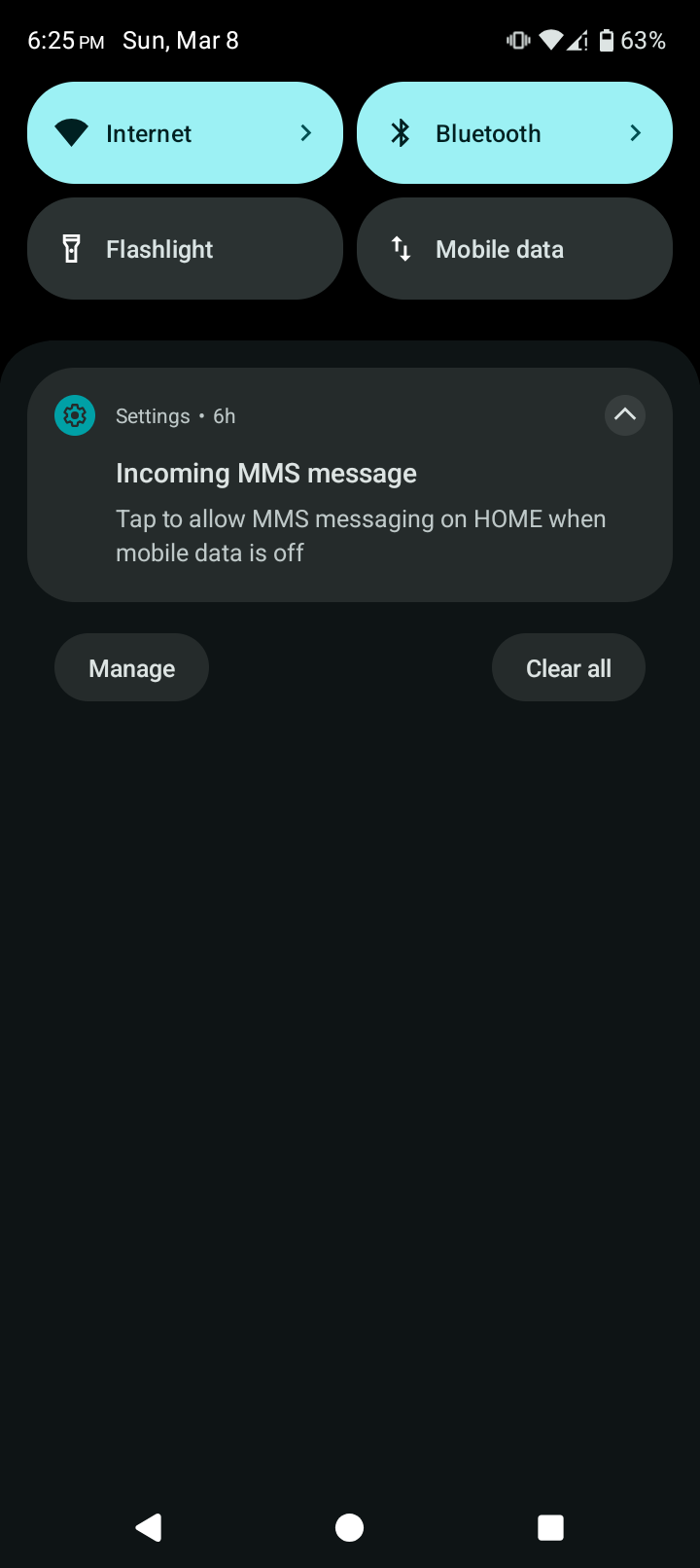
Now, I do usually keep mobile data off, since I have a limited number of bytes on a cheap Tracfone plan, and generally if I’m using the phone for anything beyond making a phone call I’m somewhere that has wi-fi. So from this notification, my understanding is receiving an MMS requires it to use mobile data and it can’t get it just over wi-fi. So far I think I understand.
But, it’s highly likely that this was just some spam message that I don’t want. But, how do I find out who the message is from to know for sure? In the regular Messages app, there aren’t any new messages that I can see. Do I need to turn on mobile data (or turn on MMS using data even when mobile data is off) in order to process these MMS messages just to even see the phone number that an incoming message is from?
And in the likely case where I don’t want to get these messages and use up my mobile data since it’s probably just spam, is there some way to turn off these notifications? I don’t want to actually tap it since it sounds like that will just turn on the feature, but swiping it to the side to dismiss it seems to just get rid of that one. And then I’ll get another one some weeks later.
Not a huge deal by any means, it’s just a little annoyance and I’m trying to understand what exactly it means and I should be doing if I don’t want to spend my bytes on MMS, or if there’s any chance that I should be doing so regardless. Thanks.