Well this is weird. I cannot get to any https://community.braxtech.net/ pages on 4 different browsers on the brax3 phone?
I get address not found. The browswer could not find the host server…check you typed addrerss…check you have internet…etc.
Have you inadvertently blocked it in the iodé firewall app?
Didnt even know there was a firewall app…so i guess
no.
But have you actually checked in the iodé app that its URL is not blocked?
No use doing any other trouble shooting until you do that…
Thanks for the answer. I havent really explored how the iode app works but under ‘settings>customised blockings’ there three tabs. a blue dot, a white circle and a white dot (not very self explanitary if i may say so.
On the middle tab with the white circle, there are hundreds of urls, with (‘non customised’ on each one community.braxtech.net being among them. However many of these urls I recognise and thet are sites that do work. Cannot find anything else that looks like a list of blocked urls? This community is the only site that appears blocked to me.
Ahh, that’s good then. That’s the most obvious place and ticks it off.
Note I saw your post uses http://community.braxtech.net in the link you wrote, but that’s an insecure old url format and many browsers will block it by default - at least if the site doesn’t auto-redirect to the modern secure prefix. Are you actually trying https://community.braxtech.net because if not that might be the issue. Almost no sites ever use http anymore (unless they are very old or abandoned), its always https, as it has a serious security and privacy implication (man in the middle, malicious code insertion, etc)…
Sorry yeah i just typed this in so its a typo. even if i click the link to the community on the braxtech site it does not go there
So i installed some more browsers and it turns out the Gecko based browsers are blocking the brax community but its fine in chromium based browsers. Weird huh. I have not niticed it with any other site so theres no problem from my POV as i can get to the site on a diferent browser.
Good find. Hadn’t thought to ask you what browser… They may not like (or support) something in Discourse’s Platform. Do you get the same issue if you try going to these sites (all use Discourse):
No problem there.
…aaaand now.. Brax community works in iode browser..go figure. Maybe it was a weird dns issue?
Maybe.
Main thing is it now works.

My Libby app is now working, what a relief!!! I don’t know if it was an update to Libby or to iodéOS.
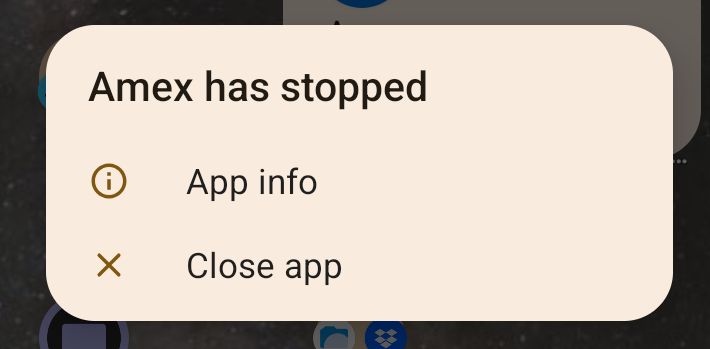
The app is likely crashing due to some google play integrity failing (as is the case with some banking / payment apps).
MicroG (installed by default) is the app responsible for helping with google play integrity checks but while it works for most apps, it won’t work for all. You can play around with different MicroG settings related to Google device registration, Google SafetyNet, and Play Store services to see if any could fix your issue (microG settings are accessible via Settings > System > MicroG Settings).
Revolut (another banking app commonly used in Europe) wasn’t working for a while until a new microG app update came and fixed the issue.
I really appreciate the quick response, I will update this once AMEX stops crashing
Cheers!
I don’t know what in the MicroG Settings use or not, the AMEX app keeps crashing. Would you be able to send the list what I should check? - thanks is advance
To increase the likelihood of working, the rule is to enable as much as you can from the categories I shared. There is no exact formula to follow. It’s possible that even after enabling all, you still won’t be able to run the app successfully.
Sometimes it’s an app problem and the crashes disappear with the next update.
You could also try APKs of earlier versions you can find on the internet.
Just an FYI that after updating to Iode 7.2 today, American Express works for me again.
I haven’t been able to log in to the X app. I get “LoginError.AttestationDenied” using credentials that work fine in a web browser. I thought it might’ve been due to being on the braxvpn, but I switched to mobile data without vpn and got the same results. I thought it might’ve been due to rooting, but when unrooted due to updating to 7.2 I tried again (also off the vpn) with the same results. Perhaps having an unlocked bootloader is the cause? It would be nice if I could log in. I’d temporarily re-lock the bootloader just to get logged in but from what I’ve read, locking or unlocking the bootloader wipes user data so that’s a no-go.
X shows as “compatible” in the first post but maybe the “notes” column should mention this (presumably) unlocked bootloader problem.