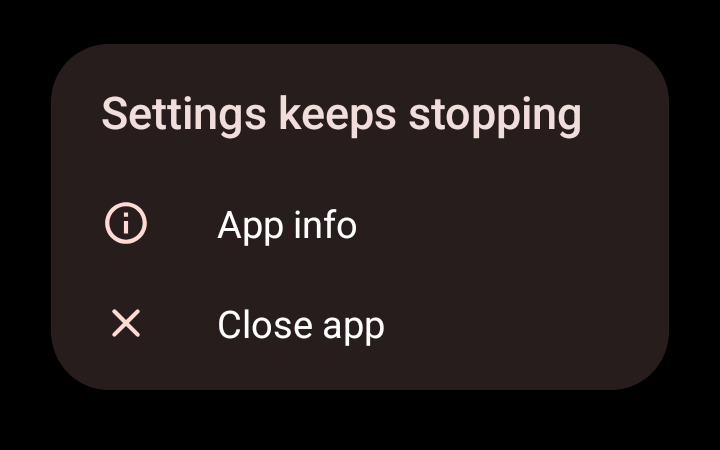
Last 24 hours I’ve noticed getting App Keeps Stopping errors that’s gradually spread from a few apps to virtually anything I try and use on phone. It may have started earlier than yesterday I hadn’t noticed. I have done a restart to no avail.
Key changes I’ve made since yesterday morning is to install the following:
Shelter (plus MS Outlook & Teams in Shelter, and clone a couple of other apps into it)
Couldn’t recall and threads specifically discussing this and I’ve done some initial searches of the forum also but couldn’t find any references. I’ll have a search on the iodéOS forum too, but if anyone has any experience or guidance much appreciated.
In the interim I will try removing Shelter and Work Profile stuff just in case that’s the cause and I’ve somehow installed it wrong…
@Mycenius
I’m using Fossify apps and Save locally without any problems.
Maybe its a conflict with Shelter?
My other thought is if you are using Fossify apps, Are you disabling or removing the original app so there isn’t a conflict?
Cheers - yes I’m thinking that way - just about to remove it and see what happens. Was just searching the iodé forums…
Yes I have - for all of them except gallery - by the time I loaded that this morning the settings app was stopping so I can’t get to the default apps to remove the default gallery app… (I also noticed when you do remove a default app it suggests it just hides it and doesn’t actually remove it, so if a conflict is an issue - albeit I’d suspect highly unlikely - it could be because of that).
EDIT: I just tested pretty much all the Fossify apps @romluk and all are working and don’t have the app stopping error. So definitely not a conflict there so will remove Shelter and see what happens.
So - it’s the auto-freeze function in Shelter I believe. If I apply it to any cloned apps in the Work Profile then (for some default or system type apps) it causes the original copy of that same app in the Main Profile to stop when you try and open it. It looks like it was just the apps I had cloned (or installed a second copy of in the Work Profile from cloned app store) that were affected that had that setting. So I have removed it from them and they work fine in the Main Profile once they aren’t frozen in Shelter.
But I am still testing to see if any other apps are still affected, but principally it is these apps affected I’ve identified so far:
Aurora Store (default app)
Settings (default app)
Files (default app)
Contacts (default app)
Fossify Contacts
So currently I only have auto-freeze enabled for the following:
Iodé Browser
Microsoft Outlook
Microsoft Teams
Note: Iodé Browser is unaffected by the auto-freeze, it works fine in Main Profile while frozen in ShelterWork Profile.
Will test a bit more and possibly fully uninstall Shelter and reinstall; after checking Shelter site for more docs/instructions that may relate to the issue - in case it’s a known scenario.
P.P.S. Another odd thing with Shelter was that although I had removed the Contacts default app before I installed shelter and set up profile (I had replaced it with the Fossify one), it included it by default in the Work Profile when it created it and I can’t seem to subsequently remove it (as you can’t access Settings > Pre-installed Apps in the Settings App clone in Shelter). So reinforces my impression that:
Interesting find. I will take a note and report that as a bug.
Interesting to know if the shelter app behaves differently on lineageOS/iodeOS running on a different device.
It is possible it’s not Shelter that was the cause - and it’s something else (or transient) - Settings in my main profile now keeps giving the same error when I try to enable TTS (after I select the TTS Engine in the options, it shows ‘system language’ but doesn’t seem enabled, if I try and go in and change it to the alternative of “English” the app crashes with the same App Keeps Stopping error as previous. However Settings cloned into Shelter is not frozen at the time so its not the same as previous instances.
FYI - I’ve been having trouble trying to get TTS to work with both OsmAnd and Organic Maps, and I’m trying with both SherpaTTS and RHVoice and same issue. So don’t know if that’s related - or it’s some sort of permissions issue - they kept reporting unable to start text to speech - but now, since I’ve started having above error with the settings TTS options, suddenly SherpaTTS is working with both map apps…
P.S. After a couple more reboots the issue seems to have gone away again and the TTS with maps is working fine…
EDIT: …for the TTS issue in post above. But reboots didn’t previously solve the original Shelter related issue posted earlier. I will retest that issue again in a few days.