Welcome to the compatibility tracker for BraX3 outside the U.S. and EU.
This post is designed to help customers understand which mobile carriers (telcos) have been field-tested and verified to work with the BraX3 device.
What This List Tells You
The telcos listed below have been confirmed to work with BraX3 based on direct testing by our team or by users in the community.
If your telco is listed as compatible, you’re good to go.
If your telco is not listed, that does not mean it is incompatible—it simply means we have not yet verified compatibility through on-device testing.
Connectivity table
| Country | Service provider | Status? | Notes |
|---|---|---|---|
| Australia | Telstra |  |
Fully compatible |
| Australia | Optus | |
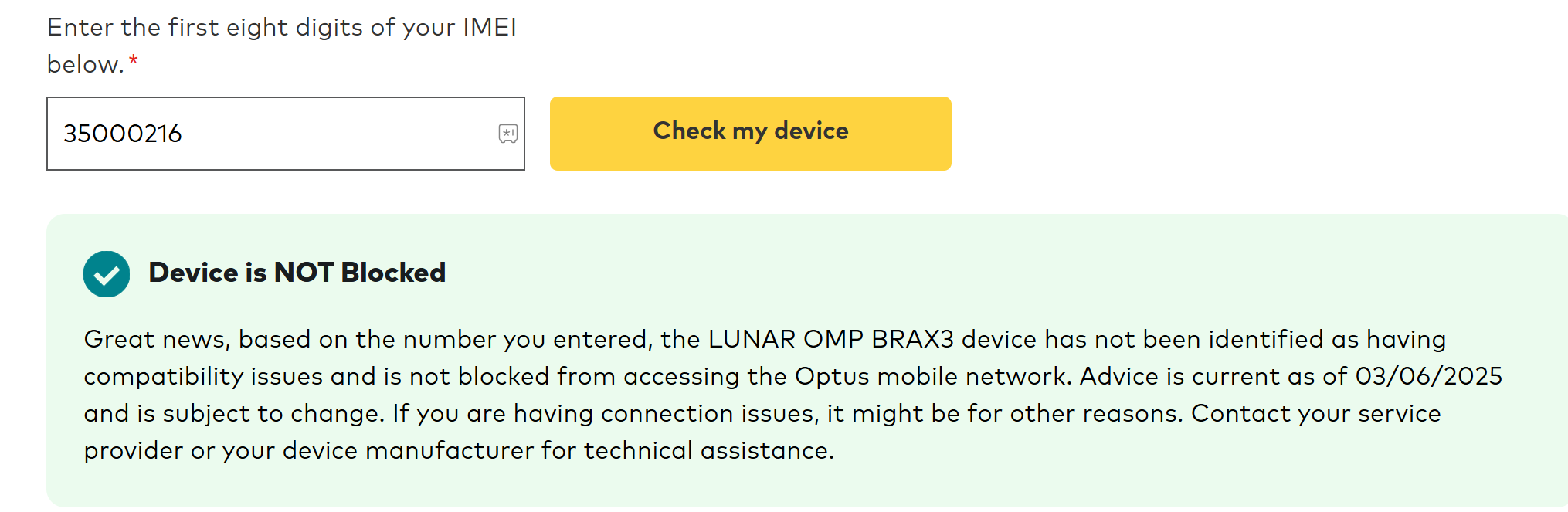
Fully compatible |
| Australia | Lebara | |
Fully compatible |
| Canada | Bell Mobility | |
Fully compatible |
| Canada | Rogers Wireless | |
Fully compatible |
| Canada | Telus Mobility | |
Fully compatible |
| Canada | Freedom Mobile | |
Fully compatible |
| Canada | SaskTel Mobility | |
Fully compatible |
| Canada | Eastlink Wireless | |
Fully compatible |
| Canada | Videotron Mobile | |
Fully compatible |
| Canada | Xplore Mobile | |
Fully compatible |
| Canada | Ice Wireless | |
Fully compatible |
| Canada | Fido | |
Fully compatible |
| Canada | Chatr | |
Fully compatible |
| Canada | Koodo Mobile | |
Fully compatible |
| Canada | Public Mobile | |
Fully compatible |
| Canada | Virgin Plus | |
Fully compatible |
| Canada | Lucky Mobile | |
Fully compatible |
| Canada | PC Mobile | |
Fully compatible |
| Canada | 7-Eleven SpeakOut Wireless | |
Fully compatible |
| Canada | Petro-Canada Mobility | |
Fully compatible |
| Canada | Cityfone | |
Fully compatible |
| Canada | Zoomer Wireless | |
Fully compatible |
| Canada | Primus Wireless | |
Fully compatible |
| Canada | Ting Mobile | |
Fully compatible |
| Canada | Dotmobile | |
Fully compatible |
| Canada | Execulink Telecom | |
Fully compatible |
| Canada | Distributel | |
Fully compatible |
| Canada | Tbaytel | |
Fully compatible |
| Japan | Softbank | |
Fully compatible |
| New Zealand | Spark NZ | |
Fully compatible |
General Compatibility Guidelines
BraX3 is designed to be broadly compatible with global networks, but there are a few important conditions to keep in mind:
 Your carrier’s LTE/5G bands must be supported by BraX3
You can find a list of supported bands here:
 BraX3 Technical Specifications
- Your carrier must not require additional device-level approvals or certification
Some telcos restrict access to devices not officially “approved,” even if technically compatible.
Important Notes
- Network compatibility is subject to change. Mobile carriers regularly update their systems and device whitelists, which can impact whether a device like BraX3 will work.
- We are actively maintaining this list to provide the most accurate and up-to-date information available.
- Compatibility status is based on a combination of: Actual user feedback, Official telco documentation or approval, Publicly available network specs, and support information
Community Contributions Welcome
If you notice a discrepancy between the table and your personal experience—whether positive or negative—we encourage you to share it in the comments below.
For example:
- If a carrier listed as not compatible is actually working for you
- Or if a carrier listed as compatible is giving you issues with activation or service
Your feedback helps us—and the whole community—stay informed.
Note: Comments in this topic are automatically deleted every 30 days, to keep the most recent feedback front and center.
We’re grateful for your support and your input as we continue refining compatibility and making BraX3 the best it can be for everyone.
Our Goal: Full Carrier Compatibility
Our goal is to make the BraX3 compatible with as many carriers as possible, giving users the freedom to choose the service that works best for them. However, in some cases, challenges arise—such as carriers that restrict their networks to devices they sell directly, or impose high certification or onboarding fees that are difficult for us to accommodate at this time.
We continue to work toward expanding compatibility and will keep the community updated on any progress.
What Are Your Options If Your Telco Isn’t Compatible?
If your preferred mobile carrier isn’t currently compatible with the BraX3, there are a few options to consider:
- Choose not to purchase the BraX3 if compatibility is a dealbreaker for you—or, if you’ve already pre-ordered, you may request a refund in accordance with our return policy.
- Switch to a compatible carrier from our list. Many users have found this to be the simplest solution, especially with the wide range of affordable MVNOs available.
- Perform an IMEI change on your BraX3, using the IMEI of a device known to be compatible with your telco. This method allows your BraX3 to be recognized by the network. For step-by-step guidance, please refer to our How to Change the IMEI Number on Your BraX3 guide.