Hello Frost, I am using us mobile dark star art on both my B3 phones with no problems.
1 Like
hi mar17. yes, phone calling and text messages work while I am at home. but MMS is confusing. I can receive them from friends in the house. But I find but not while i am away from the house. in fact data doesn’t see to work at all away from the house. I am able to recieve phone calls. When in setting mine does NOT say PureTalk, but rather it says AT&T… 5G ect.
I’m waiting for something to pop up on the Brax3 community where someone figures out what settings to do to get puretalk to work right. But if they don’t in the next few days, I’m going to switch to t-mobile. folks seem to be getting it to work better. Guess I’m more commited to the phone than the network. More committed to privacy.
I called Puretalk, gave them the IMEI number. But they told me they don’t support the phone. I’d love to stay with them if I can. Since you got it to work. Is there any way you can share the setting screen shot that shows the network info?
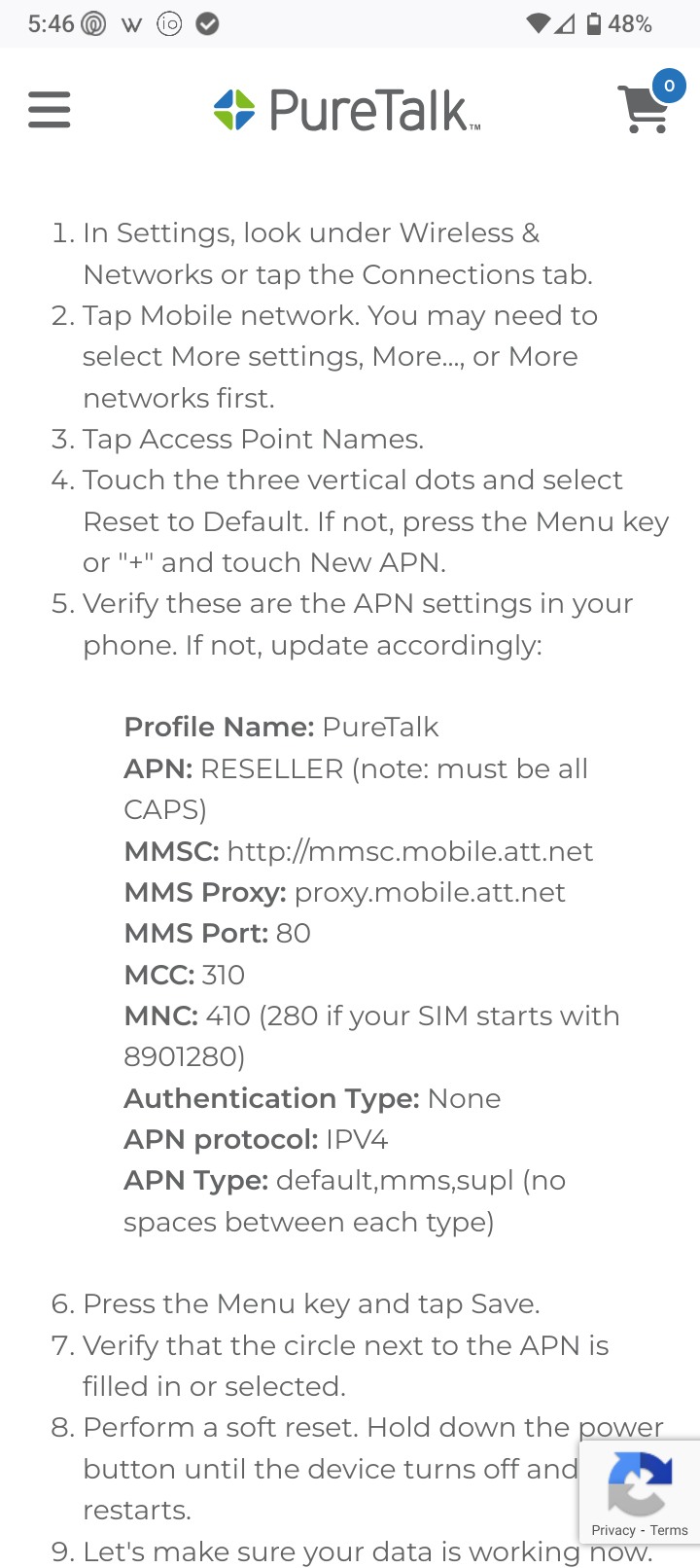
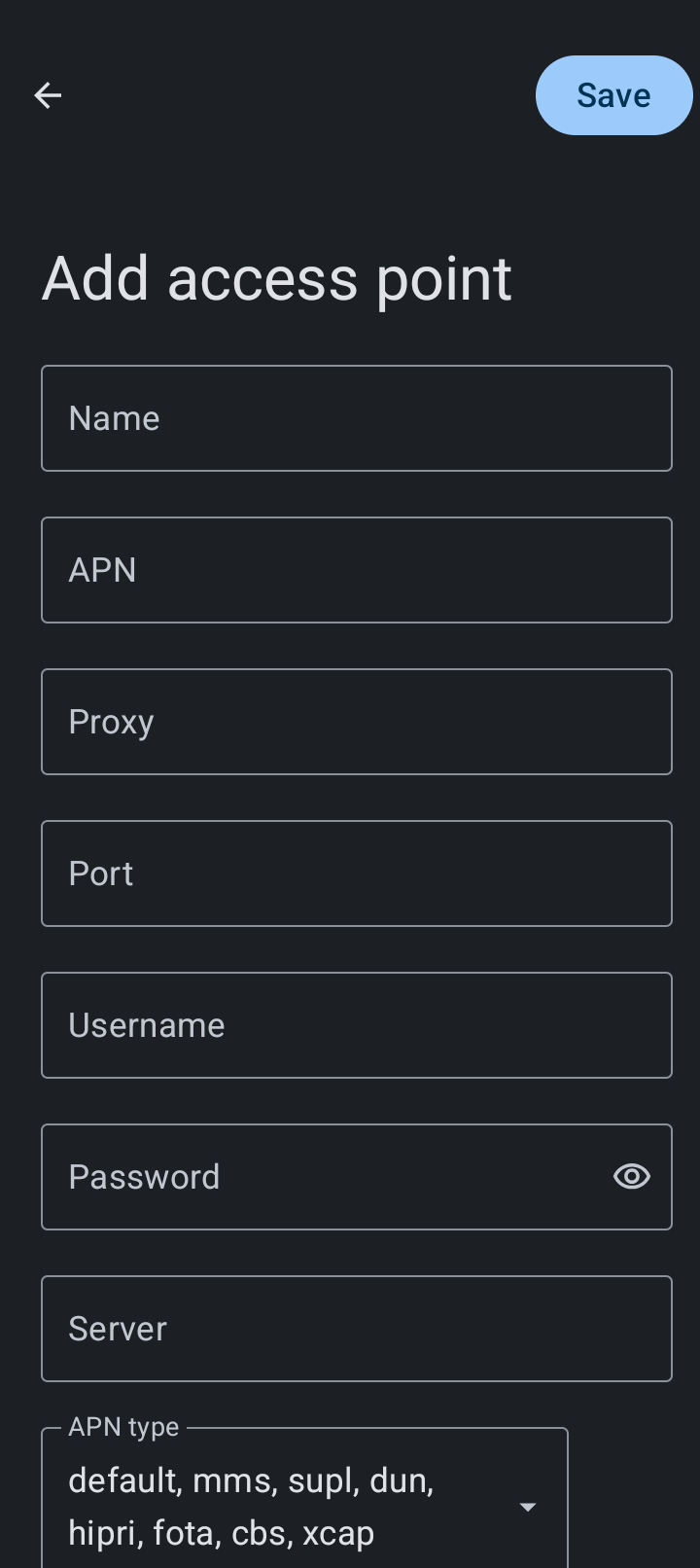
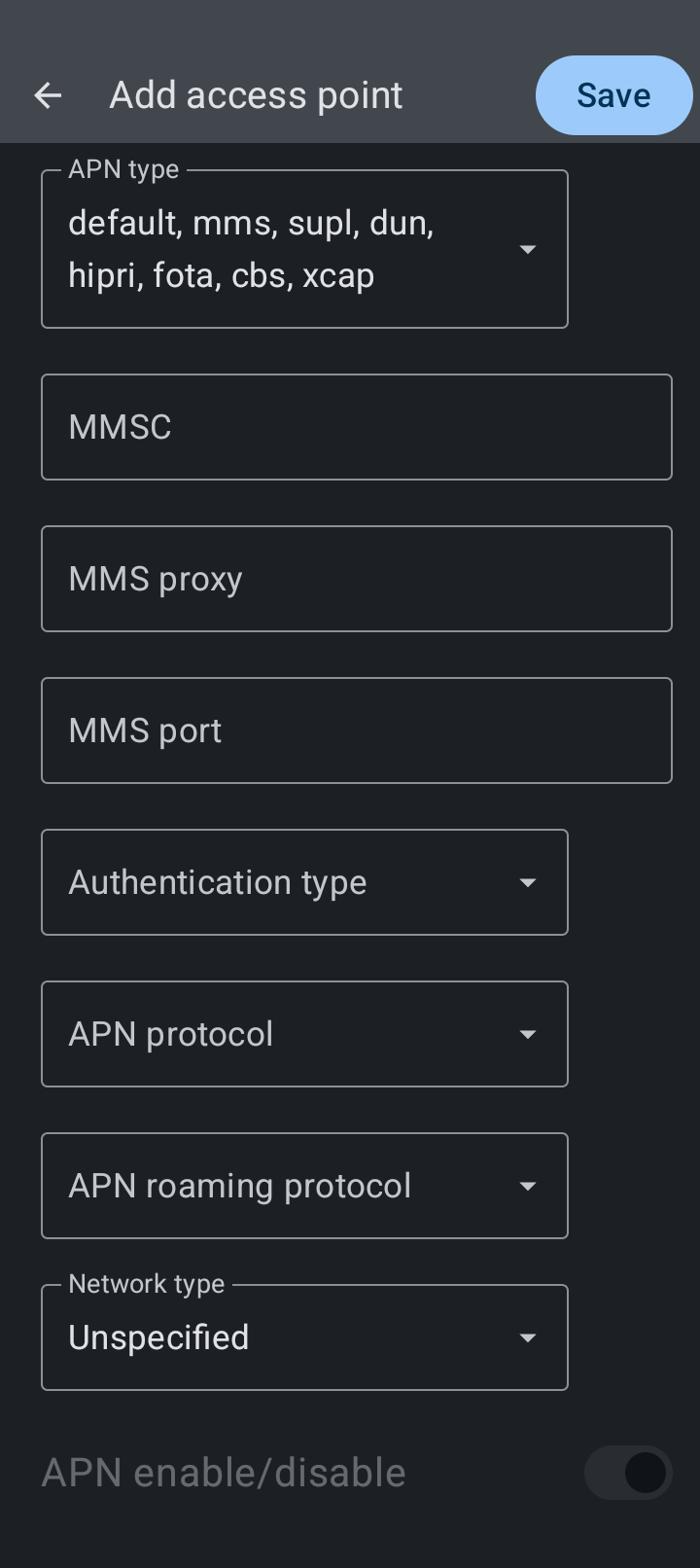
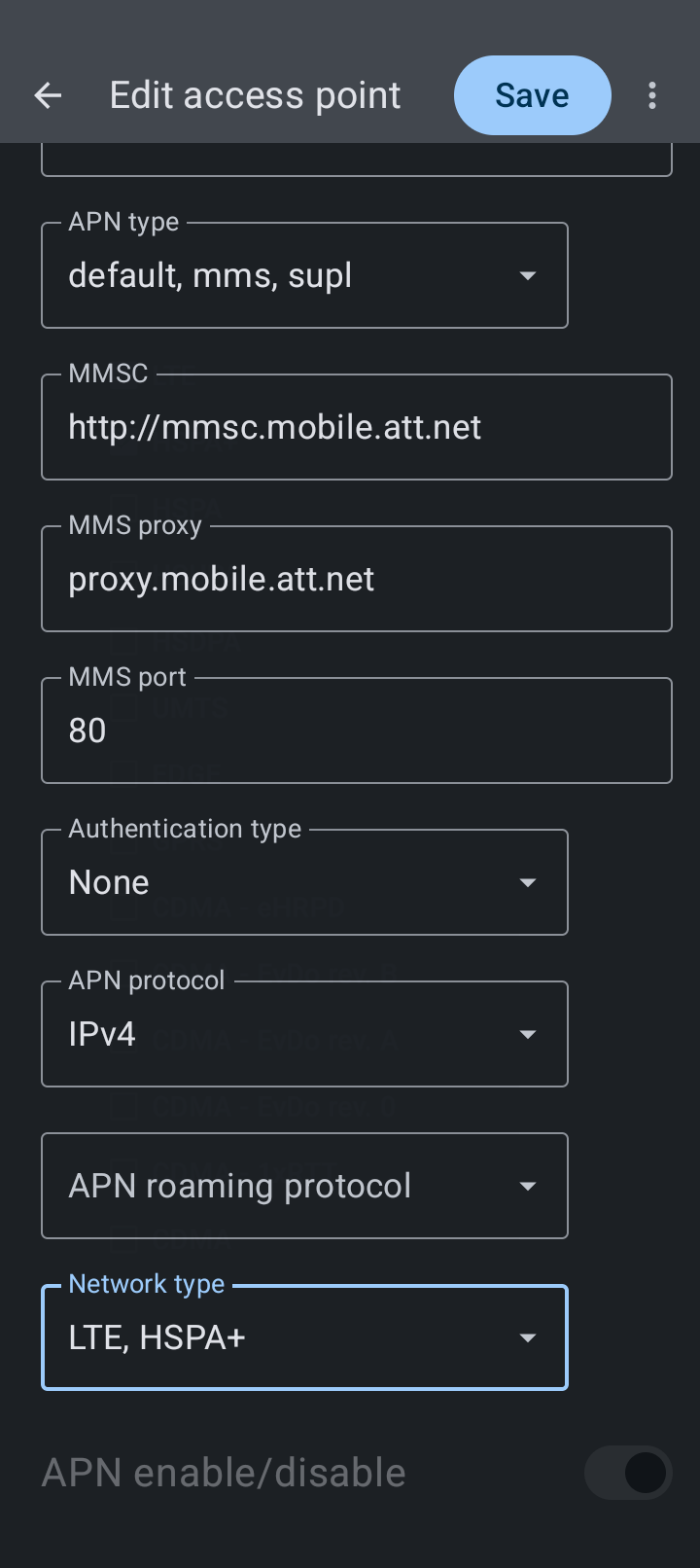
The setting are slightly differnt than the PueTalk sugest on the brax3. but I took a shot at it. didn’t work
I put PureTalk on the Profile name; RESELLER in the APN; http://mmsc.mobile.att.net int eh MMSC; 80 in MMS port. ect. But there is no MNC or MCC
@the.finisher222 – I didn’t need to do any of the manual entry.
Go to Settings, and the first choice will be Network & internet. Click on SIMs:
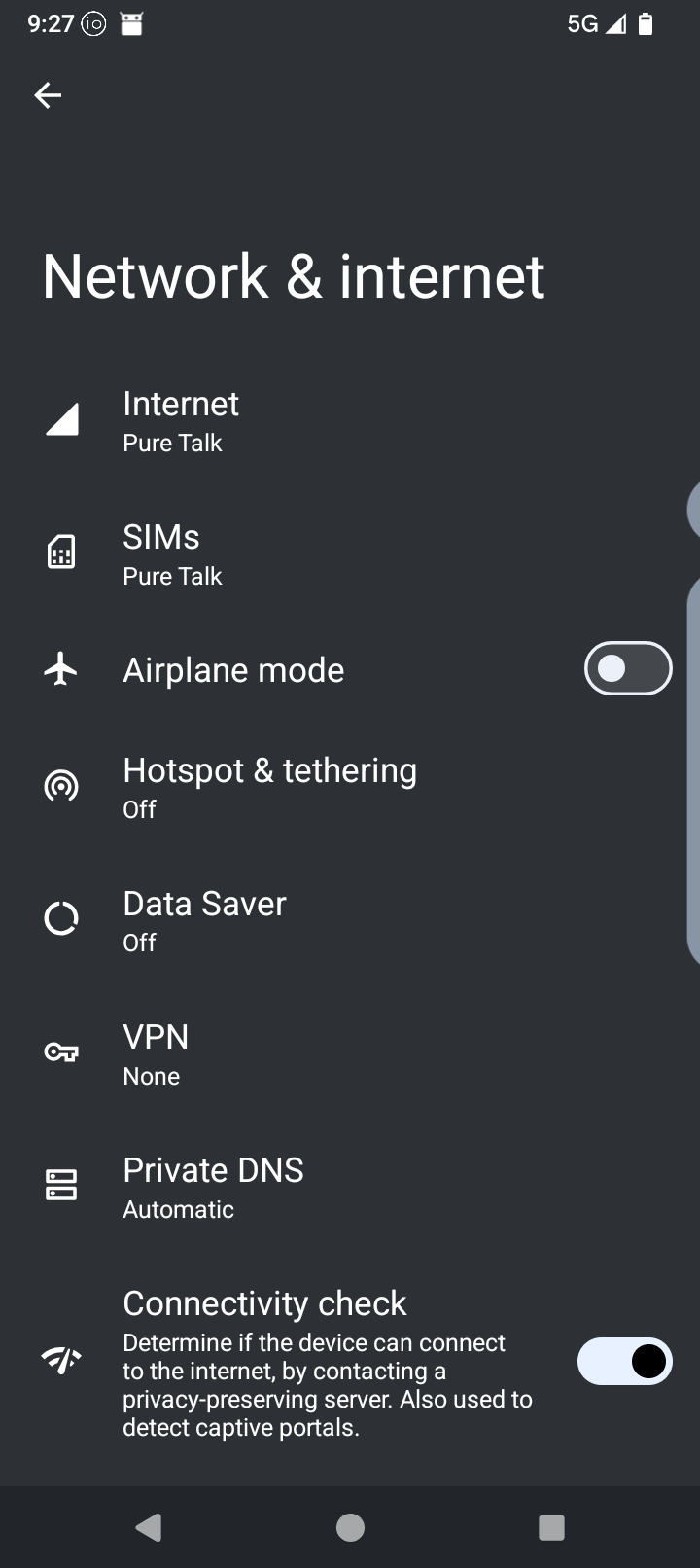
Then click on the Pure Talk entry:
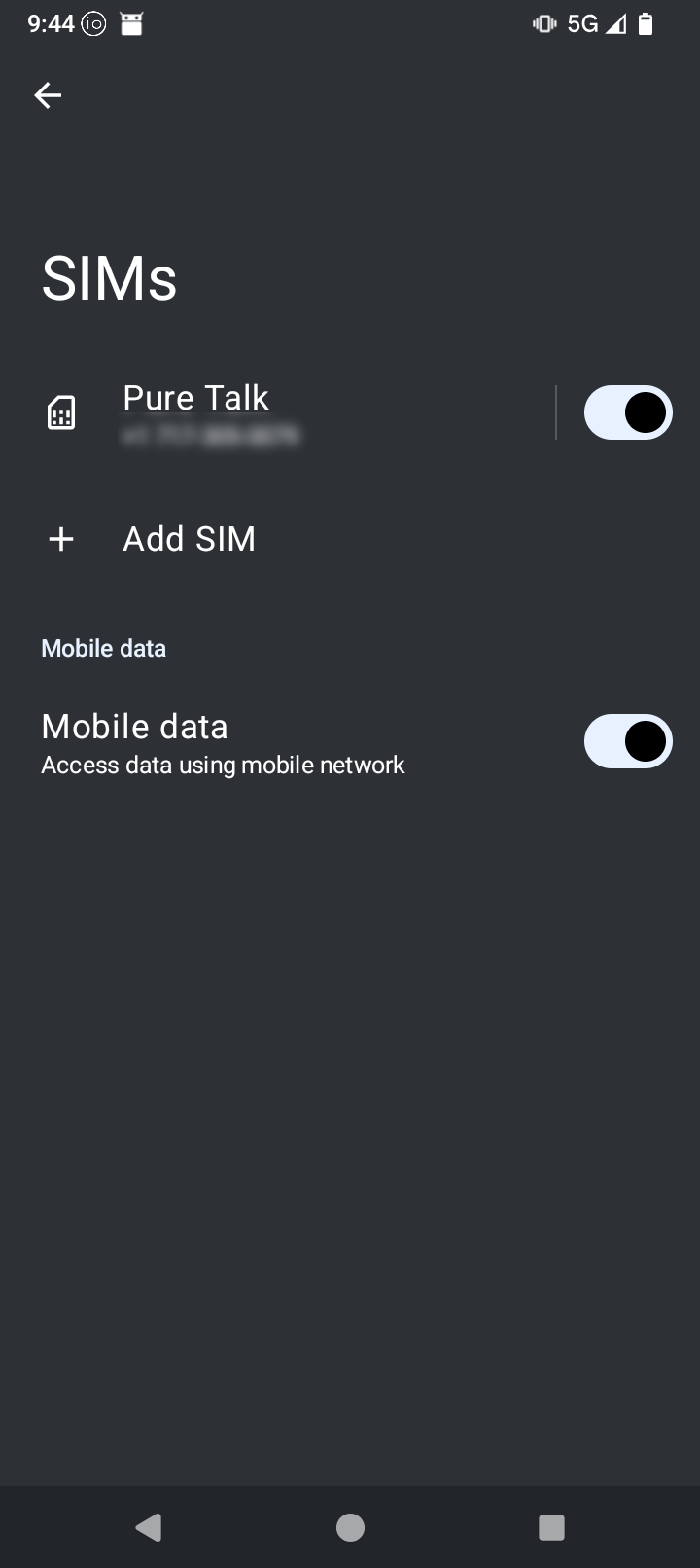
You’ll see this page:
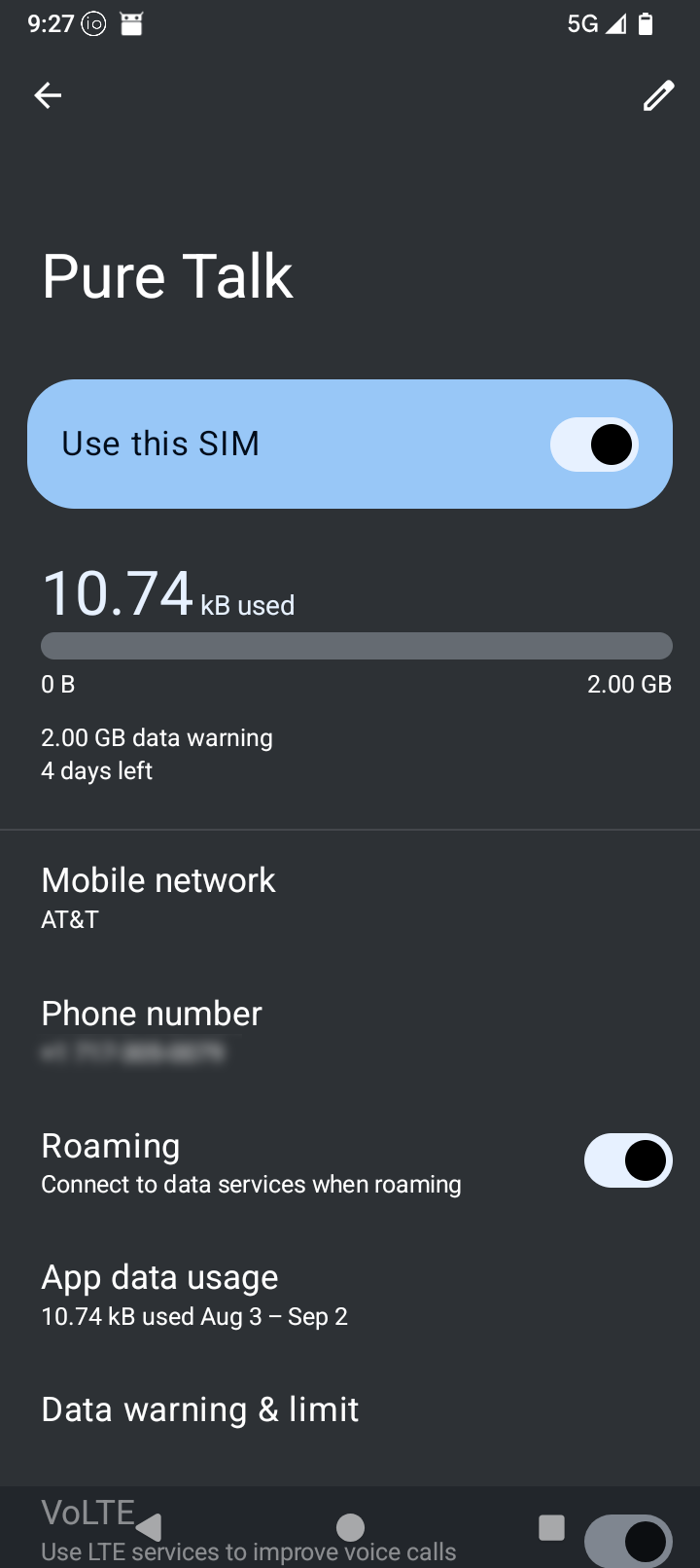
Select Use this SIM if it’s not already selected, then scroll down to the bottom:
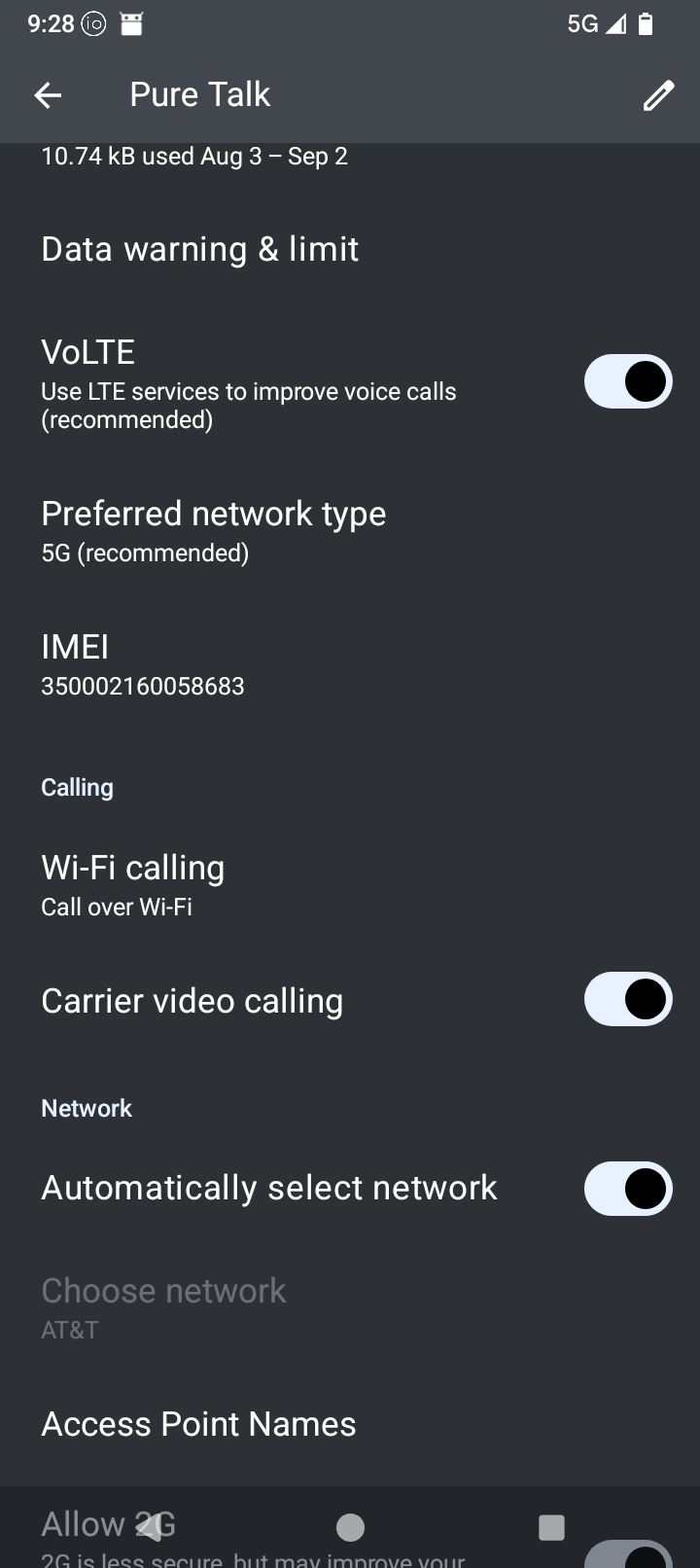
Select Access Point Names and you’ll see this page:
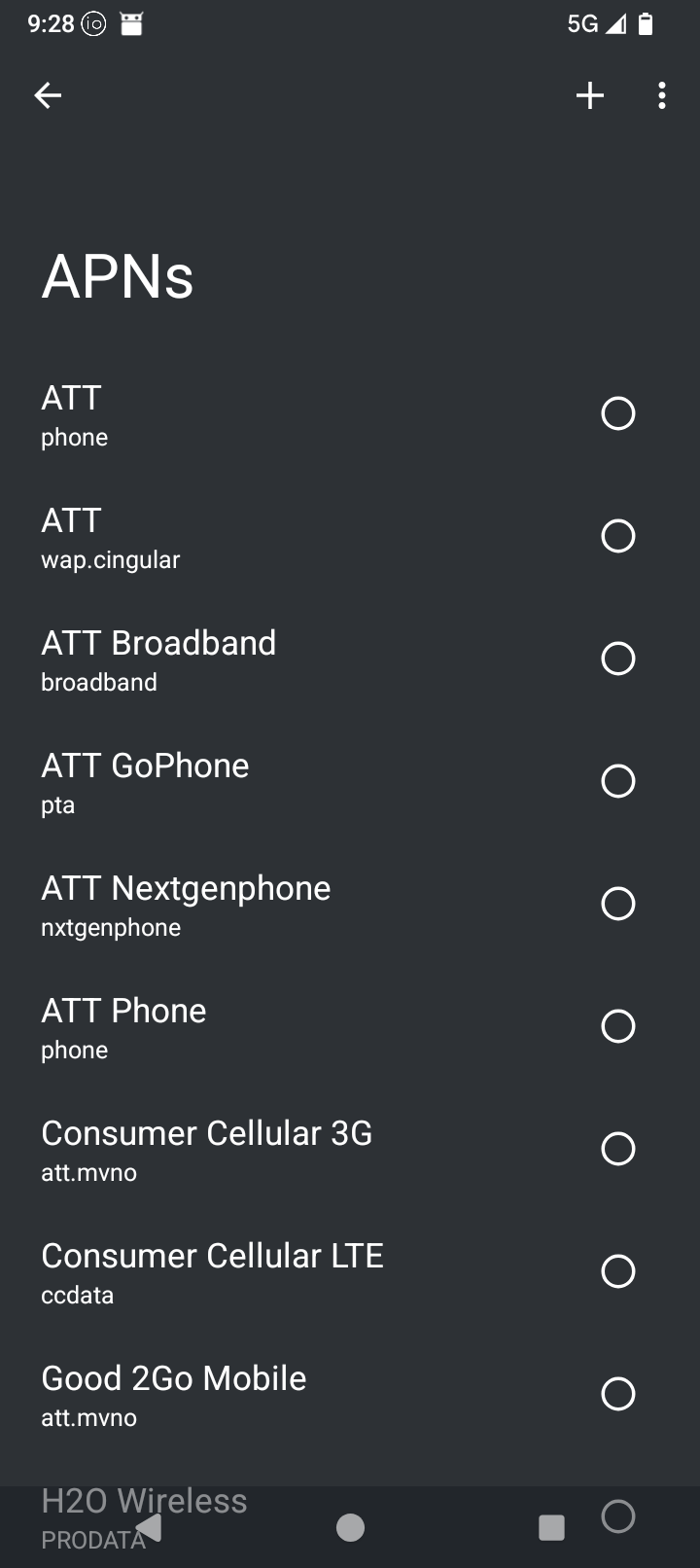
Scroll to the bottom and select Pure Talk USA:
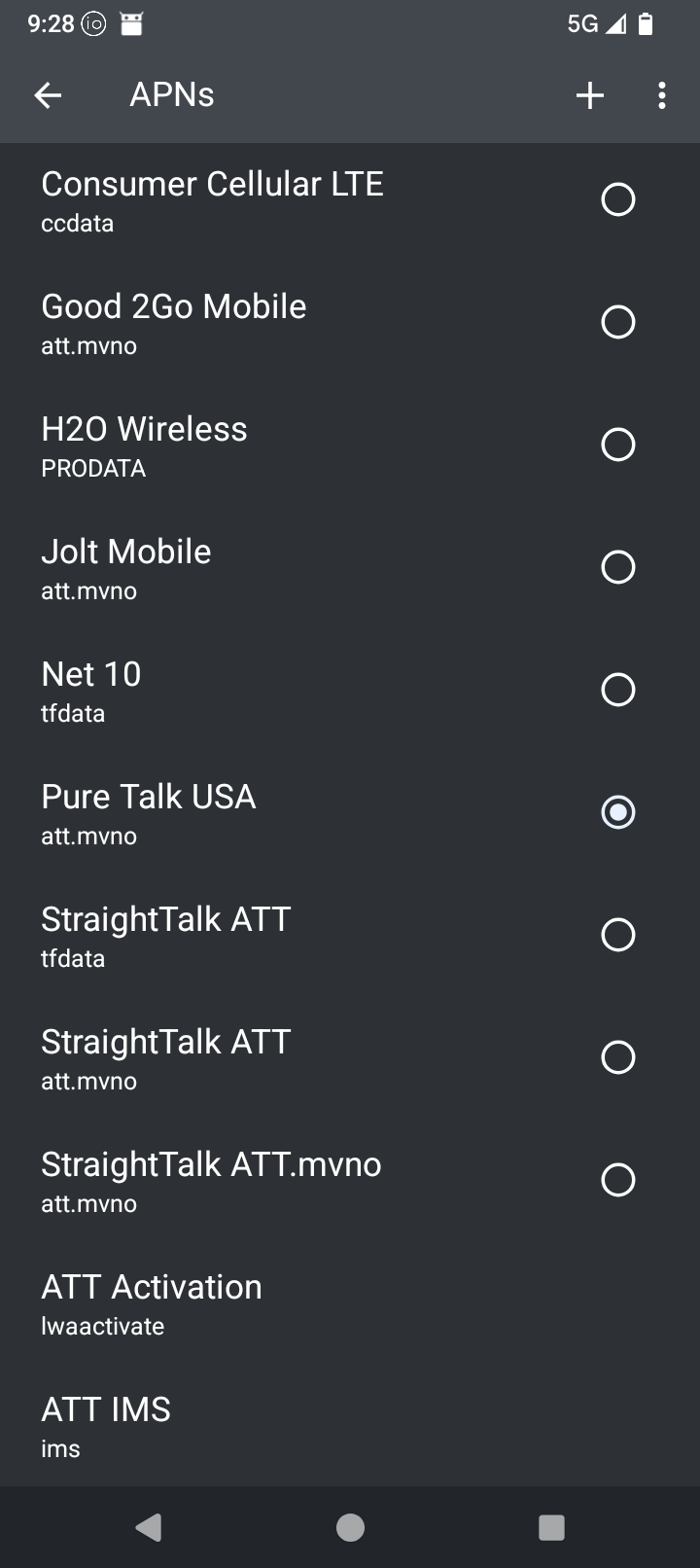
That was all I needed to do, and it now works!
Good luck.
5 Likes
With GCI in Alaska we are able to make in-network calls in and out, but out-of-network calls don’t seem to work inbound, only outbound works. The caller is told the number is not available or disconnected.
The ones that say they are in the process of getting approved, (cricket wireless for me) is there a way to check on the approval progress? Is there some sort of estimated time it takes, or any other progress information?
Wondering because I signed up for another line on my account, hoping it would go through soon. Not bad because it’s only $25 more a month, but I might want to switch to a working one if it’s going to be way out.
1 Like
Also, while I can’t connect to cellular data, and the wifi issues prevent me from connecting to wifi at work,…is there a way to connect to PC through usb and get the internet that way?
Agreed, the thread on what’s compatible had formed now into trouble sorting the phone side vs the service side.
So is ATT activated and available yet? Not a subsidiary but the mother ship.
Sitting on these phones is becoming frustrating, I’ll take the learning curve of virtual sim and a second line later, just want my main number on our long time svc to work so I can switch to the Brax.
3 Likes
To check compatibility, carriers ask to select from a list of phone brands and models. BraxTech or Brax is not and option. What do we chose instead?
1 Like
Just a heads up. I’m on Red Pocket and using AT&T and my Brax3 is working just fine, except for the screen cast function. The table shows that the phone is not compatible with AT&T using Red Pocket. Just thought I’d let you know.
2 Likes
Not official still. The project seems to be at a standstill for quite some time now. Just a back and forth once every month, and it’s unclear on what are the actual issues.
Which carrier is that and in which country?
1 Like
Great to hear. Is it physical SIM or eSIM?
Did you activate the SIM service with the BraX3, or it was activated on another device first, and you just switched it to the BraX3 (if it was physical SIM)?
1 Like
Physical SIM
SIM as activated from Brax2 and just swapped to the Brax3.
Hope this helps…
2 Likes
In this case, it is Mint Mobile in the USA, but i will be evaluating other carriers that may ask the same thing.
1 Like
Hi, can you give us the apn settings you used for us mobile dark star? im almost there but not able to text pictures or get visual voicemail.
1 Like
Hello,
Use the search for DarkStar, scroll down and you will see the APN settings. As far as I know, visual VM is not available on DarkStar. I have been using normal voice mail. Switched to message app from aurora store and now able to send pics. Hope this helps.
2 Likes