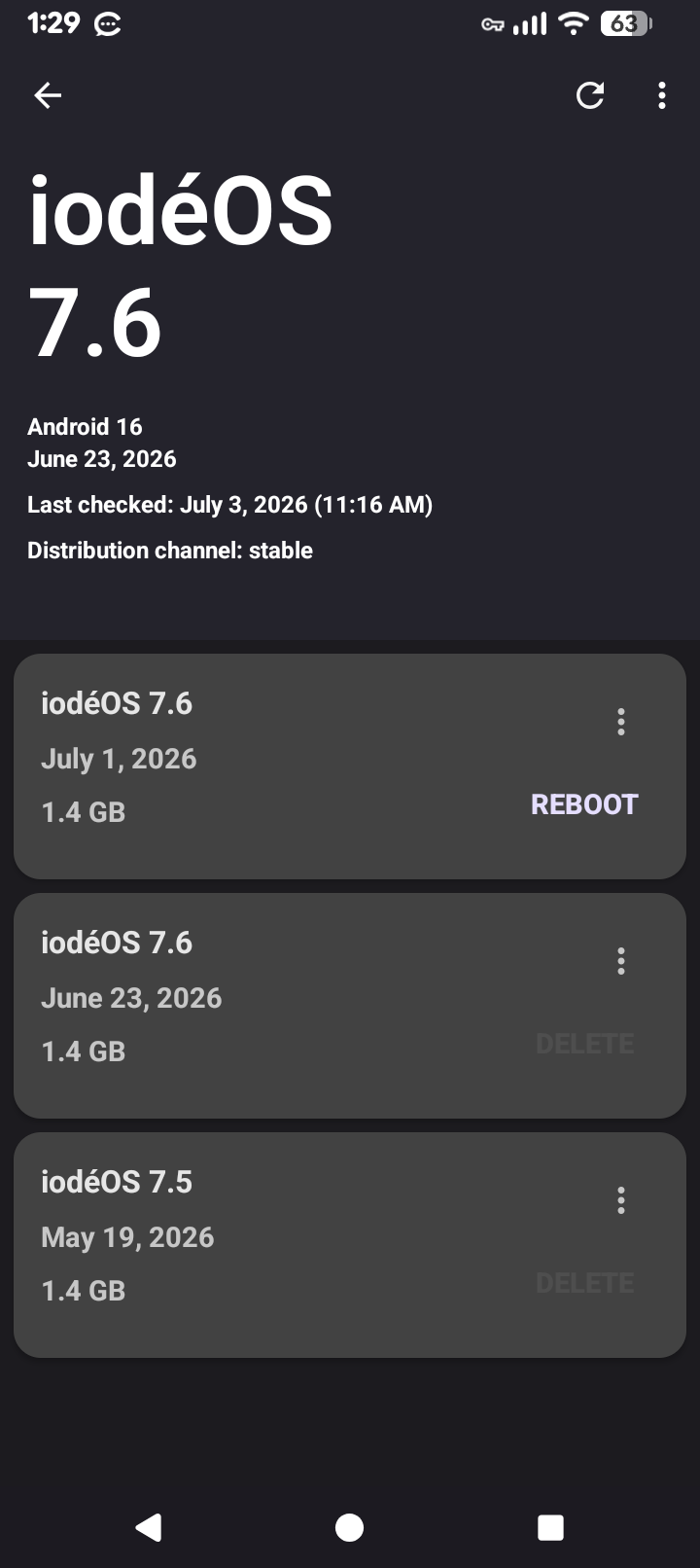
I’ve had the Brax3 since it first shipped and not seen this behavior until the last few iodeOS updates. For some reason, I’ve been receiving duplicate version downloads/updates for each new update release. Often, the releases are a week or two apart. Any idea what’s going on? (see attachment of my Updater screen)
Check the 3-dots. I think there is a preferences option that llows you to delete previous version after installation.
Yes there is, but that isn’t what my question is about. I’m wondering why it’s downloading duplicate versions in the first place.
Note you have 7.6 beta and 7.6 - General release
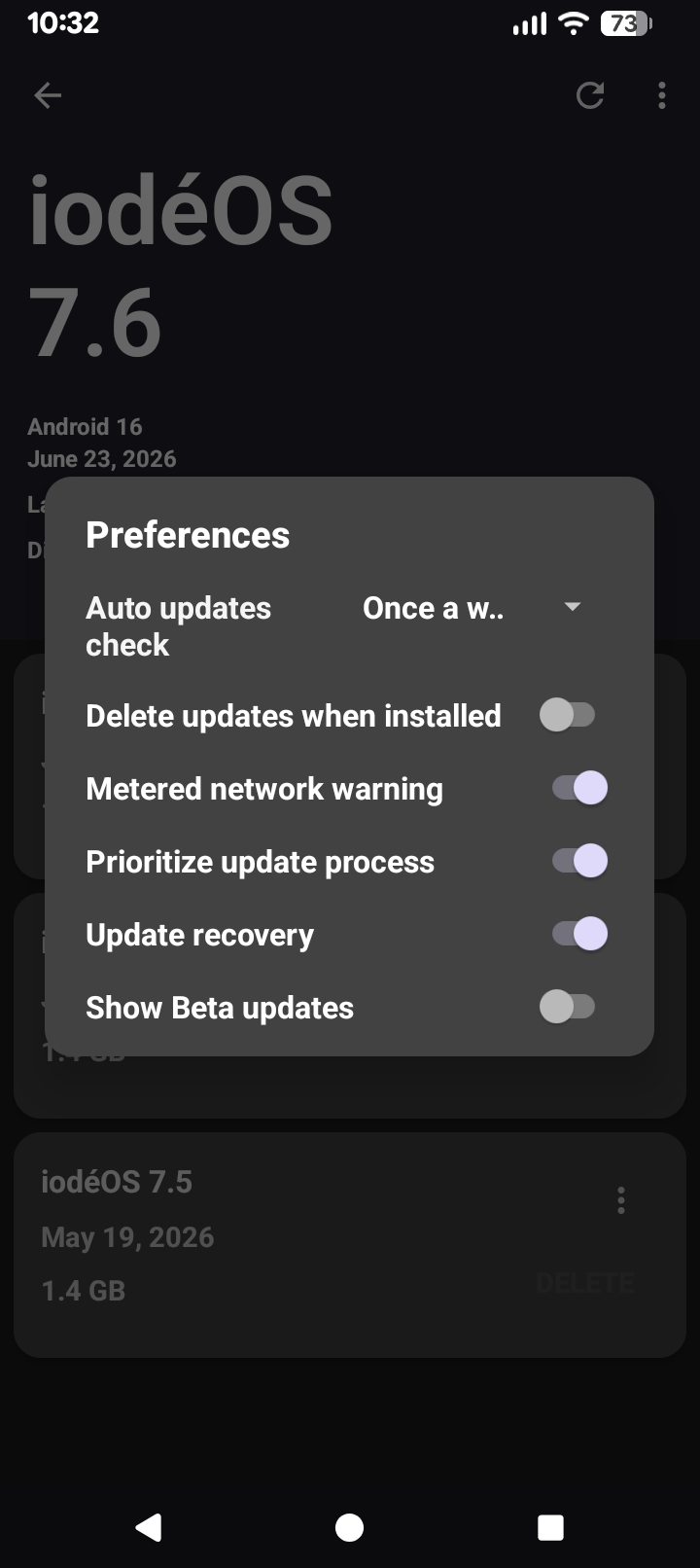
You didn’t enable the 1st one.
That’s right. That’s not related to my question.
I’m still on iode 6.3 and nothing I try. Will let me download any thing better. The updater does nothing I guess I have broken my phone and I’ve only been using it for about 3 months. Any help will be appreciated greatly.
Hi, I too have the same issue as Bob99. For my B3, it’s a first. Has the reason for it happening been found and or sorted ?
We don’t seem to have the attention of the devs, yet.
I suppose this picquereality has nothing to do from the iodé side, A ?
I have the same thing. I manually delete the older version after the latest is installrd. But always keep the latest in my list. About a week later I get the same version update again. I just download the second one and delete the first. I just considered this as the update missed something and was sent a second time.
Been stuck on 6.3 also and have 2x Brax3 devices and the newest has later version.
The 1st Brax3 was returned and now on #2 replacement Brax3 and #3 just came in .
go to show change logs *
Hit the Gear Icon *
Then ensure enabled *
Make sure u allow external links and reboot and see if helps get newest updates after reboot.
Any dev feedback on this topic?
these are not duplicate versions. They are different OS versions. The version from June 23rd is the original 7.6 update. Since then, a hotfix for NFC related issue has been pushed on 1st of July, as part of the 7.6 update. Hotfix OS versions will show the same as the version they fix in the updater (in this case 7.6), but you can see the full OS version, in About phone (in this case 7.6-20260623 for the first 7.6 version, and 7.6-20260701 for the hotfix). When you see multiple available, simply update to the latest and delete the rest.
Hi tech-support, thanks for the above info on about what was thought to be a duplicate update. But, where is the all information found about an update ‘Before’ downloading said new update, obviously so that we can see the difference from the original version ? concerning the unknown about thought to be duplicate update.
Is there as such an explanation available in relation to what is different/new compared to the previous version/update, before downloading ?
Can the Brax3.¹ screen easily be replaced/updated with the brax3.² screen, or is it the same older model screen the only sort that is to be replaced, if or when needed for the Brax3.¹ ?
Thanks heaps  in advance for your reply.
I concur with this question. Why wouldn’t there be a point release for such situations, along with a link to the change log.
Could it be an inside secret why for it to be ?
Nah, it’s hidden in plain sight: the date field is the minor point release number. There is still a mystery about how the Updater app knows it’s a beta when humans can’t tell …