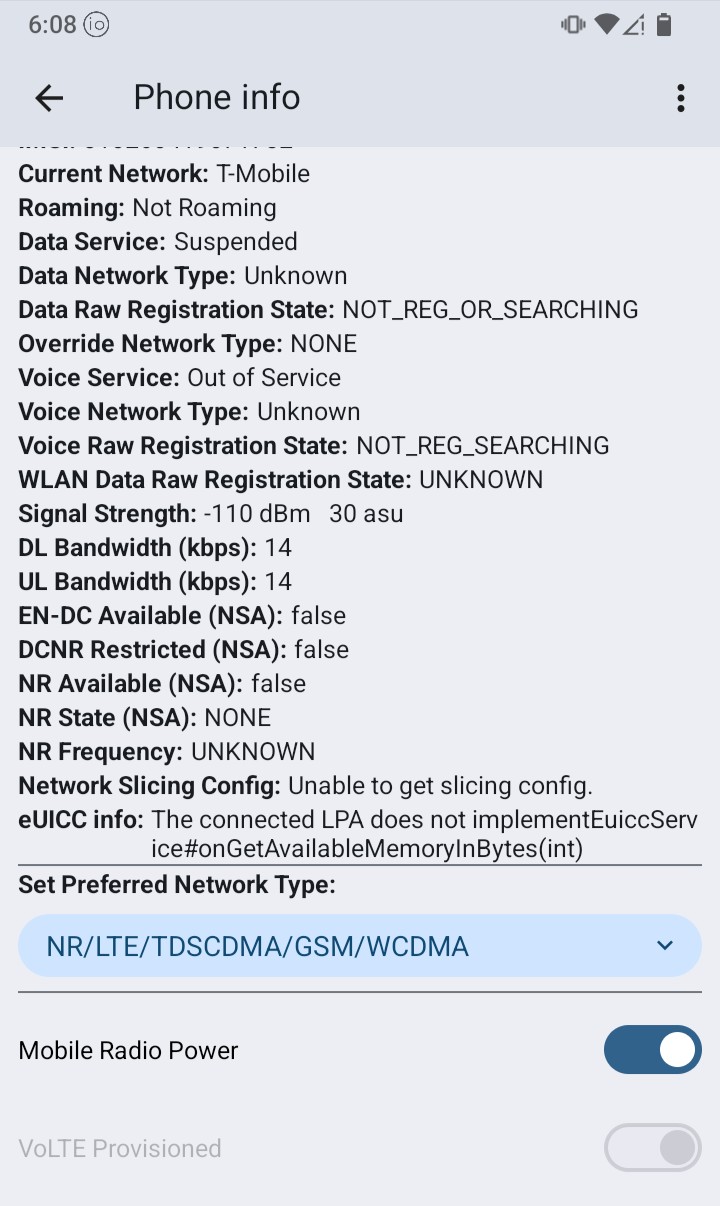
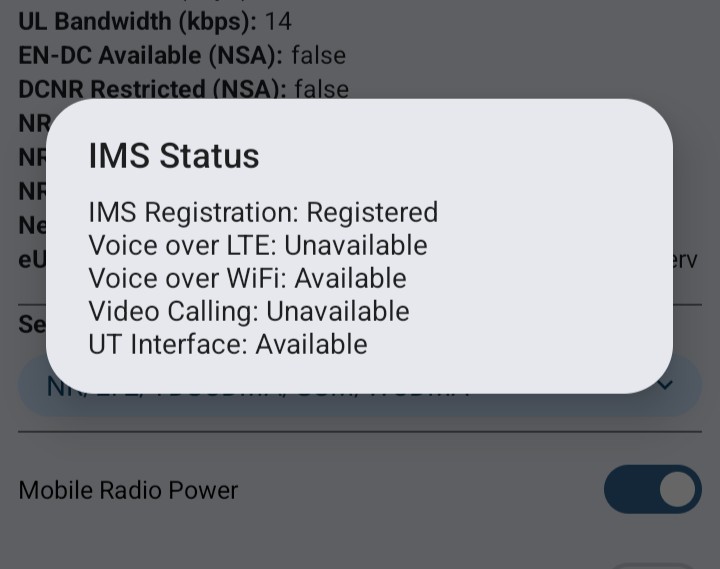
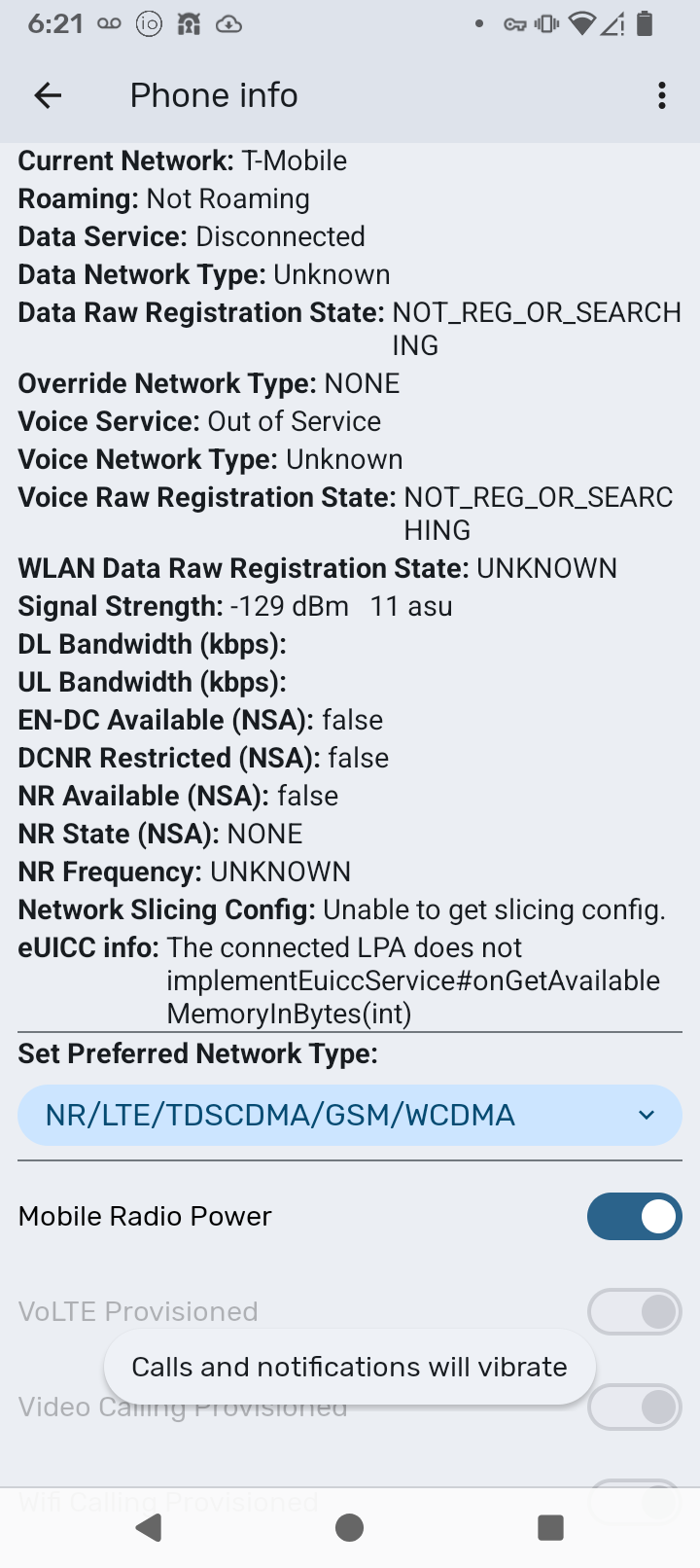
Internet Settings at the time of the pictures: T-Mobile Connected, no signal. Wi-Fi on and connected.
1 Like
Can we please get an update as to HOW this is being worked and fixed. There have been several people who have posted the same information, with the same issues. This is clearly an issue with iode. Since it goes to call and just crashes like it cannot make the call. Someone above also asked basically what the timeline is. The initial post was on Aug 1, which I know not everyone had their phones. But this is a bug and issue and kinda a big one.
Please update as to what is being done, trying to be patient but I and the other person I bought the phone for are without dialing out, meaning we have to drive to a cellular area to call out. Being as polite and patient as possible but this is a tough issue a week later with no update.
2 Likes
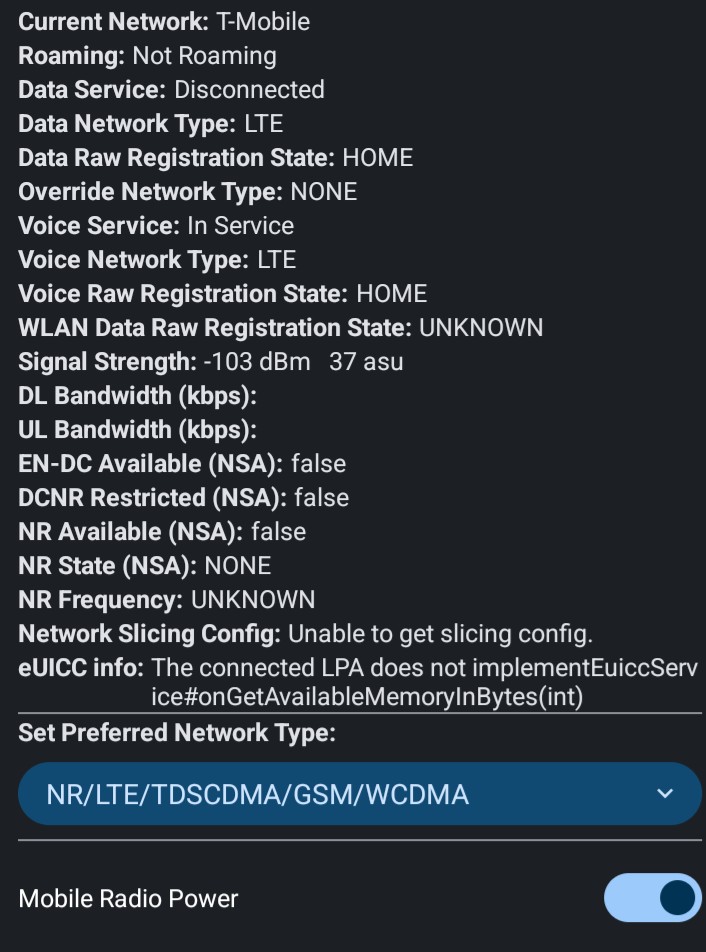
I am on T-mobile (via Mint).
Set wi-fi calling to “Cal over Wi-Fi”, phone call goes out as a wifi call.
(if it’s set at Wi-Fi only, it just ends without any feedback)
2 Likes
Sorry, having trouble posting screen shoots as a new user.
IMS Reg: Registered
Voice over LTE: Unavailable
Voice over WiFi: Available
Video Calling: Unavailable
UT Interface: Available
1 Like
Indeed. For me it implies that we are using different operating system versions. In any case, both don’t work.
1 Like
OK, I just made a “wifi-only” call. To test, I made sure that the SIM > Wi-Fi calling > Calling preference was set to Wi-Fi only.
But, *#*#4636#*#* > Phone Information > 3 dots > IMS Service Status > Voice over WiFi still reported as Unavailable. I contacted my carrier (US Mobile), and they pointed me to a quick form I needed to fill on my settings page to enable “Wifi Calling” (to confirm my physical address for 911 services or some such thing).
After that was filled and approved by their customer service, I could confirm, for the first time that *#*#4636#*#* > Phone Information > 3 dots > IMS Service Status > Voice over WiFi reported Available.
Attempting a phone call, the wifi symbol showed while dialing, and the phone call completed (before, when set to Wi-Fi only in the SIM settings it would say I needed to connect to a wireless carrier).
So this all worked, BUT I do still have cellular coverage where I am.
I then tried “Airplane Mode” (wifi active) and attempted a call, but the call didn’t complete. When I have airplane mode enabled, *#*#4636#*#* > Phone Information > 3 dots > IMS Service Status > Voice over WiFi still reports Available, but I get the message to “Connect to a wirelss network to make a call”.
What does all this mean? It means I think I can match the problems you are seeing. I have tried alternative dialer apps (including the “big yuk” Phone app from Google) with the same error message. Now that I can at least have it somewhat working I will keep checking on some alternative scenarios to see if we can uncover what is causing the bug a bit more clearly.
2 Likes
Thanks, I’ve found the same. No wireless, no WiFi calling. With wireless service, WiFi calling works. Interesting, but the whole purpose is for WiFi calling to work without wireless (cell) service. So there is work to be done.
Thanks again.
2 Likes
The most up-to-date issue report I have found is here: WiFi calling does not work after upgrade to LineageOS 22.2 (#7262) · Issues · LineageOS / issues / android · GitLab which basically reports that back to an Android 13 base (LineageOS 20) it was working, but upgrades to the Android 15 base (LineageOS 22.2) have broken it.
(The brax3 isn’t exactly a LineageOS port but is quite similar)
1 Like
Thank you. This happened to me ages ago with an iPhone/ATT setup when Apple issued a new OS. This is why I have been attentive to the OS changes that may be involved.
Is a fix coming or do we revert (if possible) to a prior version.
Thanks again.
1 Like
Sorry, but being a new device there isn’t a prior version for the brax3.
We will be looking at the LineageOS dev response, but I don’t think that currently the issue is being actively worked on by us. I’ll open an issue report on our bug tracker, but I can’t give any promise when the lead dev will get a chance to dig into this one.
1 Like
Can you point me in the direction of a refund? This cannot replace my iphone and doesn’t have the expected functionality. Sad.
1 Like
No, sorry I don’t work for Braxtech, they are the sellers of the phone and who you need to work with.
2 Likes
Thank you for the information. This seems kinda like a big oversight. I know you mentioned you cannot state exactly when the developers are going to work on this. I would really like to keep the Brax3, but need this functionality. Please put a priority on this, as there are people out here that need it. I would have been a good beta tester for the os as this would have come up immediately. 
So where would we watch for this bug and keep track of the progress? Would we continue with this set of posts or is there an iode board to follow.
I appreciate all the help. Thank you again!
4 Likes
Thank you for checking on this issue. A bug report would be helpful, will use my magical power to get it to the top of the list. 
1 Like
I’ll post a link when I create it (tomorrow at this point).
Not advocating for yet again something different but personally if I were in a no-cellular connectivity location but did have reliable wifi, I would use a SIP number as my primary number (consider it my “home phone” if you don’t want to use it when out and about but you could use it all the time). With a SIP number, you can have telephony on all your devices. I actually have a https://jmp.chat number (I mentioned this above, not sure how many people read through this whole thread) but don’t actively use it. But with them you can use the Movim app to receive and send calls and messages to anyone all the time, and recipients have no idea it is a SIP number instead of a cell service provided number.
For privacy a lot of people prefer this as well since ISPs don’t have a great track record of not selling your data.
But anyway, this is a change, I know you aren’t necessarily looking for a change. However, on the other hand Voice over Wifi is a newer technology (since “4G LTE” and then even later to become reliable), and the problem with LTE / 4G is the implementation is actually cobbled and mucked about by each carrier, it really isn’t a common standard anymore (if it ever was).
OK last point, technically VoLTE / VoWifi IS a SIP account, so it is effectively the same thing but with some hacky carrier implementations cobbled on top.
Back to the problem of VoWifi not making calls when no cellular, I will post a link to the issue tracker tomorrow after creating it (I want to check with the team first to make sure I am not duplicating something)
4 Likes
Your reply here is in disagreement with an answer I received from iode support:
"Indeed our team is working hard to solve wifi issues, but no success so
far, this issue may take a few extra weeks."
Stumbling out of the gate in a product launch can ruin public confidence in the product, its growth and acceptance. Confusion about the status and commitment of resolution will do the same.
1 Like
I’ve used CalyxOS on Pixel phones for a couple years now. Never had any problems/ issues with WiFi connections or calling. Maybe talking with some of their programmers would help expedite resolving these issues?
1 Like
@Rick @Richard451 @kaiwoo @Mazohir @herbalalchemy1 @EdwardTeach
To re-clarify, the wifi calling when there is no cellular connection issue is, as far as we know, an upstream LineageOS bug.
We will be trying to dig into it more, but the wifi connectivity issue (not about wifi calling, but instead connecting to certain wifi routers due to an underlying issue in authentication with the MediTek wifi driver) is our highest priority and where our development team is spending their core efforts right now.
2 Likes
Hello,
Correct - there are zero WiFi connection issues. The only issue is when trying to make a call on WiFi, when there is no mobile service area. It just just crashes and returns to the phone dial screen. Since THIS was a known issue and has been there a while it should be moved up in tandem as this issue was known obviously from a while back should be addressed. They both need to be addressed equally.
Thank you
3 Likes
Well I do hear you, and I do agree for you and the others on this thread, it is an essential feature. But there are many many more people in the “wifi is not connecting” camp.
Here is a link to the issue report I just created on our tracker:
5 Likes