I have the same problem, with the same diagnostics, that you describe. I will look forward to future responses. Good luck to us both!
2 Likes
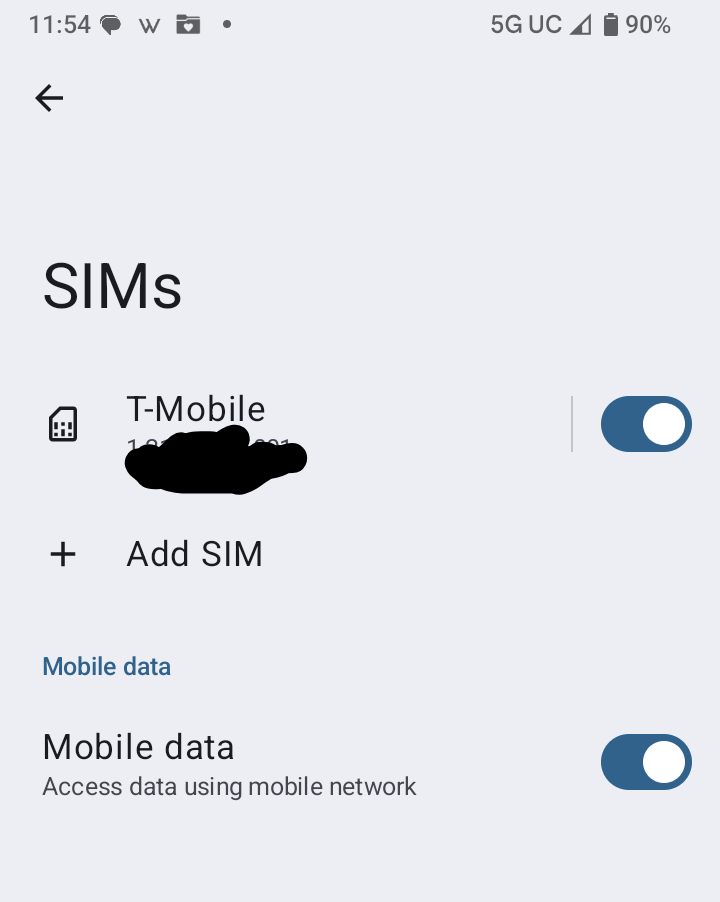
Hi there, I am like you trying to get Wifi calling operational on Brax3. I too have T-Mobile. I am looking at this (quote) and I can’t even see WiFi Calling as an option. I can go to Settings > Network & Internet > SIMs but at that point all I have is T-Mobile and a toggle (which is on) + Add Sim and lastly Mobile Data which is toggled to on.
Is there some setting that I am missing elsewhere?
2 Likes
Hello,
I have been enjoying the new phone, but I am having the same exact issue as well. I do need Wi-Fi calling at home because there is absolutely no signal in the rural area which I live. Do you have a possible timeline to resolve this issue? This seems to be the only problem I am having with the phone thus far. Thank you. 
3 Likes
Not sure why you are having that issue. I have T-Mobile and make wifi calls all the time. Have you enabled wifi calling and set the wifi calling preference to wifi?
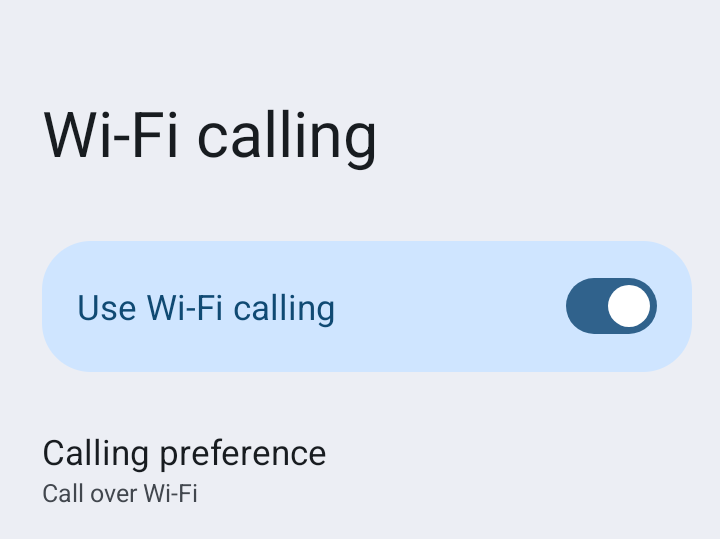
2 Likes
I think there have been enough reports of inability to connect on wifi with t-Mobile service. How do we get Brax/iodeOS to look at the issue from a systems functionality standpoint? I have carefullly followed the postings on this thread, run all the indicated diagnostics on my phone, verified that my phone is provisioned for WiFi calling and properlly user-programmed.
The fact that calls can be received yet can not be made points to the phone/OS, not to a user error.
Thank you.
2 Likes
Excellent! I haven’t found someone that can confirm this yet. Can you give a bit more help, maybe it is a permissions issue somewhere, etc.
If willing, are you able to confirm both of these scenarios:
- Wifi calls when you are out of cellular range (I know there are some good places to try in your part of the world )
- Wifi calls when turning on
airplane modeand then enablingwifi.
I ask about the 2nd because it is the only scenario I can use without a long drive somewhere
1 Like
Hello again! Can you please guide me through how you even get to this screen (screenshot) as I am not seeing it anywhere in Settings. I have T-Mobile, excellent WiFi connection but don’t even see this option through any app I have installed on my phone.
1 Like
Never mind. I found the answer in the Brax.Me Chat. To save others who mich be monitoring this, here it is:
Go to Internet & Settings > Internet > tap Gear Icon on the right side > scroll down underneath “Calling” you will see “Wi-Fi Calling” Call over mobile network and tap on it, it’s turned ON by Default.
Off topic, I wish we could agree on using one forum i.e. this for Q&A on Brax 3. This is a lot easier to use, search for keywords, etc., than Brax.Me
3 Likes
Interesting… In airplane mode with wifi on, calls will fail. I assumed since the dialer was saying wifi call that it was actually using the wifi…
I’ll be in the middle of nowhere later this week with no cell service, only wifi and will try to test
1 Like
Thank you for the continuing effort. Perhaps our phones have different names for the same function. Is this what you did?:
Main screen, Settings Icon/Settings Gear
“Network & internet” line (press) opens “Network & Internet” page
INTERNET line (press), to enter “Internet” page
First line (carrier, t-Mobile for me) press gear to the right (there are other gear options on this page) opens a page with the carrier name
scroll down to Calling section, select Use Wi-Fi calling, calling preference “Call over Wi-Fi”
Is this correct. I include a lot of detail as small differences count. Also because it didn’t help my situation.
Thanks,
Rick
1 Like
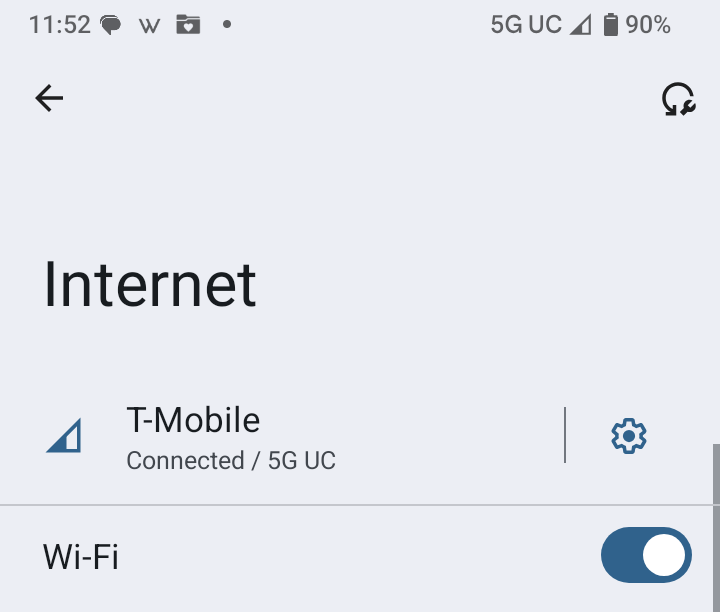
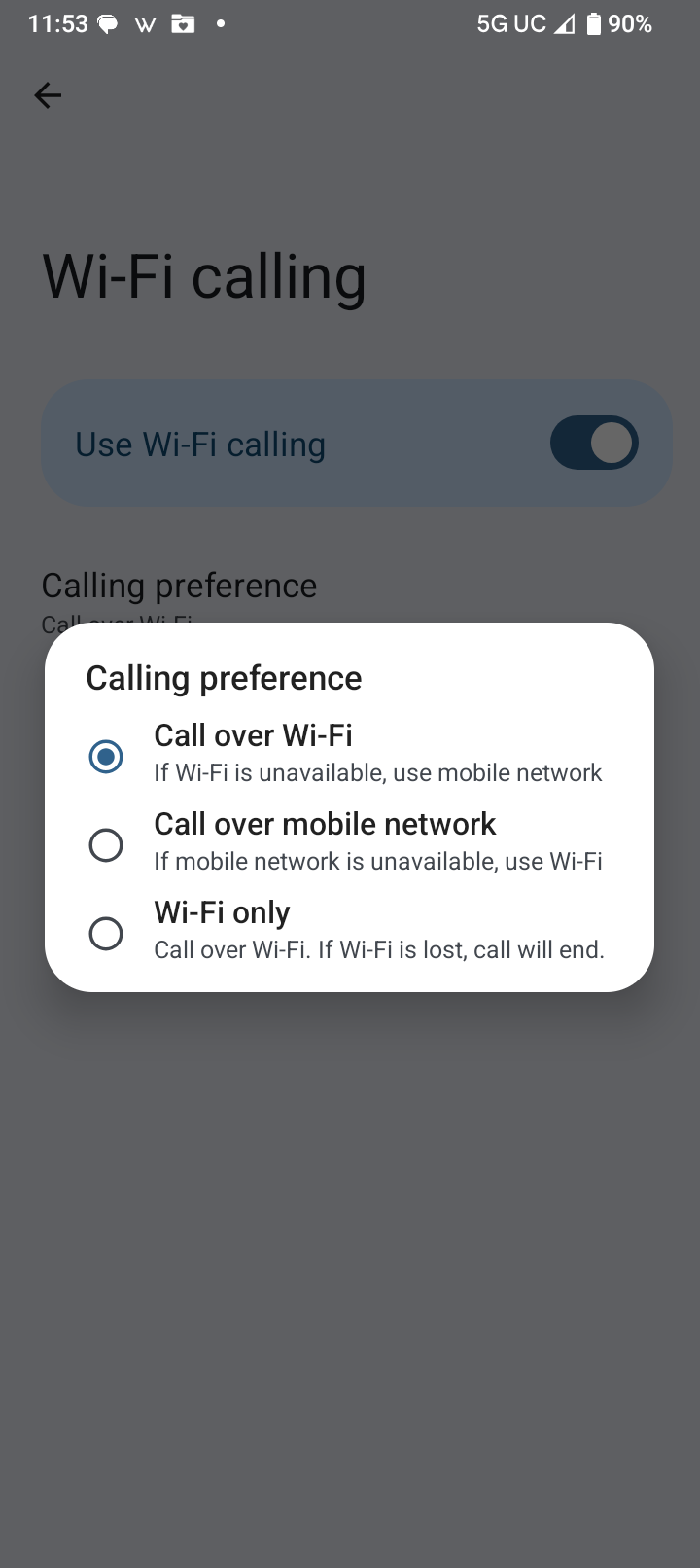
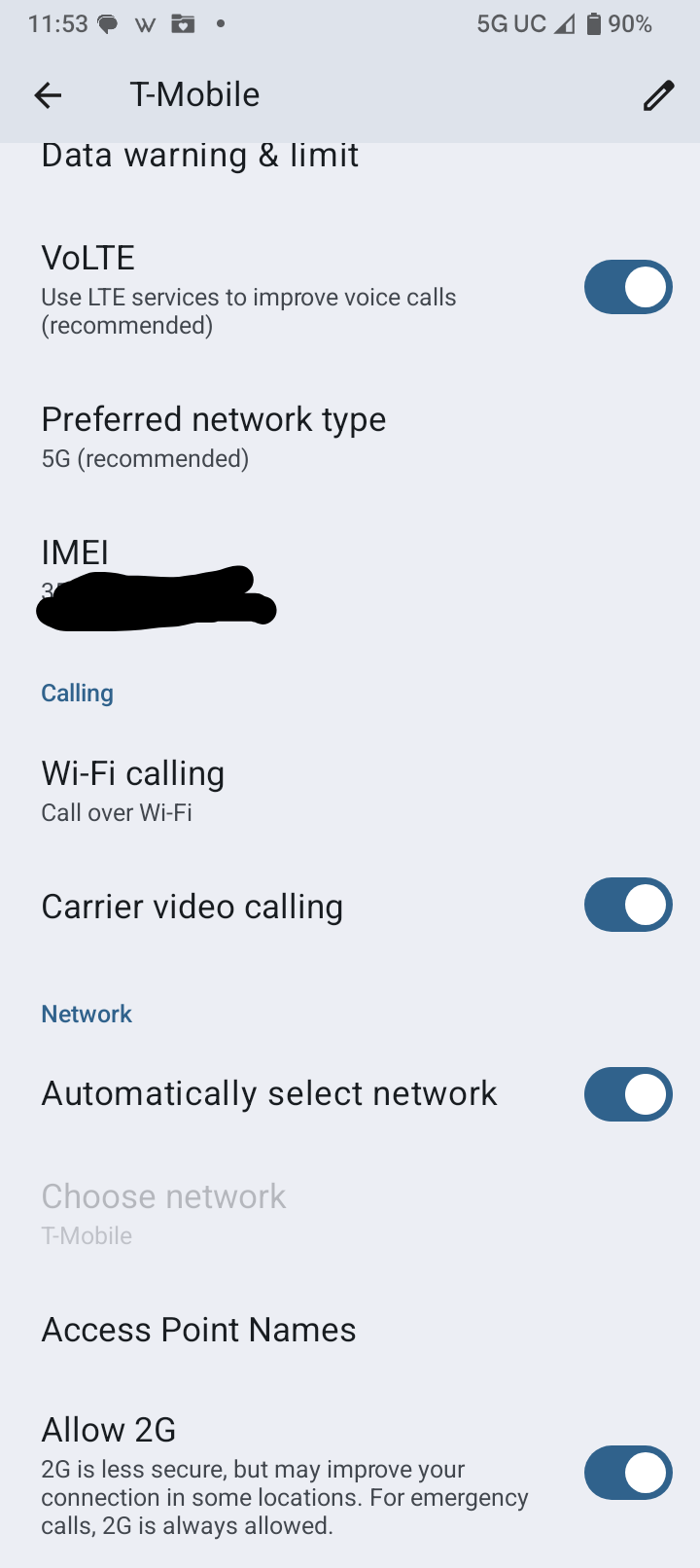
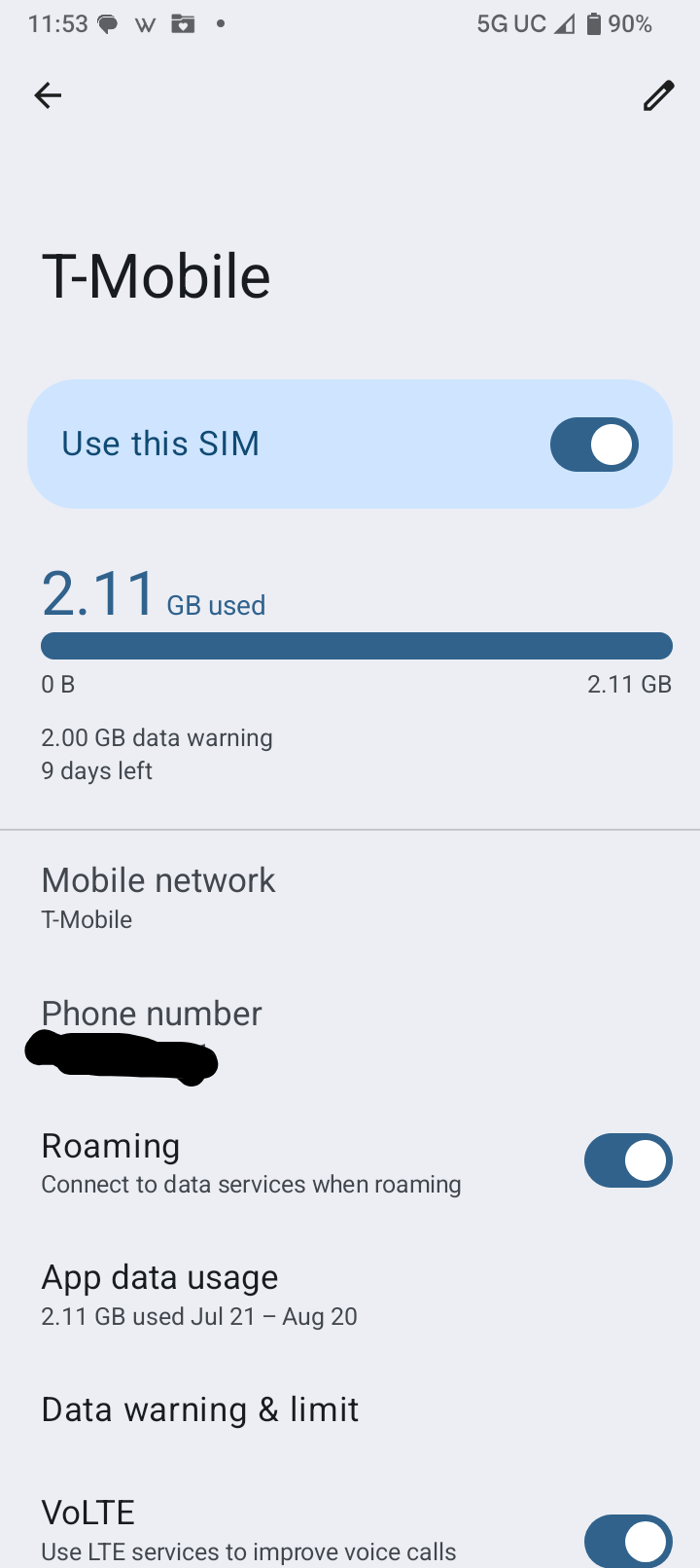
Have you tested it with WiFI only. If you get service at your house it will still grab the WiFi but call over the network. I tested this at two sites that had both WiFi and mobile network. It would work but never if JUST calling over WiFi. This is an issue, a very important issue.
Flagged WiFi calling only - Failed
Call Over WiFi - Will only work because it falls back on the mobile network but doesn’t technically use the WiFi, even though it is on.
2 Likes
Sadly, you are quite correct. I have just done that test too. Looks like a glitch as there isn’t any warning. It just stops and reverts to the screen I launched the call from but keeps the phone tied up (if I call from another number, it goes straight to email thinking the line is busy). Sounds like another bug
2 Likes
I confirm that I did exactly what I originally posted. I do find it odd that you see different names for essentially the same process!!! Makes it hard to diagnose and offer solutions 
1 Like
For what it’s worth, I have my Settings as Wi-Fi calling = On and Calling Preference = Call over Wi-Fi. So I tried changing my setting to yours i.e. Wi-fi only and I could still dial out successfully.
2 Likes
@guardian241 do you see the “wifi only” option? If so can you confirm if it works? For me I then can’t place calls, but my *#*#4636#*#* is showing Voice over Wifi: Unavailable all along, which is why I have never known how to test. I am on a US Mobile (T-Mobile) SIM, and don’t know why it shows as Unavailable as I think this matches your carrier?
1 Like
Thank you, these are the settings I have.
I have noticed that wi-fi calling works when there is both cell service and wi-fi service. However, when I use the phone with only internet (no cell connection available, but cell service is on), it doesn’t make calls.
I will keep studying this. The need for wi-fi calling for me is when cell service is not available, so I’m not finished yet, but progressing to understand the cause.
It increasingly sounds like a system (OS, etc.) issue as I can get wi-fi calling to work when both cell and wi-fi are up. So, wi fi works in both directions under the above condition.
Thanks again.
1 Like
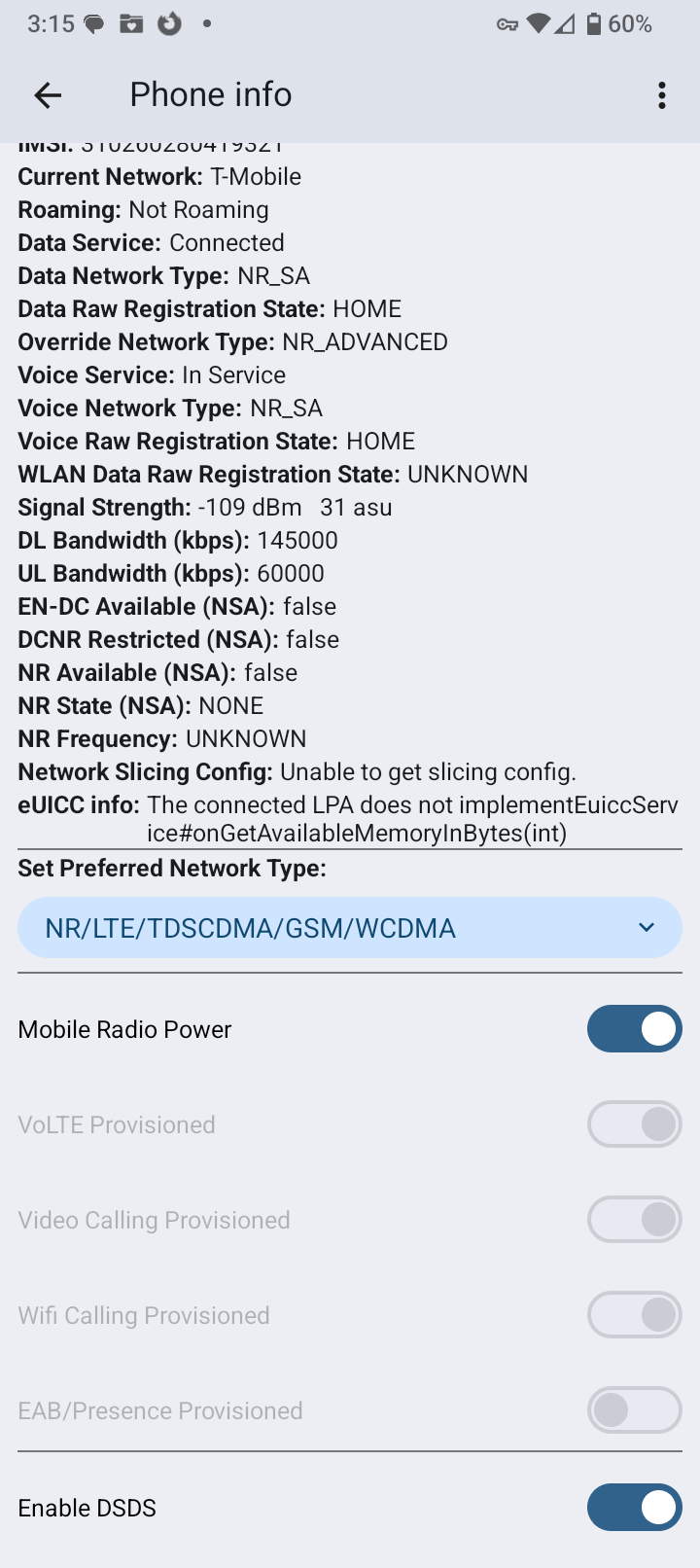
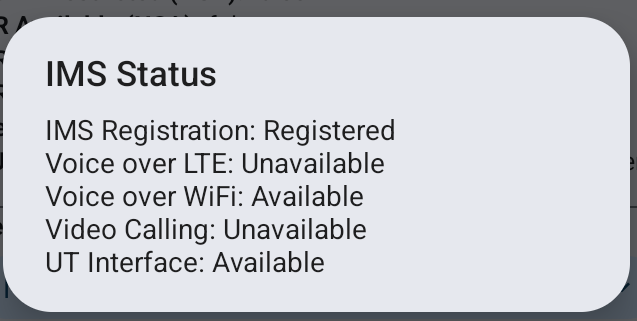
I am raising my hand as well. Same same issue. Can receive calls through WiFi, cannot make outgoing calls through WiFi. I am also in a rural area, and yes, beautiful, but without cell service. Thanks for everyone’s effort in this discussion.
3 Likes
Can you and others with the issue please post your Voice over WiFi output as @guardian241 screenshotted above?
2 Likes