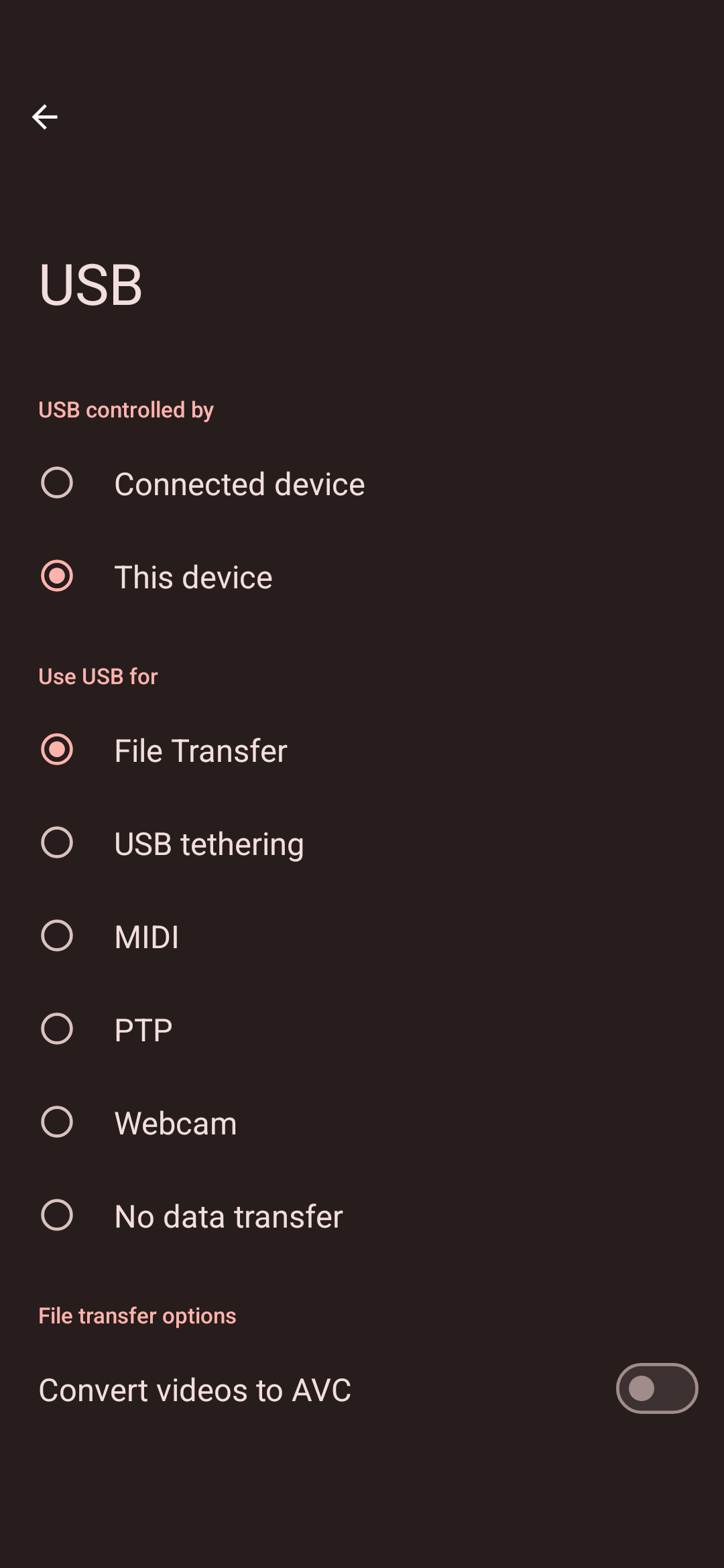
I connected the BRAX phone to my PC via USB to move some songs into, but any time I select “USB Controlled by” it says “Couldn’t Switch”
Is there a way to force it to so I can see it as a drive in my PC?
I connected the BRAX phone to my PC via USB to move some songs into, but any time I select “USB Controlled by” it says “Couldn’t Switch”
Is there a way to force it to so I can see it as a drive in my PC?
What OS are you using, do you have another to test with?
Assuming your pc is windows, maybe scan for hardware changes in device manager?
im in iode OS, ill check the device manager to see if there are any updates. Im new to phones like this, currently updating to 6.6, i was 6.3 previously
That is expected: as I understand newer security layers will not allow the PC to control what mode to put the phone in. So USB will be controlled by “This device” (the phone).
To transfer files, you go to the section below that, and choose “Use USB for … File Transfer”. You should then see it show up in your file browser on your PC.
I finally got it to show up and now it just keeps connecting and disconnecting, even under “this device” Keeps making the connection and disconnection noise as well
It keeps connecting and disconnecting, at least once every second.
This sounds to me like a physical connection issue. Can you try a different cable and or different USB port?
I’ve tried the 3 cables I had, same issue for each
Do you have another phone to cross check?
yes it works on my samsung phone no issues. However under More security & Privacy settings> Trust> Restrict USB. I found Allow USB connection when unlocked.
So now it lets me open the phone on my PC, but I cant drag files in at all because it does not let me swap control to the PC so the files simply are not movable to the phone.
I’ve also used a type C to type C and it lets me see my samsung phone files but I cant move them in
Also my problem finally can see my files on B3 but cannot transfer any files to them
Forgot to mention my PC is on windows 10.
I’ve enabled developer mode and turned on USB debugging as well and it still has done nothing.
I was thinking maybe the PC had the wrong drivers and uninstalled them, reconnected the phone and I still cant drag files to the phone
No matter what it seems to be some werid security setting I cant find…
It simply wont let me select “Connected device” so the PC can manage files…
Again, you do not need your PC to “manage files”, this again is a security design of Android so that if your PC is compromised and your brax3 is plugged in your phone will not be compromised without you having it unlocked and manually enabling “File Transfer”.
Additionally you do not need USB debugging. As long as “File Transfer” is enabled on your phone, it is in the right mode, as shown in this screenshot:
Any issues accessing from your PC file browser would be due to PC settings. Maybe Defender / Firewall / AV getting in the way? I think you would need the Mediatek driver installed, but I am not a Windows user for the past 15 years so I am not the best to guide you from here, sorry, but I am sure others will be able to assist.
I tried to download a mediatek driver and it did nothing T~T
What cloud storage service do you think I could use to move files over?
You got this installed from here then rebooted? After reboot, connect the brax3, what does Windows do, does it note that it “found new hardware, setting up” or anything? Then you put the phone in “File Transfer” mode as in my above screenshot?
Can you look at Windows Defender / AV / other to see if is blocking anything?
There are too many cloud providers to recommend, I honestly don’t know the best one to recommend, I think it is better we get you connected directly to your device.
Thank you so much! that one actually worked! I can put music in now!
Great! So it was the driver? Do you know where you got the other one from? Maybe that is a post around here with a bad link or something?