Sorry. I misread your reply.
2 Likes
Netgear R6700v3 with DD-WRT Beta 2025-Nov-12
Iode OS 6.9
Put WPA PSK only => wifi works.
WPA2 PSK only or mix => no connection.
Hope, this helps.
1 Like
I installed the beta using this link SwissTransfer - Send large files securely and free of charge. However, the device could not connect to the router which is Netgear AC1900 Cable Modem Router Model C7000v2.
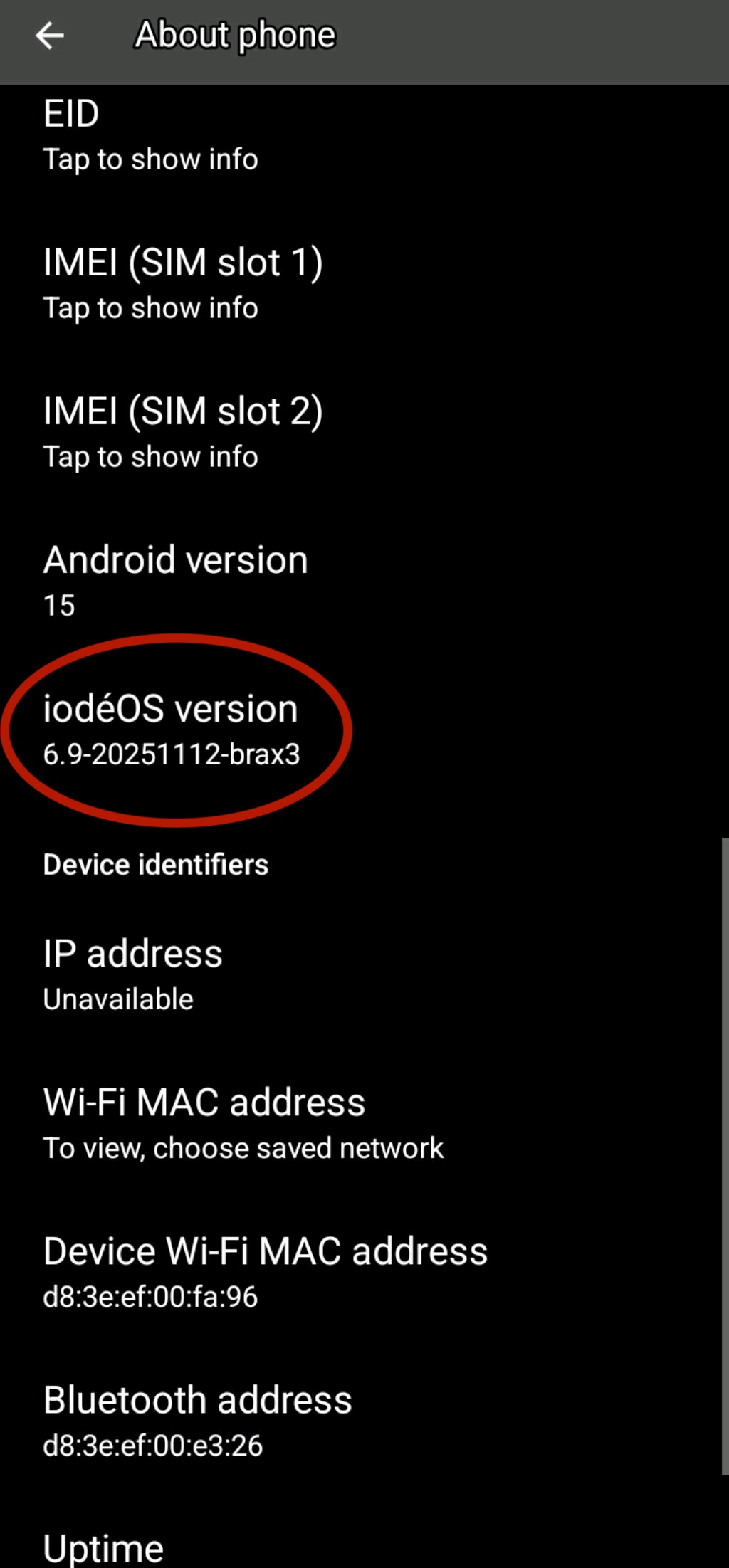
We believe now fixes the wpa2 wifi issue.
Link for manual update will be shared soon. After we receive some feedback, we will push it OTA to beta, and then to production.
4 Likes
I can indeed report that it is working for me on my Sagecomm F@st5657 ISP router. To get the update, please join the iodé beta channel by downloading and installing the updaterbetaiode6v2 apk, it shouldn’t take long to arrive as an OTA update.
3 Likes
A beta OTA has been pushed, it should be available in the beta updater. For updating manually, the file is here: iode-6.9-20251116-brax3-ota.zip · master · ota / betas · GitLab
3 Likes
This beta update worked for me! I finally connected to my router which is a Netgear AC1900 Cable Modem Router Model C7000v2. My salutations to all persons involved in resolving the previous problem.
5 Likes
I’d expect I’m not the only former tech worker (with delusions he still understands things  …) who’d be interested in hearing - without getting too deep in the weeds - what the issue was. An uninitialized variable? An incorrect value passed during a handshake? Etc.
1 Like
This locally installed beta update iode-6.9-20251116-brax3-ota.zip worked for me too! I connected to my ASUS RT-AC1900P using WPA2-Personal AES encryption.
Congratulations on getting this fixed! I too, a long time developer would be interested in the key issue(s), once everyone is all up and running.
6 Likes
From @vincent’s dev notes:
The dev of another custom rom contacted me, as he has the same problem on an mtk device. He pointed me to a repo of wpa_supplicant containing a version that worked : this is what I used to build the previous version. But : this wpa_supplicant is nothing more than the version based on aosp tag ‘android-13.0.0_r82’, with a few more commits to make it build under A15. That is , a very old version. Furthermore, he was blocked for building it under A16, too many depencencies breaking everything…
So, I tried to upgrade that wpa_version to the next android tag, that is android-14.0.0_r3, and the issue came back. I then started to inspect all commits in between the two tags, trying to revert the ones that could maybe be relevant, experimenting each time… until I felt on a commit that once reverted, removed the issue.
It is related to multi-akm which was not implemented in the a13 version of wpa_supplicant : the mtk wifi driver reports several possible akm suites (for key management, like PSK or SAE), but apparently, wpa_supplicant, or the wifi driver itself, does not play nicely with that.
So : I took the up-to-date lineage 22.2 wpa_supplicant version, disabled multi akm, and this has worked on my Pixel 4 hotspot. I hope this will be the same on Brian’s router…
This is a much cleaner version, as it is not a good idea to use a so old version of wpa_supplicant : security issues, plus incompatibility with A16.
We had identified long ago the issue was somewhere in wpa_supplicant and how it was interacting with the Mediatek wifi driver but we weren’t able to source a working variation to then run the process in applying commits up to current to identify the specific issue, it was looking for a needle in a haystack without even knowing if it was a needle. A better analogy may be “looking for a specific blade of grass in a haystack that we didn’t know was different from the others” or something like that
I then asked Vincent for some more insight on why he thought the LunarOS (A14 build) did NOT have the issue, maybe it had the older A13 base wpa_supplicant? But he explained this:
No, lunar has an A14 up-to-date version. Or it would have worked when I tried importing wpa_supplicant as a blob. Also, the A14 GSI work, but the A15 does not. There is perhaps something in the system which controls that ‘multi akm’ thing since A15. Searching there could be another solution.
And yes, reverting commits one by one is tedious, but thanks to the dev who contacted me, the search space was greatly reduced. And with good heuristics and a bit of luck, I could find something

In final summary, the Mediatek wifi driver was not interacting nicely with the way that the “multiple authentication key management (multi-akm)” bits of wpa_supplicant work in newer versions. Vincent was able to disable multi-akm from an updated wpa_supplicant for the brax3 which doesn’t support it. This will allow migrating to iodéOS 7.x (Android 16 base) in the somewhat near future.
I am sure Vincent can put this more succinctly, but I didn’t want to spare any of the insights gleaned along the way.
7 Likes
I too can confirm this update, which I side loaded, has fixed my WPA2-PSK with AES encryption issue and it now connects on both 2.5 and 5GHz channels of my Motorola Cable Modem Plus AC1900 Router, model MG7550. Hardware version V1.0 and software version 7550-5.7.1.43.
Thanks! Whew!
5 Likes
All the hard work, and the explanation, is much appreciated.
5 Likes
Yes, it was a long and twisted road with many dead ends Now that iodéOS can apply a patch to disable multi-akm from wpa_supplicant it means the issue is solved for us, but any other custom ROMs or Linux builds will need to apply the same type of patch or this issue will exist for them as well. Presumably even LunarOS will need to apply a similar patch if they move to an Android 15 or Android 16 base eventually.
So really to correctly fix this, the ball is back in Mediatek’s court to fix their wifi driver to handle wpa_supplicant using multi-akm, then if anyone has updated Mediatek wifi drivers they won’t experience this issue in the future either without needing a patch to disable multi-akm. I think @plamen and his team will try to communicate this back to the manufacturer.
3 Likes
iode-6.9-20251116-brax3-ota
Worked for me as well !!!
Router Model: Netgear R6300V2
Firmware Version: DD-WRT v3.0-r31870M kongac (04/16/17)
Kernel Version: Linux 4.4.61 #300 SMP Sun Apr 16 17:48:50 CEST 2017 armv7l
1 Like
Not sure if this is an equivalent corrective action. Someone could try before updating with the beta.
Disabling Multi-AKM for MediaTek WiFi Drivers on Android
To disable Multi-AKM (Authentication and Key Management) for MediaTek WiFi drivers on Android, follow these steps:
Method 1: Using ADB Commands
- Enable Developer Options: Go to Settings > About Phone and tap on the Build Number seven times.
- Enable USB Debugging: In Developer Options, enable USB Debugging.
- Connect to PC: Connect your Android device to a computer with ADB installed.
- Open Command Prompt: On your PC, open a command prompt or terminal.
- Run ADB Command: Use the following command to disable Multi-AKM:
adb shell settings put global wifi_multi_akm 0
Method 2: Modifying Device Tree
- Access Device Tree: You may need to modify the device tree configuration files.
- Edit Configuration: Locate the relevant configuration file for your device and set the Multi-AKM option to disabled.
- Recompile and Flash: After making changes, recompile the kernel and flash it to your device.
Method 3: Menuconfig
- Access Kernel Configuration: If you have access to the kernel source, use
menuconfig. - Navigate to WiFi Settings: Find the Multi-AKM settings under the WiFi driver options.
- Disable Multi-AKM: Set the option to disabled and save your configuration.
Important Notes
- Backup Data: Always back up your data before making system-level changes.
- Root Access: Some methods may require root access to your device.
- Device Compatibility: Ensure that your device supports these modifications, as not all MediaTek drivers may have the same options.
By following these methods, you can effectively disable Multi-AKM for MediaTek WiFi drivers on your Android device.
3 Likes
Can confirm Nokia E-240W-A 2,4 GHz and 5 GHz network using WPA2 WORKING on iodéOS beta build 6.9-20251116-brax3.
Thanks iode team!
2 Likes
Thanks for finding that info. I think option 1 is the easiest to try:
I asked Vincent about this but he explained that there is no available wifi_multi_akm setting that exists in AOSP, and one doesn’t seem to be added to working Mediatek ROMs such as the A14 LunarOS build either. So using adb to set a parameter for a non-existent variable would not do anything.
Since I am a bit stubborn I gave a try anyway. I flashed an older non-working iodéOS build, confirmed I could not connect to my Pixel 3a XL hotspot, then applied the adb commands (first attempting a “get” to see if the variable was set to anything):
BraX3:/ $ settings get global wifi_multi_akm
null
BraX3:/ $ settings put global wifi_multi_akm 0
BraX3:/ $ settings get global wifi_multi_akm
0
BraX3:/ $ exit
Then I attempted to connect to the Pixel 3a XL hotspot and had the same problem authenticating. So I think this confirms the setting doesn’t exist.
As the other methods involve recompiling the kernel or adding a kernel parameter, it isn’t really in scope. These methods may help in a more traditional full Linux desktop environment, but don’t seem able to be used in our case. Once again thanks for finding this, though, it does at least confirm that others have had the issue of multi-akm causing wifi authentication issues with Mediatek wifi cards.
So it seems a custom build is required to address the issue, as is done in the latest iodéOS beta, and isn’t something that can be done at the user level.
4 Likes
The Asus RT-AC66U reads you 5 x 5.
Thank you!
1 Like
3 posts were split to a new topic: BraX3 internet speed with VPN on
OK. I see there is a solution. But could someone tell me what “ADB” is and how do I get it? Upon further reading it looks a solution was found in beta testing and a formal update via the updater will be forthcoming very soon for us non tech people.