How do i change it to WPA3 on router? and BTW the wifi at another client’s house today was WPA2 and 5G which worked.
1 Like
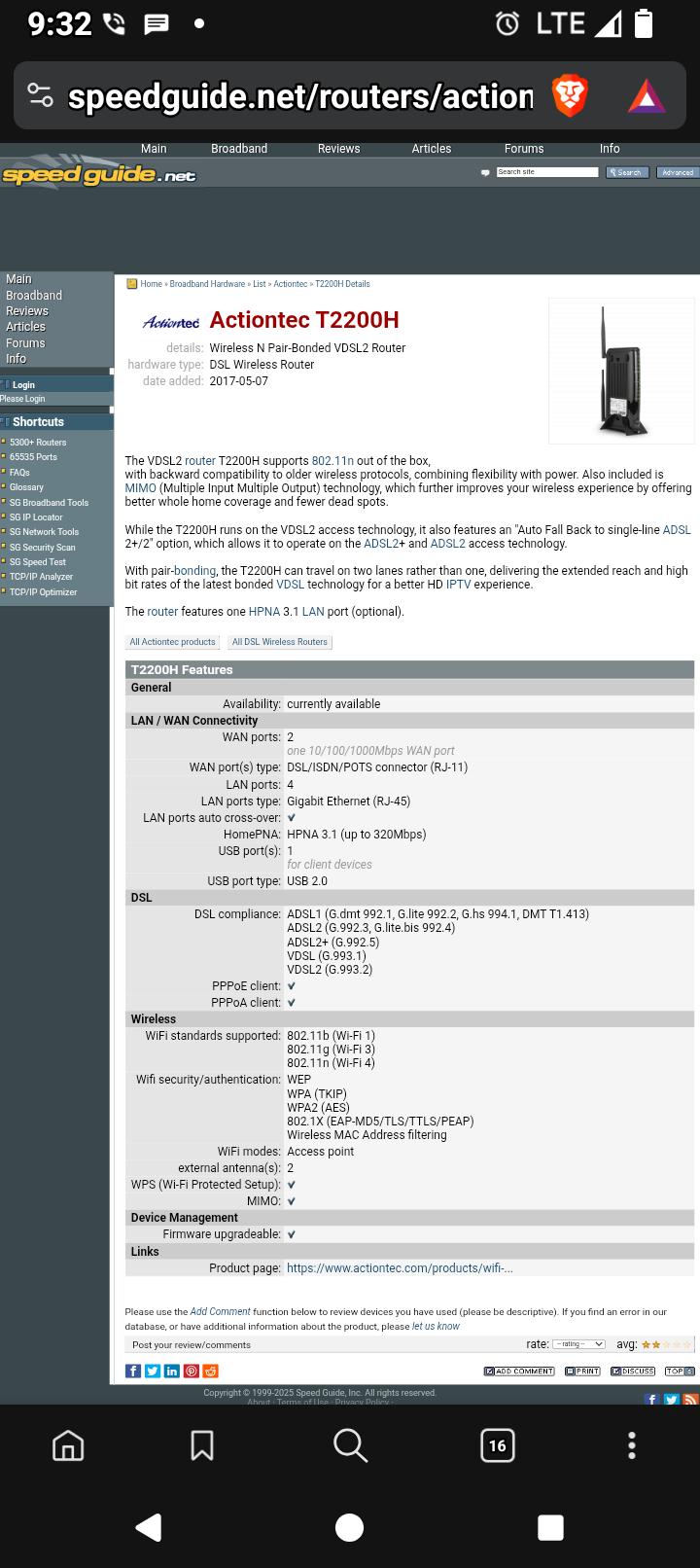
Well it depends, but I did search and found this about your router: SG :: Actiontec T2200H DSL Wireless Router
I don’t think your router supports WPA3. So it is just on the iodé side that it gives a generic message about it being WPA/WPA2/WPA3.
Just updated the OS 6.6 to-day August 5th. Was on line at the mall and at a hamburger restaurant. Not online at home on the Actiontec GT 784 WN.
You are right! I was finally able to log into the router and the only choice is WPA/WPA2-personal. (Security Type: WPA2-AES) Does this mean we need a new router? Note that my phone worked on WPA2 today at a client’s house.
1 Like
For what it’s worth:
An ancient Pace PLC 5031NN-030 (2.4 GHz only) did not work with WPA/WPA2 on b/g/n or straight WPA2 on b/g/n. WES on b/g did work, so something’s going for you all. The thing that gets me about this is how fast it gets denied. It’s not like the 1/2 second delay of a wrong password. It’s fast. Experienced with the IODE 6.6 update installed. I did the forget connection to clear it out.
True the failure occurrs immediately for me too on both APs we have. Its like the WPA authentication operation immediately fails. It never even attempts to authenticate.
2 Likes
I think you mean WEP? Yes that does work, the issue is with WPA/2 authentication only, with some A/P / Routers. I added your issue to the chart above. It is being worked on, buried deep in the Linux kernel module layer (interaction with the proprietary wifi blob).
@rik @guardian241 @3n1gma @triplef @vincent
Hi all, I logged into my 9 year old Actiontec router today and can only set to WPA2-personal. I explained the situation with my ISP and so they are sending me a new router. This should take care of the wifi password authentication issue.
Thanks for all your help, I’ll report back in a week when it arrives.
2 Likes
WEP is correct. Thanks for the update, and best of luck.
1 Like
There are still some newer routers that don’t connect, but let’s hope this new one won’t be a problem  BUT I also hope a proper fix on our side is in place before another week also. The race is on!
2 Likes
I too have an ancient Actiontec low budget router. Cannot connect.
I went down a friends home and was able to connect to her Wi-Fi. She uses a Verizon Internet Gateway model # WNC-CR200A. Frequency = 5-GHz ; Security = WPA / WPA2-Personal ; Network Usage = Detect Automatically ; Type = Wi-Fi 5.
On a whim I activated the Developer Options menu. Under Networking there were settings on by default. Two of them were “Wi-Fi scan throttling” and “Tethering Hardware Acceleration”. I disabled both settings but I still could not connect. Both interact with Wi-Fi
Obviously there is some feature, setting, protocol, or value within the Verizon Internet Gateway that let the Brax3 connect. There was no delay; it connected immediately. Something either is not present on the Actiontec router, is wrongly off or on, or was given a wrong value.
1 Like
Just a heads up. Both of the routers we are using are multiple years old. Neither are new.
For completeness, maybe because I am a “glutton for punishment”, pass me your “non-working” Actiontec model details.
Looking at the “non-working” list, it Actiontec, Asus, DD-WRT, Netgear, TP-Link that are having the most issues (some other “one offs too”). My TP-Link is fine, but the firmware is up-to-date. So it could be a combo of these hardware providers (well AND dd-wrt) and it being older firmware. But I don’t think we want to guide everyone to upgrade their router firmware if they aren’t comfortable with that (even though old firmware could be a security risk). Bricked routers are beyond our scope!
I do hope we will have good news in the form of a new release that addresses the wifi issues on these devices, but again still no ETA.
Linksys - EA6900 Smart WiFi Router
2.4 ghz/5ghz “Check password and try again”
WPA/WPA2
Connects through Apple IPhone 12 Mini HotSpot (Internet Access)
1 Like
I have a sonicwall and a linksys (on dd-wrt) that arent working.
1 Like
I already have your linksys e1200 on the list, but don’t have the details on the sonicwall.
Sagemcom / F@st 5655v2 AC RF
CPU & Switch BCM 68380
2,4GHz chipset BCM43217
5GHz chipset BCM43602
Wi-Fi 5
6.6-20250803-brax3:
WPA-supplicant fails on WPA/WPA-2 Personal
1 Like
Actiontec model GT784WNV
Security: WPA2-Personal
H/W: 5A
F/W: GT784WN-VZ-1.1.6
1 Like
I use the modem/router provided by my isp currently. A Zyxel C3000Z. Uses WPA2-Personal, and my brax3 refuses to connect to it. Same issue everyone else is having. Updated my phone to 6.6, didn’t help.
1 Like